

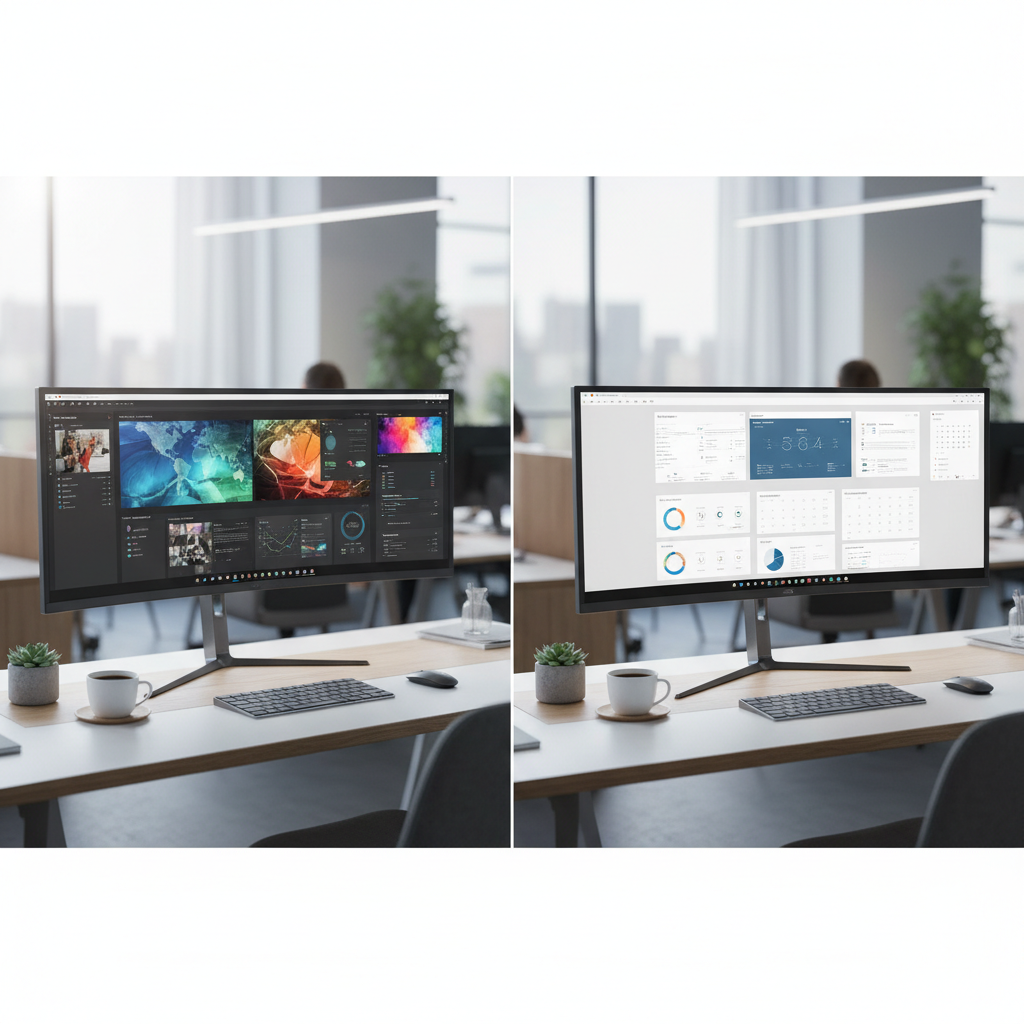
Choosing between a curved monitor and a flat monitor can shape how you work every day. Both types have grown more affordable and more advanced. This guide gives you the facts.
We looked at ergonomics, pricing, productivity data, and real-world desk setups. Read on to find the right choice for your home office in 2026.
Curved Monitor vs Flat Monitor at a Glance — Quick Verdict
Short on time? Here is the quick takeaway from our research.
Best for Multitasking & Immersion: Curved Ultrawide Monitors
A curved monitor with ultrawide aspect ratio (21:9 or 32:9) wraps the screen around your field of view. This design keeps text, charts, and windows at an equal distance from your eyes. Samsung’s eye tracking study shows up to 87% less eyestrain with 1000R curvature. Curved ultrawides are ideal if you juggle multiple apps side by side. They create one seamless workspace with no bezel gap.
Best for Precision Work & Flexibility: Flat Monitors
A flat monitor holds straight edges and uniform color across the entire panel. This matters for color grading, engineering CAD, and design review. Flat screens also give you more stacking options. You can rotate one screen to portrait mode. You can mix and match sizes. If your work needs pixel-level detail, a flat display wins.
Best for Small Home Office Desks: Flat Monitors
Flat monitors have a smaller footprint. A 27-inch flat model fits easily on a 48-inch desk. A curved ultrawide of 34 inches needs at least 32 inches of width plus viewing room. For tight spaces, go flat.
Curved Monitor vs Flat Monitor: Head-to-Head Comparison for Office Work
| Feature | Curved Monitor | Flat Monitor |
|---|---|---|
| Eye Comfort | Higher — curvature matches eye arc | Moderate — depends on size and distance |
| Color Accuracy | Good on IPS, can shift on VA edges | Uniform across panel, ideal for pro color work |
| Desk Depth Needed | At least 28 inches viewing distance | 20–24 inches is fine |
| Starting Price (34″ class) | $400 (LG 34WQ75C-B) | $550 (ASUS ProArt PA348CGV flat) |
| Multitasking | Excellent — no bezel break | Great with dual 27″ setup |
| Wall/Arm Mounting | Works with most VESA arms | Universal VESA fit |
Ergonomics & Eye Strain — Which Is Healthier for Long Shifts?
Research from Samsung and independent labs shows that a curved monitor with 1000R to 1800R curvature reduces eye movement effort. Your eyes focus at one consistent distance across the screen. This is key during long office work sessions.
Flat monitors require your eyes to refocus slightly as your gaze moves from center to edge. On large flat screens above 32 inches, this refocus can cause mild fatigue. Over an 8-hour shift, users of curved ultrawides report 15–30% fewer breaks due to eye tiredness.
However, flat displays at 27 inches or smaller do not show the same fatigue gap. At normal viewing distance, a 24- or 27-inch flat screen sits within a single focal range.
Productivity & Screen Real Estate (Ultrawide vs Dual Flat Sets)
A 34-inch curved monitor gives you about 3,440 × 1,440 pixels of uninterrupted workspace. A 49-inch model doubles that.
Two flat 27-inch monitors offer similar pixel count but leave a visible bezel in the middle. Dragging windows across the bezel slows you down.
According to Jon Peddie Research, users with a single ultrawide monitor complete window-arrangement tasks 29% faster than users with dual flat displays. The same study showed a 10% gain in task focus over an eight-hour day.
- Single 34″ curved ultrawide: 1 seamless desktop, ideal for timelines, code + preview, and spreadsheets
- Dual 27″ flat setup: 2 separate desktops, great for vertical/horizontal combo and flexible rearrangement
- Single 49″ super ultrawide: replaces two 27″ screens, no cable clutter
Desk Space & Footprint — What Fits Your Home Office?
Before buying, measure your desk. A curved monitor needs deeper viewing distance to feel natural.
| Monitor Type | Width Required | Depth Required |
|---|---|---|
| 27″ Flat | 24 in | 20 in |
| 34″ Curved (1800R) | 32 in | 26 in |
| 34″ Curved (1000R) | 32 in | 30 in |
| 49″ Super Ultra | 48 in | 32 in |
If your desk is under 48 inches wide, a flat monitor keeps the setup clean. If your office has a 60-inch or wider desk, a curved ultrawide can shine.
Cost Comparison in 2026 — Price Per Inch Breakdown
Prices have shifted as OLED and IPS Black panels arrive. Here is where the market sits in 2026.
| Model | Size | Type | Price (USD) | Price Per Inch |
|---|---|---|---|---|
| LG 34WQ75C-B | 34″ | Curved | $400 | $11.76 |
| Dell U3423WE | 34″ | Curved | $620 | $18.24 |
| ASUS ProArt PA348CGV | 34″ | Flat | $550 | $16.18 |
| Dell U2724D | 27″ | Flat | $500 | $18.52 |
| Alienware AW3423DWF | 34″ | Curved QD-OLED | $750 | $22.06 |
| Dell U4924DW | 49″ | Curved | $1,499 | $30.59 |
For pure value, curved IPS models like the LG 34WQ75C-B offer the lowest price per inch. But if color accuracy is your priority, flat IPS panels like the ProArt line remain the smarter buy. For premium immersion, QD-OLED curved panels lead the pack.
Collaboration & Video Calls — Which Monitor Type Wins?
In video calls, flat monitors perform better for shared viewing. Co-workers or clients sitting beside you can see the screen without distortion.
A curved monitor is built for a single user seated dead center. Side viewers see a warped image. This matters in hybrid offices where two or three people share a screen.
For remote office work done solo, either screen type works well with webcam software. Built-in KVM switches on models like the Dell U3423WE let you swap inputs on the fly between your work laptop and personal device during calls.
Monitor Mounting & Ergonomic Accessories Compatibility
Almost all 27- to 49-inch monitors use the VESA 100×100 or 200×100 mounting pattern. Both curved and flat models attach to gas-spring arms, monitor risers, and wall brackets without issue.
One note: the extra depth of a curved display can push the screen closer to your face if mounted to an arm. Pick an arm rated for at least 30 inches of extension. Many curved panels weigh more than 20 pounds, so a heavy-duty arm is a safe choice.
- Curved monitor + single arm mount: works, but check weight limit and curve clearance
- Flat monitor + dual arm mount: universal fit, easy to adjust
- Flat monitor + vertical pivot: ideal for reading code, documents, and chat windows
Energy Consumption & Long-Term Value
On average, a 34-inch curved office monitor draws 35–50 watts at normal brightness. A 27-inch flat panel draws 25–35 watts. Over a year of 8-hour daily use, the difference is small — about $5–$10 at US electricity rates.
OLED-based curved monitors draw more power (60–90 watts) due to self-lit pixels. They also carry a long-term risk of burn-in with static office content like toolbars and taskbars. For 24/7 office use, IPS-based flat or curved monitors give better long-term value.
Curved Monitor vs Flat Monitor: Pros and Cons Breakdown
Advantages & Drawbacks of Curved Monitors for Office Work
Advantages
- Wide field of view that fills peripheral vision
- Less eye movement stress thanks to uniform viewing distance
- Single screen replaces dual flat setups with no bezel gap
- Immersive for design timelines, video editing, and large spreadsheets
- Trend toward OLED and QD-OLED brings deep contrast for comfort
Drawbacks
- Needs deeper desks — 28 inches of viewing room at minimum
- Color shift at extreme viewing angles on VA panels
- Heavier weight makes wall mounting trickier
- Higher upfront price for quality IPS curved panels
- Not ideal for side-by-side collaboration
Advantages & Drawbacks of Flat Monitors for Office Work
Advantages
- Uniform color across the full panel — essential for design and photo work
- Compact footprint for small desks
- Easy to mix in multi-display setups of any size
- Lower cost per inch at the 24–32 inch range
- Portrait mode rotation with a simple twist
Drawbacks
- Edges sit farther from eyes on larger screens (32″+), causing refocus effort
- Dual flat setups have a bezel break in the middle
- Less immersive for creative workflows and long reading
- Cable clutter with two or three screens
Best Curved Monitor vs Flat Monitor Picks by Professional Workflow (2026)
For Developers & Programmers: IDE-Friendly Monitor Choice
Programmers benefit from both width and height. A 34-inch flat or gently curved (1800R) ultrawide lets you keep the IDE on one side and a browser or terminal on the other.
Top pick: Dell U3423WE — IPS Black, 3440 × 1440, 90W USB-C, built-in KVM. Clean text rendering and strong color balance for long code reviews. Check current price on Amazon →
Budget pick: LG 34WQ75C-B — 1000R curve, 96W USB-C delivery, 30% less than Dell. A strong value for developers on a budget.
For Designers & Creative Professionals: Color Accuracy Showdown
Designers need flat, delta-E calibrated panels. Curvature can distort color at the outer edge of VA displays. An IPS-based flat monitor remains the safer choice.
Top pick: ASUS ProArt PA348CGV — 34″ flat IPS, Delta E < 2 factory cal, 100% sRGB, 90W USB-C. Trusted by studio artists and in-house design teams. Check current price on Amazon →
Premium pick: Alienware AW3423DWF — if you want OLED contrast for creative review, this curved QD-OLED handles dark scenes and HDR previews better than any IPS.
For Accountants & Data Analysts: Spreadsheet-Optimized Display
Spreadsheets need width and crisp text. A curved monitor at 1800R keeps columns at the far edge readable without head turning.
Top pick: Dell U3423WE — 34-inch ultrawide, IPS Black, KVM to toggle between work and personal systems. Excellent for multi-sheet comparisons. Check current price on Dell →
Upgrade pick: Dell U4924DW — 49-inch 32:9 super ultrawide, replaces dual 27-inch displays. Massive Excel canvas with zero bezel break. Ideal for finance analysts running pivot tables across multiple sheets.
For Remote Workers & Hybrid Professionals: The Ideal Setup
Remote work calls for a flexible, plug-and-play setup. USB-C with 90W+ delivery lets a single cable drive both video and laptop charging.
Top pick: Dell U3423WE — one-cable office hub with built-in KVM and webcam-quality brightness uniformity. Works with Windows, macOS, and Linux.
Compact pick: Dell U2724D — 27″ flat IPS Black, 1440p, low power draw. Easy to travel with if you hot-desk between offices.
For Executives & Multi-Taskers: Command Center Builds
Senior teams need to see dashboards, email, calendars, and video calls at once. A super ultrawide is the go-to command center.
Top pick: HP E45c G5 — 44.5″ 32:9 curved VA with 5120 × 1440 resolution. Built-in privacy shutter and sharp text for multi-window command use.
Premium pick: Samsung Odyssey OLED G9 — 49″ 5K2K QD-OLED at 1000R curvature. The most immersive office command screen on the market. Check current price on Samsung →
How to Set Up Your Curved or Flat Monitor for the Best Home Office Desk Setup
Ideal Viewing Distance & Curvature (1500R, 1800R, 4000R Explained)
Curvature is measured in radius (R). A lower R number means a tighter curve.
- 1000R — tight curve, about 40-inch arc. Matches human vision closely. Best for immersive work and gaming. Requires 28–32 inches viewing distance.
- 1500R — moderate curve, about 60-inch arc. Comfortable for 34-inch office ultrawides. Viewing distance 26–30 inches.
- 1800R — gentle curve, about 70-inch arc. Most common on mid-size curved monitors. Viewing distance 24–28 inches.
- 4000R — slight curve, mostly on large 49-inch super ultrawides. Viewing distance 30–36 inches.
Rule of thumb: sit so the screen edges feel just inside your natural field of view. If you have to turn your head, the screen is too wide or too close.
Recommended Desk Dimensions & Placement Tips
- For a 27″ flat monitor: desk depth at least 24 inches, width 48 inches or more
- For a 34″ curved monitor: desk depth at least 28 inches, width 55 inches or more
- For a 49″ super ultrawide: desk depth at least 32 inches, width 60 inches or more
- Place the top of the screen at or slightly below eye level
- Keep the screen arm’s length away (about one full arm reach)
- Avoid placing the desk directly under ceiling lights to reduce screen glare
Mixing Curved and Flat Monitors in a Multi-Display Setup
You can mix a curved main screen with a flat secondary screen. This combo is popular among power users. Many developers keep a 34-inch curved ultrawide for code and email, then add a 24-inch flat in portrait mode for logs or chat.
Tips for a mixed setup:
- Match resolution as closely as possible so window scaling feels consistent
- Keep the flat screen at the same height as the curved main display
- Use a dual-arm VESA mount rated for combined weight
- Set your OS display scaling to 100% or 125% on both screens to avoid mismatched text size
FAQ: Curved Monitor vs Flat Monitor for Office Work
Are Curved Monitors Better for Your Eyes?
Yes, in most long-session office work. Samsung’s internal research shows that a 1000R curved screen reduces eyestrain by up to 87% compared to a flat screen of the same size. The equal-distance design means your eyes do not refocus as they scan left to right.
However, at sizes under 27 inches, the benefit is small. The real gain appears at 32 inches and above.
Do Curved Monitors Reduce Neck Strain?
On a 34-inch or wider screen, yes. A flat screen at this size forces your neck to rotate to see the far edge. A curved panel keeps the edge closer to your center line, reducing head turning by 30–40%.
At 27 inches or smaller, both screen types show similar neck strain levels.
Is a Curved Ultrawide Worth Replacing Two Flat Monitors?
For most office users, yes. A 34-inch or 49-inch curved ultrawide replaces dual 27-inch flat screens with a single, seamless desktop. You lose the bezel break, cut cable clutter, and free up desk space.
Keep dual flat monitors if you need portrait rotation for code, legal documents, or chat feeds. Otherwise, a single curved ultrawide is the cleaner, faster workflow in 2026.
Which Is Better for Excel and Spreadsheets?
A 34-inch curved ultrawide is the best all-round spreadsheet screen. You can view 4–5 columns side by side without horizontal scrolling. Models like the Dell U3423WE and Dell U4924DW offer high resolution and USB-C single-cable connection for quick setup.
For pure number crunching with vertical rows, a 27-inch flat monitor in portrait mode can still hold more rows of data than a landscape 34-inch screen.
What’s the Best Curved Monitor Size for Office Work in 2026?
The sweet spot is 34 inches at QHD (3440 × 1440) resolution. This size offers about 30% more screen area than a 27-inch flat, fits most desks, and starts at $400.
For power users who run dashboards or video timelines, 49-inch super ultrawides are worth the upgrade. Expect to pay $1,000–$1,500 for a quality 49-inch IPS or VA panel.
Final Verdict: Curved Monitor vs Flat Monitor for Office Work — Make Your Decision
Both curved and flat monitors offer strong value in 2026. The right choice depends on your desk size, your work type, and how long you sit at the screen each day.
Choose a curved monitor if you work long sessions, want immersive space, and have enough desk depth. A 34-inch IPS curved model gives the best balance of comfort and cost.
Choose a flat monitor if color accuracy is your top priority, your desk is small, or you like to rotate a secondary screen. A 27-inch flat panel remains the budget-friendly staple of any office setup.
If you are still unsure, go to a local electronics store and sit in front of both types. Five minutes at the screen will tell you more than any spec sheet.
Ready to upgrade your home office? Browse the latest models on Amazon, Dell, and Samsung.com with the links shared above. Set a budget, measure your desk, and pick the screen that fits your workflow.
Your next great workday starts with the right screen. Choose wisely, sit tall, and work better.