

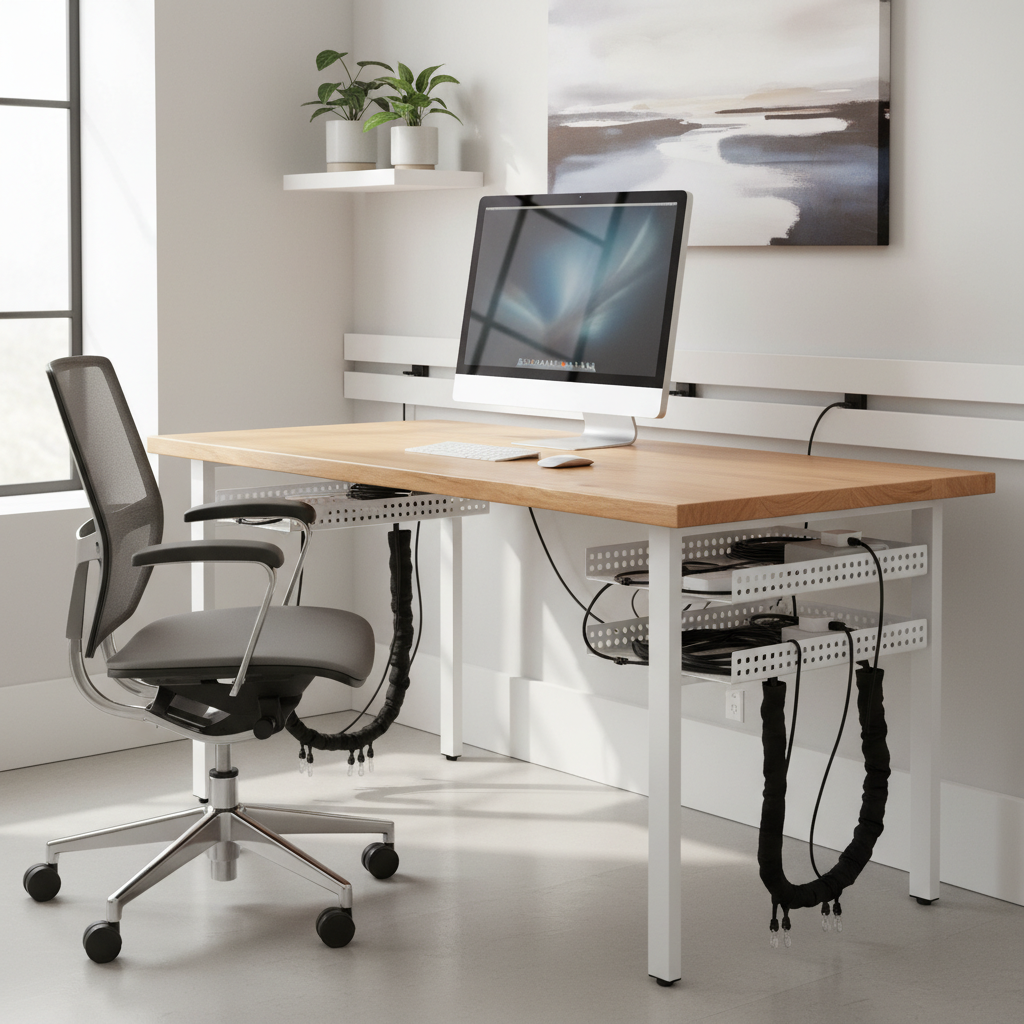
Why Under Desk Cable Management Matters in 2024
Benefits for Productivity, Safety, and Aesthetics
A messy cluster of cables under your desk is more than just ugly—it can hurt your productivity, cause safety risks, and ruin the look of your workspace. Keeping cables tidy helps you focus better, makes cleaning easier, and ensures you don’t trip or pull on something by accident. A well-managed setup also protects your electronics from tangles and damage.
Unique Challenges of Modern Home Offices
Today’s home offices often have laptops, monitors, speakers, chargers, and more. All these devices mean more wires to handle, and shared spaces make it important to keep things neat, especially in small rooms. Plus, since many people rent, you might need solutions that won’t leave holes or marks.
Assessing Your Desk Setup for Cable Management
Inventory and Map Your Current Cables
The first step to cable management is knowing what you have. Take a look under your desk and list every cable and device. Note their lengths, what they connect to, and which are used daily. This will help you plan the best way to organize them.
Identify Problem Areas and Potential Hazards
Check for trouble spots, such as messy tangles, cables dangling near your feet, or power bricks hanging off the edge. Look for exposed wires that you might trip on or that could get crushed by the chair. Mark these problem areas to focus on during your cable clean-up.
Essential Tools and Products for Effective Cable Management
Cable Trays, Clips, Sleeves, and Ties Explained
There are several simple tools to help you organize cables:
- Cable trays: Hold cables up under your desk, off the floor.
- Cable clips: Stick to your desk and hold single cables in place.
- Cable sleeves: Bundle many cables together in a flexible tube.
- Cable ties: Secure bundles of cables so they don’t tangle.
Innovative and Modular Solutions for Every Budget
You can find creative products like magnetic clips, snap-on cable channels, and build-your-own modular trays. From simple zip ties to advanced cable managers with built-in charging, there’s a solution for every price range.
“No Drilling” and Renter-Friendly Options
If you can’t drill, look for adhesive cable trays, Velcro strips, and removable clips. These hold cables neatly and can be removed without damaging your desk or walls.
Step-by-Step How-To: Transforming Your Under Desk Cable Chaos
Step 1: Gather Tools and Materials
- Before you start, gather these items: cable trays, clips, ties, sleeves, a power strip, labels, scissors, and cleaning supplies.
Step 2: Unplug, Sort, and Label All Cables
- Unplug all devices and remove old or unused cables.
- Sort cables by length and device type.
- Label each cable to know what it belongs to—this helps you when reconnecting later.
Step 3: Mount Cable Trays and Organizers
- Attach the cable tray under your desk for main cables and power strips. Use adhesive if you can’t drill.
- Stick cable clips along the edge of your desk or under it for single wires.
Step 4: Bundle, Route, and Secure Cables
- Group similar cables together using sleeves or ties.
- Route bundles through trays and along the desk frame, keeping them off the floor.
- Secure loose portions with reusable ties or clips.
Step 5: Hide Power Strips and Chargers
- Mount power strips inside the cable tray or on the back/underside of the desk, away from sight and feet.
- Use velcro straps or holders for chargers and adapters.
Step 6: Test Setup to Prevent Future Tangling
- Plug everything back in and test device connections.
- Move your chair and feet to ensure nothing gets pulled or tangled.
Design Tips: Making Cable Management Invisible & Future-Proof
Matching Solutions to Desk and Decor Styles
Pick cable management tools that blend with your furniture—white trays for light desks, black or wood-look for dark desks. Choose minimalist clips or hidden trays for a clean look.
Planning for Expansions, Upgrades, and Device Changes
Leave some space in trays and sleeves for new gadgets. Use labels and modular clips so you can add or remove cables easily in the future.
Expert Picks: Best Under Desk Cable Management Products (2024)
Top Solutions by Category (Tray, Sleeve, Clip, Chain, Raceways)
| Category | Top Product | Key Features |
|---|---|---|
| Cable Tray | Wiremold Under Desk Tray | Sturdy, large capacity, easy to mount |
| Cable Sleeve | JOTO Cable Management Sleeve | Flexible, expandable, holds many cables together |
| Cable Clip | Bluelounge CableDrop | Adhesive, reusable, various sizes for different cable types |
| Cable Chain | Stageek Cable Management Spine | Organizes cables vertically from desk to floor |
| Raceway | D-Line Mini Cable Raceway | Paintable, hides cables along walls or desk edges |
Best Budget Options vs. Premium Gear
Budget: Zip ties, adhesive cable clips, basic trays.
Premium: Modular trays, designer raceways, magnetic organizers, and full cable management kits.
Where to Buy: Trusted Retailers
Popular places to buy include Amazon, IKEA, Office Depot, Home Depot, and electronics stores. Online reviews and ratings help you pick quality tools.
Maintenance, Quick Fixes, and Common Mistakes to Avoid
Keeping Your Setup Tidy Over Time
Check your setup every few months—remove dust, re-tighten ties, and re-label if you add new devices.
Managing Slack and Cable Lengths
Use cable ties or wind-up spools to shorten extra-long cables. Never let long cables droop or coil on the floor, as this attracts dust and can cause tangles.
Troubleshooting Common Issues
- If cables slip out, use stronger clips or consider adhesive-backed mounts.
- If power strips fall, reinforce with extra tape or secure with a tray.
- If you can’t unplug something, label both ends next time for easy ID.
FAQs: Under Desk Cable Management for Every Home Office
- Q: Can I organize cables without buying anything?
A: Yes! Use twist ties, toilet paper tubes, or even binder clips as DIY solutions. - Q: What if I have lots of chargers and bricks?
A: Use a large tray or box just for power bricks to keep them contained and cool. - Q: How do I keep things renter-friendly?
A: Choose adhesive or clamp-on organizers that won’t damage surfaces.
Next Steps: Your Action Plan for a Clutter-Free Workspace
Ready to start? Review your desk, gather your supplies, and follow the step-by-step guide above. Remember: a cleaner workspace means a clearer mind. Check back regularly, tweak as you grow, and enjoy a more productive, organized home office.