

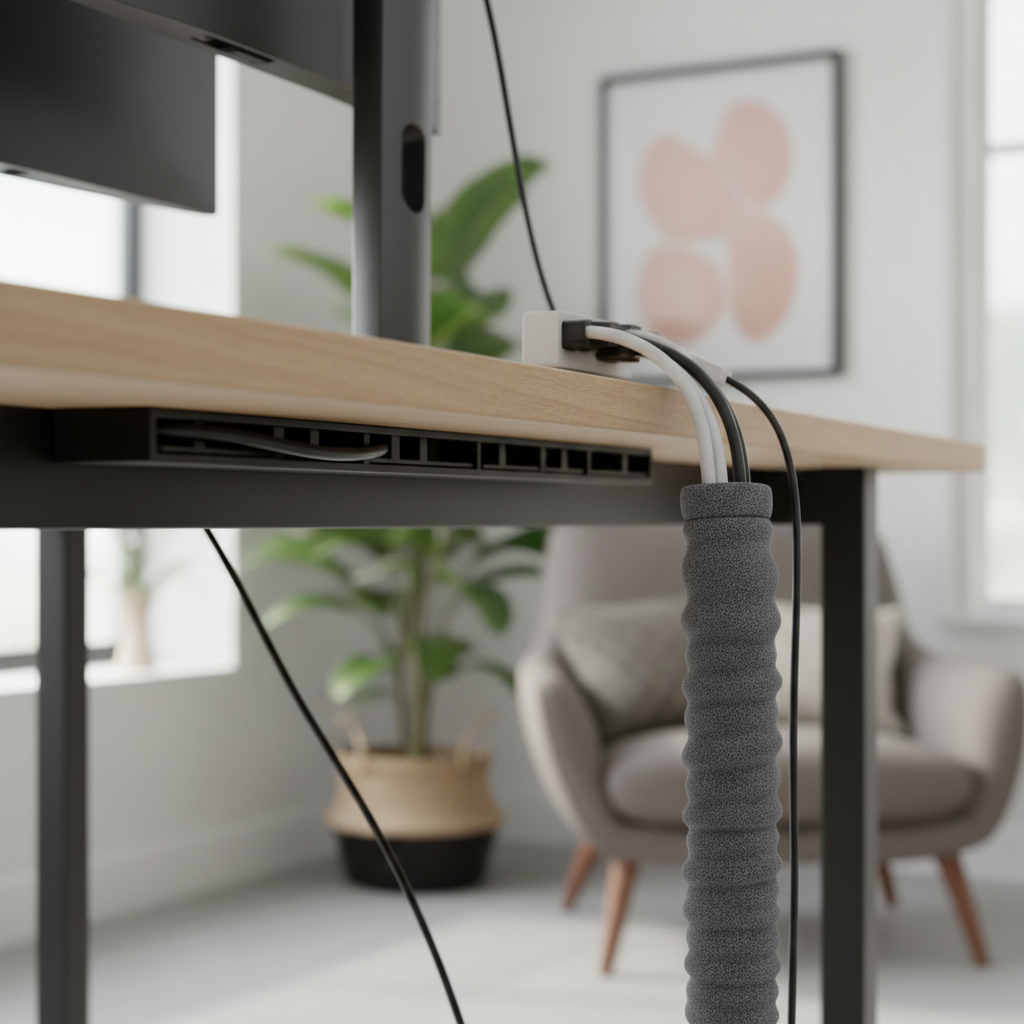
Cable management remains one of the biggest challenges in desk setups. Whether you work from a home office or game at a dedicated station, tangled wires hurt both productivity and aesthetics. Two solutions dominate the market: cable raceway and cable sleeve systems. Both hide cables. But they work very differently.
This guide breaks down every detail. We compare capacity, cost, installation, durability, and real-world performance. By the end, you will know exactly which solution fits your desk setup in 2026.
Quick Verdict: Cable Raceway vs Cable Sleeve at a Glance
Not everyone has time to read a full comparison. Here is the short answer. A cable raceway is a rigid channel that mounts to surfaces. It holds cables in a fixed path. A cable sleeve is a flexible tube that wraps around cable bundles. It moves with your cables.
The best choice depends on your desk type, cable count, and setup goals. Below is a quick summary to help you decide fast.
| Feature | Cable Raceway | Cable Sleeve |
|---|---|---|
| Best For | Fixed cable paths, under-desk runs | Flexible bundles, vertical drops |
| Cable Capacity | 10–30 cables | 5–15 cables |
| Installation Time | 30–60 minutes | 10–20 minutes |
| Average Cost | $15–$50 | $8–$25 |
| Standing Desk Friendly | Limited | Excellent |
| Tools Required | Screwdriver, drill (optional) | Scissors or none |
When to Choose a Cable Raceway for Your Desk
Choose a cable raceway when you need rigid, structured cable management. Raceways excel at under-desk horizontal runs. They keep cables flat against surfaces. They handle high cable counts with ease. If you have 10 or more cables running along your desk, a raceway is the smarter pick. Raceways also work best for permanent setups where cables do not move often.
When to Choose a Cable Sleeve for Your Desk
Choose a cable sleeve when flexibility matters most. Sleeves are ideal for vertical cable drops from desk to floor. They bend and stretch with moving cables. If you use a standing desk, a cable sleeve adapts to height changes without stress. Sleeves also bundle cables neatly when you need a clean look along desk legs or monitor arms.
Why Many Desk Setups Need Both
The cleanest desk setups in 2026 combine both solutions. A cable raceway manages horizontal runs under the desk. A cable sleeve handles vertical drops and flexible sections. Together, they cover every cable path. This hybrid approach delivers the best results for complex setups with multiple monitors, peripherals, and power supplies.
What Is a Cable Raceway for Desks?
A cable raceway is a rigid channel made from plastic or metal. It mounts to desks, walls, or other surfaces. Cables sit inside the channel, hidden from view. Raceways come in various widths and lengths. Most feature a snap-open cover for easy cable access.
Cable Raceway Definition and Types (J-Channel, Wall-Mount, Under-Desk)
Three main types of cable raceways serve desk setups:
- J-Channel Raceway: Shaped like the letter “J.” These mount under desk edges. They hold cables in an open-top channel. Easy to add or remove cables. Best for light to medium cable counts.
- Wall-Mount Raceway: Fully enclosed channels that attach to walls. They hide cables running from desk to power outlets. Paintable models blend with wall color. Ideal for long vertical or horizontal wall runs.
- Under-Desk Raceway: Wide channels mounted directly under the desk surface. They hold power strips, adapters, and cable bundles. Some models include built-in cable trays. Best for heavy cable management under fixed desks.
Best Use Cases for Cable Raceways in Home Offices
Cable raceways work best in these scenarios:
- Running 10+ cables horizontally under a desk
- Hiding cables along baseboards or walls
- Managing power strips and bulky adapters
- Creating a permanent, structured cable path
- Offices where cables stay in fixed positions
Pros and Cons of Cable Raceways
Pros:
- High cable capacity (up to 30 cables in wide models)
- Rigid structure prevents sagging
- Paintable for custom color matching
- Protects cables from physical damage
- Professional, clean appearance when installed well
Cons:
- Requires drilling or adhesive mounting
- Not suitable for moving or adjustable desks
- Longer installation time (30–60 minutes)
- Difficult to modify after installation
- Can look bulky if oversized for the cable count
What Is a Cable Sleeve for Desks?
A cable sleeve is a flexible tube that wraps around cable bundles. It compresses multiple cables into one clean line. Sleeves come in various materials and closure types. They require no mounting hardware. You simply slide cables inside and zip, wrap, or seal the sleeve shut.
Cable Sleeve Definition and Types (Braided, Neoprene, Zippered)
Three popular cable sleeve types serve desk setups:
- Braided Sleeves: Made from expandable PET or nylon mesh. They stretch to fit different cable bundle sizes. Lightweight and breathable. Best for tight spaces and flexible routing.
- Neoprene Sleeves: Soft, rubber-like material with a self-adhesive closure. They provide a smooth, uniform look. Good insulation properties. Best for visible cable runs where appearance matters.
- Zippered Sleeves: Feature a full-length zipper for easy open and close. You can add or remove cables without unwrapping. Best for setups that change frequently.
Best Use Cases for Cable Sleeves in Desk Setups
Cable sleeves excel in these situations:
- Bundling cables along desk legs
- Managing vertical drops from desk to floor
- Standing desks that adjust height frequently
- Wrapping cables on monitor arms
- Quick, tool-free cable organization
Pros and Cons of Cable Sleeves
Pros:
- No tools or drilling required
- Flexible and adaptable to movement
- Quick installation (10–20 minutes)
- Lightweight and portable
- Easy to modify or reconfigure
- Works with standing desks
Cons:
- Limited cable capacity (5–15 cables typically)
- Can sag with heavy cable bundles
- Less structured appearance than raceways
- Does not protect cables from crushing damage
- May loosen over time with frequent movement
Cable Raceway vs Cable Sleeve: Head-to-Head Comparison
Let us compare cable raceway and cable sleeve across six key factors. Each factor matters for different desk setups. Understanding these differences helps you choose the right solution.
Cable Capacity and Bulk Handling
Cable raceways win in raw capacity. A standard 4-inch wide raceway holds 15–20 cables comfortably. Wide 6-inch models handle 25–30 cables. Raceways also manage bulky items like power strips and adapter bricks.
Cable sleeves handle 5–15 cables depending on diameter. A 1-inch sleeve fits 4–6 cables. A 2-inch sleeve fits 10–15. Thick power cables reduce capacity significantly. Sleeves struggle with bulky adapters.
Winner: Cable raceway for high-capacity needs. Cable sleeve for small to medium bundles.
Installation Difficulty and Tools Required
Cable sleeves require zero tools. You cut the sleeve to length, open it, and wrap it around cables. Total time: 10–20 minutes. No drilling, no screws, no adhesive.
Cable raceways need more effort. Adhesive models require clean surfaces and 24-hour cure time. Screw-mount models need a drill and screws. You must measure, align, and secure each section. Total time: 30–60 minutes.
Winner: Cable sleeve for ease and speed. Cable raceway for permanent, secure mounting.
Aesthetics and Visual Appeal
Both solutions improve desk aesthetics. But they achieve different looks. Cable raceways create clean, straight lines along surfaces. Paintable models match wall or desk colors. They look intentional and professional.
Cable sleeves create smooth, bundled cable lines. Neoprene sleeves look especially sleek. They work well for visible cable runs. However, sleeves can look messy if overloaded or poorly wrapped.
Winner: Tie. Raceways suit structured environments. Sleeves suit minimalist setups.
Durability and Longevity
Cable raceways last 5–10 years or more. Rigid plastic and metal construction resists wear. Adhesive mounts may weaken over time. Screw mounts remain secure indefinitely. UV-resistant models handle sunlight exposure.
Cable sleeves last 3–7 years depending on material. Braided PET sleeves resist abrasion well. Neoprene may degrade with heat exposure. Zippered zippers can fail after heavy use. Sleeves near heat sources (power bricks) wear faster.
Winner: Cable raceway for long-term durability.
Flexibility and Adjustability
Cable sleeves are extremely flexible. They bend around corners, follow desk legs, and stretch with standing desk movement. You can reposition them in seconds. Adding or removing cables takes minutes.
Cable raceways are rigid by design. They follow straight or gently curved paths. Corner pieces exist but limit routing options. Changing the path requires remounting. Adding cables is easy if capacity allows.
Winner: Cable sleeve for flexibility. Cable raceway for structured, fixed paths.
Cost Comparison: Cable Raceway vs Cable Sleeve Pricing
Cable sleeves are generally cheaper. Basic braided sleeves cost $8–$15. Premium neoprene or zippered sleeves cost $15–$25. Most desk setups need 2–3 sleeves, totaling $16–$75.
Cable raceways cost more per unit. Basic adhesive raceways start at $15–$20. Screw-mount or wide models cost $25–$50. A full desk setup may need 3–5 raceway sections, totaling $45–$250.
| Product Type | Budget Option | Mid-Range | Premium |
|---|---|---|---|
| Cable Sleeve | $8–$12 | $13–$20 | $20–$25 |
| Cable Raceway | $15–$20 | $22–$35 | $35–$50 |
Winner: Cable sleeve for budget-conscious setups. Cable raceway offers better value for high-cable-count installations.
How to Choose: Cable Raceway vs Cable Sleeve by Cable Path
The cable path determines which solution works best. Different routes demand different approaches. Here is a breakdown by common cable path in desk setups.
Under-Desk Horizontal Runs: Raceway Wins
Horizontal cable runs under the desk benefit most from raceways. A cable raceway mounts flat against the desk bottom. It keeps cables organized and off the floor. You can run power strips inside wide raceways. Horizontal runs stay fixed, so rigidity is an advantage. A sleeve would sag along long horizontal spans.
Desk-to-Floor Vertical Runs: Sleeve Wins
Vertical cable drops from desk edge to floor suit cable sleeves. A sleeve bundles cables into one clean line that drops straight down. It flexes if the desk moves slightly. Sleeves also wrap neatly around desk legs for a hidden vertical path. A raceway on a vertical run looks bulky and requires more mounting points.
Wall and Baseboard Runs: Raceway Wins
Cables running along walls or baseboards need the structure of a raceway. Wall-mount raceways hold cables flat against the surface. They protect cables from foot traffic and furniture. Paintable raceways blend into wall color. Sleeves on walls look unfinished and collect dust more easily.
Desk Leg Wrapping: Sleeve Wins
Wrapping cables around desk legs is a sleeve specialty. A braided or neoprene sleeve spirals around the leg, hiding cables completely. It moves with the desk and does not require mounting hardware. Raceways cannot wrap around cylindrical surfaces.
Monitor Arm and Peripheral Cables: It Depends
Monitor arm cables present a unique challenge. If the arm articulates frequently, use a cable sleeve. It flexes with every adjustment. If the arm stays mostly fixed, a small J-channel raceway along the arm works well. For peripheral cables (keyboard, mouse, USB hub), sleeves offer the best flexibility for desk movement.
Cable Raceway vs Cable Sleeve for Different Desk Types
Your desk type significantly affects which cable management solution works best. Standing desks, fixed desks, gaming desks, and L-shaped desks all present unique challenges.
Standing Desks: Why Cable Sleeves Handle Movement Better
Standing desks move up and down throughout the day. This movement stretches and compresses cables. A cable sleeve flexes with this motion. It maintains a clean bundle at every height. You need 12–18 inches of extra cable length for full desk travel.
Cable raceways struggle with standing desks. Fixed raceway sections cannot accommodate vertical movement. Some users mount raceways to the moving desk surface, but this limits routing options. For standing desks, a cable sleeve is the clear winner for most cable paths.
Fixed Desks: When Cable Raceways Make More Sense
Fixed desks do not move. This stability favors cable raceways. You can mount raceways under the desk with confidence. They will never need to accommodate movement. Fixed desks often accumulate more peripherals over time, and raceways handle growing cable counts better. If your desk stays in one position permanently, invest in a raceway system for long-term organization.
Gaming Desks: Combining Raceways and Sleeves
Gaming desks typically have the highest cable counts. Multiple monitors, RGB peripherals, speakers, microphones, and charging cables create complexity. The best gaming desk cable management uses both solutions. Mount a cable raceway under the desk for the main cable trunk. Use cable sleeves for individual peripheral drops and monitor arm cables. This combination handles volume and flexibility.
L-Shaped and Corner Desks: Routing Challenges Solved
L-shaped desks create long cable runs with corners. Cable raceways handle the straight sections well. Corner pieces connect raceway sections at 90-degree angles. For the long spans along both desk wings, raceways provide structure. Cable sleeves work best at the corner transition point and for any cables that drop to the floor from the inner corner. Plan your routing before purchasing to minimize waste.
Compact and Small Desks: Space-Saving Tips
Small desks have limited under-desk space. Bulky raceways may not fit. Cable sleeves are the better choice for compact setups. They add minimal bulk. A single sleeve can manage all cables on a small desk. If you need under-desk organization, choose a slim J-channel raceway (2 inches wide) instead of a full enclosure.
Cable Raceway vs Cable Sleeve: Installation Guide
Proper installation determines how well your cable management performs. Follow these step-by-step guides for both solutions.
How to Install a Cable Raceway Under Your Desk
- Measure the under-desk path. Determine total raceway length needed.
- Choose mounting method: adhesive strips or screws. Adhesive works for smooth surfaces. Screws work for any surface.
- Mark mounting points every 12–16 inches along the path.
- For adhesive: clean the surface with alcohol. Apply strips. Press raceway firmly. Wait 24 hours before loading cables.
- For screws: pre-drill holes. Secure raceway with provided screws.
- Open the raceway cover. Lay cables inside. Close the cover.
- Test that cables sit flat and the cover snaps shut fully.
How to Install a Cable Sleeve for Desk Cables
- Gather cables into one bundle. Remove twists and knots.
- Measure the bundle length. Cut the sleeve 1–2 inches longer than needed.
- For zippered sleeves: open the zipper fully. Slide cables inside. Close the zipper.
- For self-adhesive neoprene: peel the backing. Wrap around the cable bundle. Press the adhesive edge firmly.
- For braided sleeves: expand the opening. Feed cables through. Use a cable puller for long runs.
- Trim excess sleeve material for a clean finish.
- Position the sleeved bundle along the desired path. Use adhesive mounts or cable clips to secure.
Common Installation Mistakes to Avoid
- Overfilling raceways: Leave 20% space for airflow and future cables.
- Skipping surface prep: Adhesive fails on dusty or oily surfaces. Always clean first.
- Cutting sleeves too short: Always measure twice. Add extra length for error.
- Ignoring cable bend radius: Do not force cables into tight bends. This damages internal wires.
- Forgetting future access: Leave enough slack to pull cables out for maintenance.
- Mixing power and data cables tightly: Keep power cables separated from sensitive data cables when possible to reduce interference.
The Hybrid Approach: Using Cable Raceway and Cable Sleeve Together
The best desk setups in 2026 do not choose between cable raceway and cable sleeve. They use both. Each solution handles what it does best. Together, they create a complete cable management system.
Recommended Setup for a Clean Desk in 2026
Here is a proven hybrid setup for a typical home office desk:
- Under-desk main trunk: One wide cable raceway (4–6 inches) mounted under the desk surface. Holds power strip, monitor cables, and peripheral cables.
- Desk-to-floor drop: One cable sleeve (1.5–2 inches) bundles the main cable bundle from raceway to floor outlet.
- Monitor arm cables: One small braided sleeve wraps cables along the monitor arm.
- Desk leg wraps: Neoprene sleeves hide cables running down desk legs.
Layered Cable Management Strategy
Think of cable management in three layers:
- Layer 1 — Structure: Cable raceways create the main cable highway under your desk. They handle volume and provide mounting points.
- Layer 2 — Bundling: Cable sleeves group related cables together. Monitor cables in one sleeve. Peripheral cables in another. This makes troubleshooting easier.
- Layer 3 — Concealment: Additional sleeves hide cables along visible paths like desk legs and walls. This final layer creates the clean visual result.
Product Pairing Suggestions
Here are effective product pairings for common setups:
- Single monitor home office: 1× under-desk raceway + 2× braided sleeves. Budget: $30–$45.
- Dual monitor setup: 2× under-desk raceways + 3× cable sleeves (various sizes). Budget: $50–$80.
- Standing desk with 3 monitors: 2× wide raceways + 4–5× cable sleeves + cable clips. Budget: $80–$130.
- Gaming desk full setup: 3–4× raceways + 5–6× sleeves + velcro ties. Budget: $100–$180.
→ Browse our recommended cable management kits for 2026
FAQ: Cable Raceway vs Cable Sleeve for Desks
Can I Use a Cable Sleeve Instead of a Raceway?
Yes, for small setups with fewer than 10 cables. A cable sleeve can handle basic desk-to-floor drops and leg wraps. However, sleeves cannot replace raceways for under-desk horizontal runs or high-cable-count scenarios. If you have a power strip, multiple monitors, and several peripherals, a raceway provides better structure and capacity.
Which Is Better for Standing Desks: Raceway or Sleeve?
Cable sleeves are better for standing desks. They flex with desk movement and do not restrict height adjustment. If you use a raceway on a standing desk, mount it to the moving desktop surface, not the fixed base. Even then, you will need sleeves for the vertical cable drop to the floor. Most standing desk users find sleeves handle 80% of their cable management needs.
Do Cable Raceways Damage Desk Surfaces?
Screw-mount raceways create small holes in your desk. These are permanent but typically hidden under the desk surface. Adhesive raceways can leave residue or pull finish off low-quality desks when removed. To prevent damage, use painter’s tape as a barrier between adhesive and desk surface. High-quality 3M adhesive strips remove cleanly from most surfaces.
How Many Cables Can a Raceway vs Sleeve Hold?
A standard 4-inch cable raceway holds 15–20 standard cables (HDMI, USB, Ethernet). A 6-inch raceway holds 25–30. A 1-inch cable sleeve holds 4–6 cables. A 2-inch sleeve holds 10–15. Thick cables like power cords reduce capacity in both. Always plan for 20% extra capacity for future additions.
Are Cable Sleeves Fire-Safe for Desk Use?
Most quality cable sleeves use fire-retardant materials. Braided PET sleeves typically meet UL 94 V-0 flame resistance ratings. Neoprene sleeves resist ignition but can melt near extreme heat. Never wrap sleeves directly around hot power bricks. Leave 2–3 inches of gap between power adapters and sleeve material. Check product specifications for fire safety certifications before purchasing.
Final Recommendation: Cable Raceway vs Cable Sleeve for Your Desk Setup
The choice between cable raceway and cable sleeve is not either/or. It depends on your specific desk setup, cable count, and usage pattern.
Choose a cable raceway if:
- You have a fixed desk with 10+ cables
- You need under-desk horizontal cable management
- You want a permanent, structured solution
- You need to hide power strips and bulky adapters
- You value long-term durability over flexibility
Choose a cable sleeve if:
- You use a standing desk
- You need flexible, repositionable cable management
- You have fewer than 10 cables to manage
- You want quick, tool-free installation
- You need to wrap cables around desk legs or monitor arms
Choose both if:
- You have a complex setup with multiple monitors and peripherals
- You want the cleanest possible desk appearance
- You need both structure and flexibility
- You are building a long-term home office or gaming setup
The best desk cable management strategy in 2026 uses cable raceways for structure and cable sleeves for flexibility. Start with a raceway under your desk. Add sleeves for vertical drops and visible runs. This layered approach delivers professional results at a reasonable cost.
→ Shop our top-rated cable raceway and cable sleeve kits — transform your desk setup today