

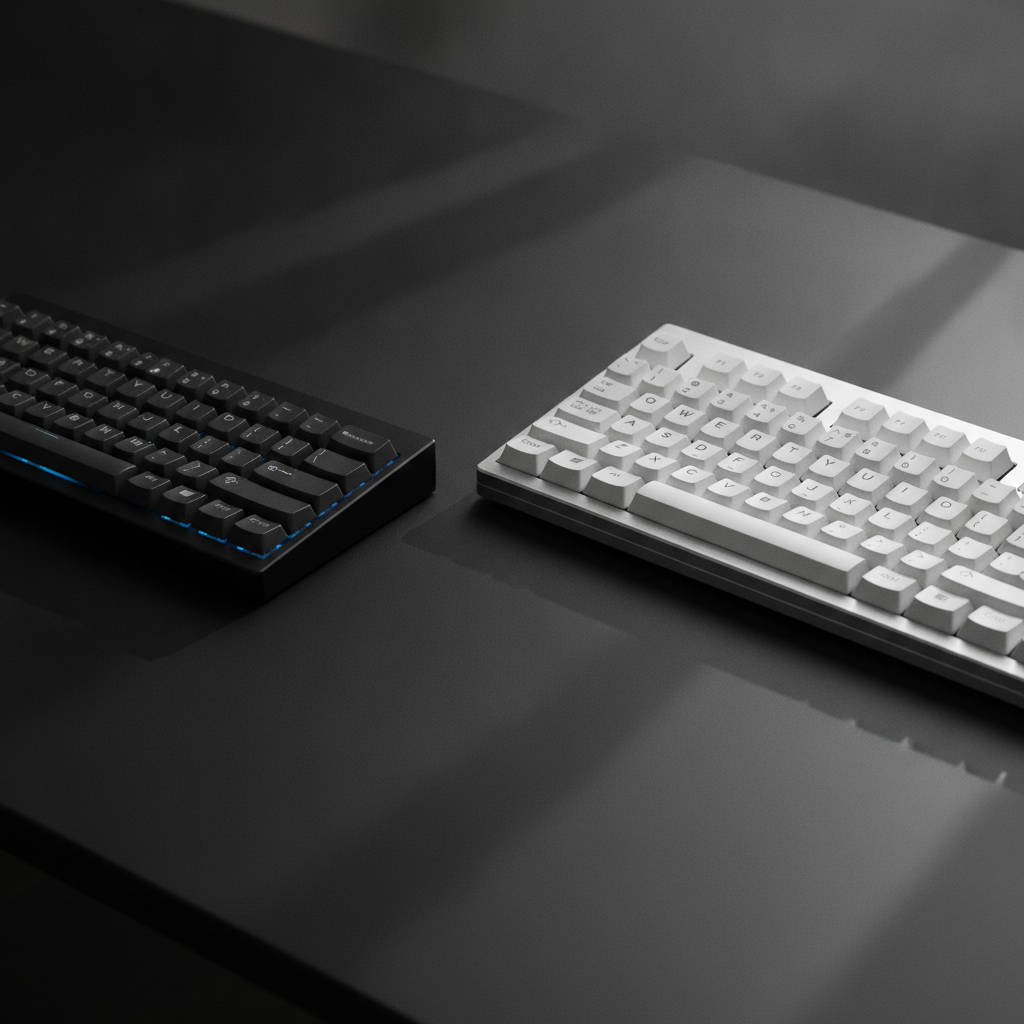
The keyboard market has changed a lot. A compact keyboard now sits on desks next to the classic full size keyboard. Both have loyal fans. Both solve real problems. But which one fits your workflow?
This guide breaks down every angle. We look at size, ergonomics, productivity, gaming, and long-term comfort. By the end, you will know exactly which keyboard matches your desk setup and daily tasks.
Quick Verdict — Compact Keyboard vs Full Size Keyboard at a Glance
Not everyone has time to read a long guide. Here is the short version. Pick the section below that fits you best.
Who Should Pick a Compact Keyboard
A compact keyboard works best for you if:
- You have a small desk or a tight workspace.
- You game often and need more mouse room.
- You travel with your setup or work from cafés.
- You want less shoulder strain during long sessions.
- You type mostly in letters and numbers, not data entry.
Popular picks include the 75%, 65%, and 60% layouts. The Keychron Q1 Max and NuPhy Air75 V2 are strong 2026 options.
Who Should Stick With a Full Size Keyboard
A full size keyboard is the right pick if:
- You work with spreadsheets or numbers all day.
- You use the numpad for data entry or accounting.
- You rely on dedicated arrow keys and navigation cluster.
- You prefer a familiar layout with zero learning curve.
- You share your keyboard with users who dislike change.
Top choices in 2026 include the Logitech MX Keys S and Keychron Q4 Max.
The Middle Ground: TKL and 96% Layouts
Not sure? A TKL (tenkeyless) or 96% layout gives you a middle path. A TKL drops the numpad but keeps the arrow keys and function row. A 96% layout keeps the numpad but packs it tight. Both save desk space without a big learning curve.
The Keychron Q2 Max (TKL) and NuPhy Field75 (96%) are great picks for this group.
Compact Keyboard vs Full Size Keyboard: Key Differences Explained
Let us look at the hard numbers. Size, weight, and key count tell a clear story.
Size, Weight, and Key Count Breakdown
| Layout | Key Count | Width (inches) | Weight (lbs) | Desk Space Saved |
|---|---|---|---|---|
| Full Size | 104–108 | 17–19 | 2.0–3.0 | Baseline |
| 1800 (Compact Full) | 98–100 | 15–16 | 1.8–2.5 | ~15% |
| 96% | 97–100 | 14–15 | 1.5–2.2 | ~20% |
| TKL (80%) | 87 | 13–14 | 1.5–2.0 | ~25% |
| 75% | 82–84 | 12–13 | 1.2–1.8 | ~30% |
| 65% | 67–68 | 11–12 | 1.0–1.5 | ~35% |
| 60% | 61 | 11 | 1.0–1.4 | ~40% |
The data is clear. A compact keyboard saves 20–40% of desk space. A full size keyboard gives you every key in one block.
Layout Comparison: What Keys Do You Actually Lose?
When you switch from a full size keyboard to a compact keyboard, you lose different keys based on layout:
- TKL: Lose the numpad. Keep function row, arrow keys, and navigation cluster.
- 75%: Lose the numpad and some spacing. Keep function row (often as Fn combos) and arrow keys.
- 65%: Lose the function row and numpad. Keep arrow keys in a tight row.
- 60%: Lose the function row, arrow keys, and numpad. All missing keys live in Fn layers.
Most users adapt fast. The numpad is the hardest loss for heavy number users. Arrow keys matter more to gamers and editors.
Desk Space and Dimensions: How to Measure Your Setup
Before you buy, measure your desk. Here is a simple method:
- Measure the width of your current keyboard.
- Measure the space from your keyboard edge to your mouse edge.
- Measure the total width of your desk or keyboard tray.
A full size keyboard needs at least 19 inches of width. A compact keyboard (75%) needs only 12–13 inches. That extra 6–7 inches gives your mouse room to breathe. This matters a lot for low-sensitivity FPS gamers.
If you use a keyboard tray, check the inner width. Many trays fit a TKL but not a full size keyboard.
Compact Keyboard vs Full Size Keyboard: Ergonomics and Comfort
Ergonomics is where a compact keyboard often wins. But the full size keyboard has its own comfort strengths.
Wrist Position and Shoulder Strain
A compact keyboard lets you keep your mouse closer to your body. This reduces shoulder abduction (the angle your arm moves away from your side). Studies show a 20–40% drop in shoulder strain with a compact keyboard.
Your wrists also stay in a more neutral line. On a full size keyboard, your right wrist often bends outward to reach the mouse. A compact keyboard fixes this.
However, a full size keyboard keeps your hands at a fixed, wide distance. Some users with broad shoulders find this more natural. It depends on your body.
Mouse Reach and Arm Alignment
With a full size keyboard, your mouse sits far to the right. This forces your right arm into a wide reach. Over hours, this causes shoulder and neck fatigue.
A compact keyboard pulls your mouse 3–6 inches closer. Your arms stay in a tighter, more relaxed line. This is a big win for:
- FPS gamers who need wide mouse sweeps.
- Users with narrow desks.
- Anyone with shoulder or neck pain.
Long-Session Comfort: Which Wins Over 8+ Hours?
For long work days, a compact keyboard often wins. The closer mouse position reduces fatigue. The lighter weight also helps if you adjust your setup often.
But a full size keyboard wins if your work needs the numpad. Reaching for a separate numpad breaks your flow. For accountants or data entry staff, a full size keyboard stays the comfort king.
For mixed use, a 75% or 65% compact keyboard with a separate numpad on a stand gives the best of both worlds.
Compact Keyboard vs Full Size Keyboard: Productivity by Workflow
Your job type decides which keyboard boosts your output. Let us break it down by workflow.
Best for Programmers and Developers
Most programmers do well on a compact keyboard. Code uses letters, numbers, and symbols. The numpad sees little use. A 75% or 65% layout keeps all core keys close. Fn layers handle the rest.
Many devs also value desk space for notebooks, reference books, or a second monitor. A compact keyboard frees up that room.
Top picks: Keychron Q1 Max, NuPhy Air75 V2, HHKB Studio.
Best for Data Entry, Accounting, and Spreadsheets
This is where the full size keyboard shines. A dedicated numpad speeds up number input by 30–50%. If you type numbers all day, a compact keyboard without a numpad slows you down.
A 96% layout is a smart compromise. It keeps the numpad but saves 20% of desk space. The Keychron Q6 Max is a strong 96% pick.
If you must go compact, pair it with a USB numpad like the Logitech Signature Numeric Keypad.
Best for Gamers (FPS, MMO, and Casual)
Gamers benefit most from a compact keyboard. FPS players need wide mouse sweeps. A 60% or 65% layout gives maximum mouse room. MMO players may prefer a 75% layout to keep function keys for macros.
Casual gamers can use any layout. But a compact keyboard still wins on desk space and portability for LAN events.
Top gaming picks: Wooting 60HE+, Razer Huntsman Mini V3, SteelSeries Apex Pro Mini.
Best for Creative Professionals (Video Editing, Design)
Creative work is mixed. Video editors use many shortcut keys. A full size keyboard keeps F-keys and navigation keys at hand. But many editors now use dial controllers or stream decks for extra controls.
Graphic designers often prefer a compact keyboard. It leaves room for a drawing tablet. A 75% layout keeps arrow keys for nudging layers.
Top picks: Keychron Q3 Max (TKL), NuPhy Gem80 (75%).
Compact Keyboard vs Full Size Keyboard: Pros and Cons
Let us list the clear wins and losses for each side.
Compact Keyboard Advantages and Drawbacks
Advantages:
- Saves 20–40% of desk space.
- Lighter and more portable.
- Reduces shoulder and wrist strain.
- Gives more mouse room for gaming.
- Looks clean and modern on most desks.
- Lower price in many cases.
Drawbacks:
- Missing numpad slows number-heavy work.
- Learning curve of 1–4 weeks for new layouts.
- Fn layers add a step for some keys.
- Fewer media keys on smaller sizes.
- Less familiar for shared or office use.
Full Size Keyboard Advantages and Drawbacks
Advantages:
- Every key is present. No Fn layers needed.
- Dedicated numpad for fast number entry.
- Zero learning curve. Plug in and type.
- Full media and navigation cluster.
- Best for shared or office keyboards.
Drawbacks:
- Takes up 17–19 inches of desk width.
- Heavier and less portable.
- Pushes mouse far to the right.
- Can cause shoulder strain over long sessions.
- Less mouse room for gaming.
Switching From Full Size to Compact: Transition Tips and Learning Curve
Moving from a full size keyboard to a compact keyboard is not hard. But it takes time. Here is how to make the switch smooth.
How Long Does It Take to Adjust?
Most users adjust in 1–2 weeks for a 75% or TKL layout. A 65% layout takes 2–3 weeks. A 60% layout can take 3–4 weeks. The key factor is how often you type each day.
Tips to speed up the process:
- Practice 15 minutes a day with a typing tool like Monkeytype.
- Start with a 75% layout before jumping to 60%.
- Keep your old full size keyboard nearby for the first week.
- Focus on muscle memory, not speed, at first.
Key Remapping Strategies for Compact Layouts
A compact keyboard often uses Fn layers for missing keys. You can remap keys to fit your habits. Most modern compact keyboards support QMK, VIA, or VIA-compatible software.
Common remaps that help:
- Map Caps Lock to a dual-role key (Tap = Esc, Hold = Fn).
- Move arrow keys to a Vim-style cluster (HJKL) if you are a dev.
- Set a dedicated key for Print Screen or Delete if you use them often.
- Use a tap-dance key for common shortcuts like Ctrl+C and Ctrl+V.
Tools like VIA Configurator make this easy. Most Keychron, NuPhy, and Wooting keyboards support VIA out of the box.
Hybrid Workflows: Using a Compact Keyboard With a Separate Numpad
If you love the feel of a compact keyboard but need a numpad, use a separate USB numpad. Place it to the left or right of your keyboard. This gives you the best of both worlds.
Best separate numpads in 2026:
- Logitech Signature Numeric Keypad — slim, wireless, great battery.
- Keychron K16 Pro — mechanical, hot-swappable, matches Keychron boards.
- NuPhy Number W1 — compact, wireless, clean design.
This hybrid setup works well for accountants, data analysts, and anyone who needs numbers but wants a compact keyboard for daily typing.
Accessibility and Special Needs: Compact Keyboard vs Full Size Keyboard
Not all users fit the average profile. Accessibility matters. Let us look at who should pick which keyboard based on physical needs.
Large Hands, Low Vision, and Mobility Considerations
Users with large hands may find a compact keyboard too tight. Keys sit closer together on some 60% and 65% boards. This leads to more typos. A full size keyboard or a TKL gives more key spacing.
Users with low vision benefit from a full size keyboard. The larger layout spreads keys out. Legend size is often bigger. A compact keyboard can work if it uses high-contrast, large-print keycaps.
Users with mobility issues should pick based on reach. A compact keyboard reduces the reach to the mouse. This helps users with shoulder or arm pain. But a full size keyboard reduces the need for Fn layers, which helps users with limited finger dexterity.
Who Should Avoid Compact Keyboards?
A compact keyboard may not suit you if:
- You type numbers for 4+ hours a day without a separate numpad.
- You have very large hands and prefer wide key spacing.
- You share your keyboard with users who resist change.
- You have low vision and need large, spread-out key legends.
- You work in a strict office that requires a standard layout.
In these cases, a full size keyboard or a 96% layout is the safer pick.
Compact Keyboard vs Full Size Keyboard: Decision Framework
Still not sure? Use this simple framework to decide.
The 5-Question Quiz to Pick Your Perfect Keyboard
- Do you use the numpad daily? Yes → Full size or 96%. No → Compact is fine.
- Is your desk under 48 inches wide? Yes → Compact saves space. No → Either works.
- Do you game with low mouse sensitivity? Yes → Compact gives more mouse room. No → Either works.
- Do you travel with your keyboard? Yes → Compact is lighter. No → Either works.
- Do you have shoulder or wrist pain? Yes → Compact reduces strain. No → Either works.
If you answered “Yes” to 3 or more compact-friendly questions, go compact. If you answered “Yes” to 2 or fewer, stick with full size.
Final Recommendation Based on Desk Setup and Use Case
| Use Case | Best Pick | Top Product |
|---|---|---|
| Programmer / Developer | 75% Compact Keyboard | Keychron Q1 Max |
| Data Entry / Accounting | Full Size Keyboard | Logitech MX Keys S |
| FPS Gamer | 60% or 65% Compact Keyboard | Wooting 60HE+ |
| MMO Gamer | 75% Compact Keyboard | Keychron Q3 Max |
| Video Editor | TKL or 75% Compact Keyboard | NuPhy Gem80 |
| Graphic Designer | 75% Compact Keyboard | NuPhy Air75 V2 |
| Small Desk / Minimal Setup | 65% Compact Keyboard | Keychron Q65 Max |
| Office / Shared Use | Full Size Keyboard | Dell KB520P |
| Travel / Digital Nomad | 60% or 65% Compact Keyboard | NuPhy Air60 V2 |
FAQ: Compact Keyboard vs Full Size Keyboard Questions Answered
Is a compact keyboard better for gaming?
Yes, for most gamers. A compact keyboard gives more mouse room. This helps with low-sensitivity FPS aim. MMO players may prefer a 75% layout for extra macro keys.
Can I type as fast on a compact keyboard?
Yes, after a short learning curve. Most users match their full size keyboard speed within 1–3 weeks. Some users type faster on a compact keyboard due to less hand movement.
Do compact keyboards have a numpad?
Most do not. The 60%, 65%, and 75% layouts drop the numpad. The 96% layout keeps it. You can also add a separate USB numpad.
Are compact keyboards good for programming?
Yes. Most code uses letters, numbers, and symbols. A 75% or 65% compact keyboard keeps all core keys close. Many developers prefer compact keyboards for the extra desk space.
What is the best compact keyboard size for most people?
The 75% layout is the best balance. It keeps arrow keys and most function keys. It saves 30% of desk space. The learning curve is short.
Are full size keyboards better for office work?
It depends. If you use spreadsheets or numbers, yes. If you mostly write emails or documents, a compact keyboard works just as well and saves desk space.
Can I use a compact keyboard with a Mac and Windows?
Yes. Most compact keyboards support both. Look for boards with Mac/Windows keycaps and a physical toggle switch. Keychron, NuPhy, and Logitech boards all support both OS.
How much desk space does a compact keyboard save?
A 75% compact keyboard saves about 5–6 inches of width. A 60% saves about 6–8 inches. This is a big deal on small desks or for gamers who need mouse room.
Are compact keyboards cheaper than full size keyboards?
Often, yes. Fewer keys and less plastic mean lower cost. But premium compact keyboards with aluminum cases can cost more than basic full size keyboards. Price depends on build quality, not size.
What is the best compact keyboard for small hands?
A 60% or 65% layout works well for small hands. The keys are close together. Look for boards with low-profile switches like the NuPhy Air60 V2 for even less finger stretch.
Conclusion: Compact Keyboard vs Full Size Keyboard — The Bottom Line
There is no single “best” keyboard. The right pick depends on your desk, your job, and your body.
A compact keyboard wins on space, portability, and ergonomics. It suits programmers, gamers, designers, and anyone with a small desk. The learning curve is short. The long-term comfort gains are real.
A full size keyboard wins on familiarity and number entry. It suits accountants, data entry staff, and office shared setups. It needs no adjustment. It just works.
If you are still on the fence, start with a 75% compact keyboard. It keeps most keys you need. It saves real desk space. It gives you a taste of the compact life without a big leap.
Ready to upgrade your desk setup? Check our top picks:
- Best 75% Compact Keyboard: Keychron Q1 Max
- Best 60% Gaming Keyboard: Wooting 60HE+
- Best Full Size Office Keyboard: Logitech MX Keys S
- Best 96% Hybrid Keyboard: Keychron Q6 Max
- Best Low-Profile Compact Keyboard: NuPhy Air75 V2
Pick the keyboard that fits your workflow. Your desk, your wrists, and your productivity will thank you.