

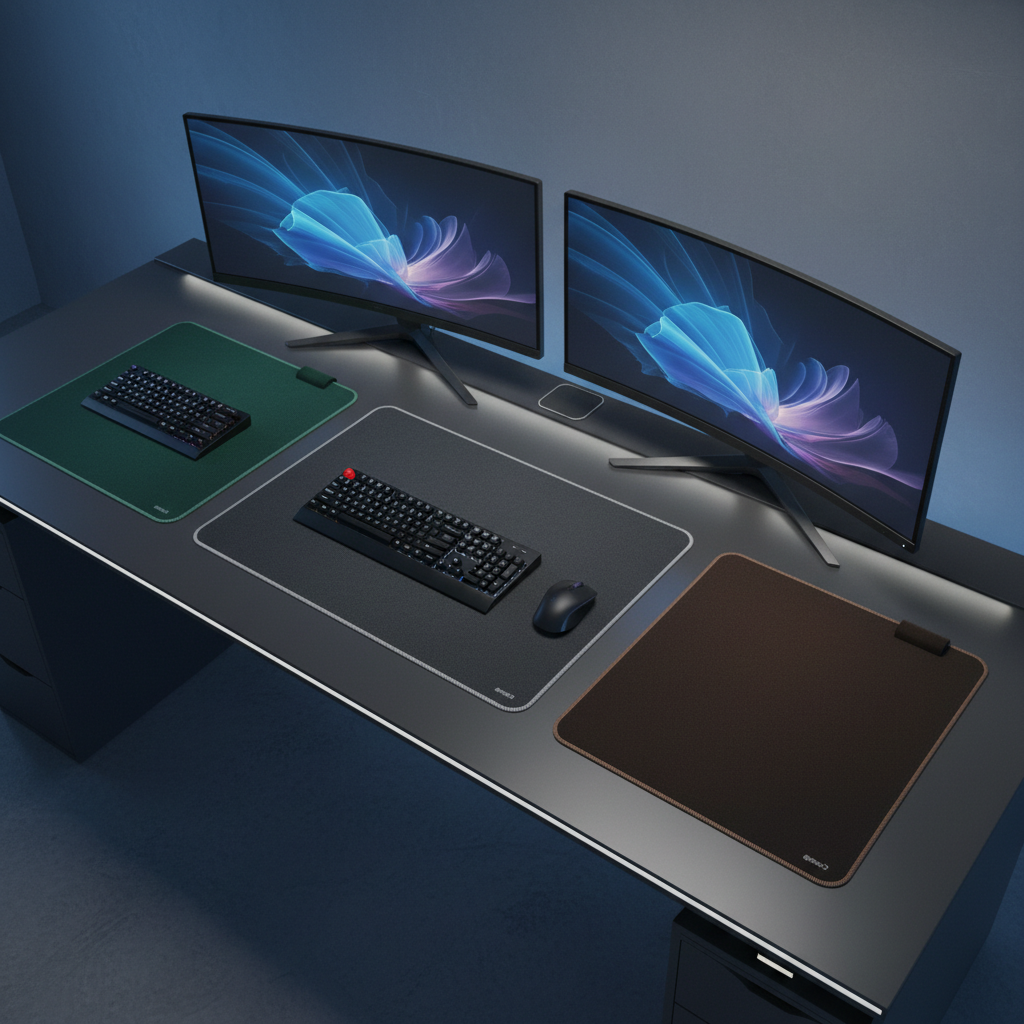
Choosing the right desk mat size can change how your workspace looks and feels. A desk mat protects your desk, smooths out your mouse movement, and ties your whole setup together. But with so many desk mat sizes out there, picking one can feel confusing.
This desk mat size guide walks you through everything. You will learn how to measure your desk, understand standard desk mat sizes, and match the right size to your setup. By the end, you will know exactly which desk mat size to order with confidence.
Whether you game, work from home, or just want a clean desk, this desk mat size guide has you covered. Let’s get started.
Quick Desk Mat Size Chart — At a Glance
Before we go deeper, here is a fast overview of desk mat size categories. Use this chart to get a quick sense of what each desk mat size offers.
Standard Desk Mat Size Categories (Small, Medium, Large, XL, XXL)
Desk mats come in five main desk mat sizes. Small mats fit just your mouse. Medium mats add a bit more room. Large mats hold both your keyboard and mouse. XL mats stretch across most desks. XXL mats cover nearly the whole desk surface.
Dimension Comparison Table: Inches, Centimeters & Millimeters
| Category | Millimeters | Centimeters | Inches |
|---|---|---|---|
| Small | 200–300 mm | 20–30 cm | 8–12 in |
| Medium | 300–450 mm | 30–45 cm | 12–18 in |
| Large | 450–900 mm | 45–90 cm | 18–36 in |
| XL | 900–1200 mm | 90–120 cm | 36–47 in |
| XXL | 1200+ mm | 120+ cm | 47+ in |
Ideal Desk Mat Size by Setup Type (Gaming, Office, Minimal, Dual Monitor)
- Gaming: Large or XL desk mat size for wide mouse sweeps
- Office: Medium or Large desk mat size for keyboard and mouse
- Minimal: Small desk mat size for mouse-only use
- Dual Monitor: XL or XXL desk mat size to match the wider base
Step 1 — How to Measure Your Desk for a Desk Mat
Picking the right desk mat size starts with measuring your desk. If you skip this step, your new desk mat might not fit right. Follow these steps for an accurate measurement.
Tools You Need to Measure Your Desk Surface
- A tape measure or a ruler (a metal tape measure works best)
- A notepad and pen to write down your numbers
- A phone or camera to take photos of your current setup
You do not need any fancy tools. A simple tape measure is enough to find the perfect desk mat size for your space.
Measuring Usable Desk Width and Depth
First, measure the width of your desk from left to right. This is the most important number for choosing a desk mat size. Next, measure the depth from the front edge to the back wall. Write both numbers down in centimeters or inches.
For most desks, the usable width is the flat surface between the edges. Do not include any curved or angled parts. Your desk mat size should always be smaller than your usable desk width.
Accounting for Monitor Stands, Arms, and Keyboard Trays
Some desks have monitor stands or keyboard trays that take up space. If you use a monitor stand, measure the base width. Subtract that space from your usable desk area. If a keyboard tray sits under your desk, your desk mat size only needs to fit the top surface.
For monitor arms, check if the clamp reaches over the desk edge. A desk mat that slides under a monitor arm clamp works better than one that pushes against it.
Leaving the Right Border Margin for a Proportional Look
A good rule of thumb is to leave 5 to 10 cm on each side of your desk mat. This border gives a clean, balanced look. It also keeps the edges of the desk mat from hanging over the edge. The right border makes any desk mat size look intentional and neat.
Step 2 — Understand Standard Desk Mat Sizes in the Size Guide
Now that you have your desk measurements, let’s look at each standard desk mat size. Understanding these categories helps you match the right desk mat size to your needs.
Small Desk Mats (200–300 mm) — Best for Minimal Mouse Use
Small desk mats are the smallest desk mat size you can buy. They fit right under your mouse with a little room to spare. If you only need a smooth surface for your mouse, this desk mat size works great. Small mats are popular for laptop users and people with tiny desks.
Medium Desk Mats (300–450 mm) — Best for Compact Desks
Medium desk mats give more room than small mats. They fit a mouse and a small keyboard tray area. This desk mat size suits compact desks where you want some coverage without filling the whole surface. If your desk is under 100 cm wide, a medium desk mat size often gives the best look.
Large Desk Mats (450–900 mm) — Best for Keyboard + Mouse Combos
Large desk mats are the most popular desk mat size for everyday use. They hold both your keyboard and your mouse on one surface. This desk mat size works well for office work and casual gaming. A 900 x 400 mm mat is a common large desk mat size that fits most standard desks.
XL Desk Mats (900–1200 mm) — Best for Extended Setups
XL desk mats stretch further across your desk. This desk mat size gives extra room for speakers, notebooks, or additional gear. Gamers often prefer this desk mat size for wide mouse sweeps at low DPI settings. If your desk is 120 cm or wider, an XL desk mat size fills it nicely.
XXL / Full-Desk Desk Mats (1200 mm+) — Best for Maximum Coverage
XXL desk mats cover almost your entire desk surface. This desk mat size gives full protection for your desk and creates a unified look. They work best on desks wider than 140 cm. An XXL desk mat size is perfect for creators, streamers, or anyone who wants total desk coverage.
Step 3 — Match Desk Mat Size to Your Specific Setup
The best desk mat size depends on how you use your desk. Let’s break down the right desk mat size for different setup types.
Best Desk Mat Size for Gaming Setups (Low DPI vs. High DPI)
For gaming, your mouse DPI matters a lot. If you play at low DPI (400–800), you need a large or XL desk mat size for wide mouse sweeps. At high DPI (1600+), a medium or large desk mat size is usually enough. FPS gamers often choose the largest desk mat size they can fit.
Best Desk Mat Size for Work-From-Home and Home Office Setups
For work-from-home setups, a large desk mat size hits the sweet spot. It covers your keyboard and mouse area without taking over the whole desk. A large desk mat size also protects your desk from coffee spills and pen marks. This desk mat size gives a professional, clean look for video calls.
Best Desk Mat Size for Dual or Triple Monitor Setups
With dual or triple monitors, your setup looks wider. An XL or XXL desk mat size balances the visual width. A small desk mat under a triple monitor setup can look out of proportion. Go with a desk mat size that stretches at least under all your monitors for a balanced aesthetic.
Best Desk Mat Size for Laptop-Only Setups
Laptop-only setups need a smaller desk mat size. A medium or large desk mat size fits well under a laptop and a mouse. You can also use a small desk mat if you only need mouse coverage. Since laptops take less space, the right desk mat size is usually easier to find.
Best Desk Mat Size for Standing Desks, L-Shaped Desks, and Corner Desks
Standing desks work best with a large or XL desk mat size. For L-shaped desks, you may need two desk mats or one custom desk mat size. Corner desks often fit an XL desk mat on one side. Always measure the flat section first to pick the best desk mat size for these desk shapes.
Step 4 — Factor in Mouse DPI, Keyboard Placement, and Desk Depth
Beyond setup type, a few more factors affect your desk mat size choice. Let’s look at the ones that matter most.
How Mouse DPI Affects Required Desk Mat Size
Your mouse DPI setting changes how far the cursor moves with each inch of mouse motion. Lower DPI means your mouse moves more physical distance on the desk mat. If you game or work at 400 DPI, you need at least a large desk mat size. At 1600 DPI or higher, a medium desk mat size may feel fine.
Keyboard-On-Mat vs. Keyboard-Off-Mat: Which Do You Prefer?
Some people put their keyboard on the desk mat. Others keep only the mouse on it. If you want your keyboard on the mat, you need a large (900 mm) desk mat size at minimum. If your keyboard sits off the mat, a small or medium desk mat size works well. Decide your preference first, then pick the desk mat size.
Desk Depth and How It Limits Your Desk Mat Width Choice
Desk depth matters more than people think. A narrow desk (under 60 cm deep) limits your desk mat size. A deep mat on a shallow desk leaves no room for your hands and wrists. For desks under 60 cm deep, stick to a desk mat size with 30–40 cm depth. Deeper desks (70 cm+) give you more freedom to choose a larger desk mat size.
Common Desk Mat Sizing Mistakes to Avoid
Even with this desk mat size guide, people make mistakes. Here are the most common ones so you can avoid them.
Choosing a Mat That Overhangs the Desk Edge
This is the biggest mistake. A desk mat size that hangs over the edge looks sloppy and catches on your arms. Always measure your desk first. Choose a desk mat size that leaves at least 3–5 cm of border on every side.
Ignoring Desk Thickness and Monitor Arm Clearance
If you use a monitor arm clamp, check the desk thickness. Some desk mats add too much height for the arm to clamp down. A thin desk mat size (2–3 mm) works better with monitor arms than a thick one. Know your clamp gap before you pick a desk mat size.
Picking the Wrong Size for Your Mouse Sensitivity
If you play games at low sensitivity, you need more desk mat space than you think. A small desk mat size will frustrate you because you run out of room. Match your desk mat size to your DPI setting and arm movement range. Test with paper first if you are not sure.
Forgetting About Aesthetic Proportion and Visual Balance
A desk mat size that is too small for a big desk looks lost. A desk mat that is too big for a small desk feels cramped. Think about visual balance. The desk mat size should fill about 60–80% of your usable desk width for the best look.
Bonus — Desk Mat Thickness vs. Size: What You Should Know
Desk mat thickness works together with desk mat size to affect your comfort. Let’s look at what you should know before you buy.
Thin vs. Thick Desk Mats and How Size Interacts
Thin desk mats (2–3 mm) feel closer to the desk surface. They work well with optical mice and give a firmer feel. Thick desk mats (4–6 mm) cushion your wrists and feel softer. Larger desk mat sizes tend to feel more comfortable in thicker versions because they cover more of your arm weight. A thick XXL desk mat size feels like a padded desk cover.
Material and Comfort Considerations for Large Desk Mats
For large desk mat sizes, the surface material matters more. Cloth mats give a smooth, soft glide. Hard mats offer faster tracking. Stitched edges prevent frailing on bigger desk mat sizes. If you choose a large or XL desk mat size, go for stitched edges and a non-slip rubber base. These features make a big desk mat size stay in place and last longer.
FAQ — Frequently Asked Questions About the Desk Mat Size Guide
What Is the Most Popular Desk Mat Size in 2026?
The most popular desk mat size in 2026 is 900 x 400 mm. This large desk mat size fits most desks and covers both a keyboard and mouse. It also works for light gaming. The 900 x 400 mm desk mat size gives the best balance of coverage and value.
Should My Desk Mat Cover the Entire Desk?
Not always. A desk mat that covers the full desk looks great but is not always practical. An XXL desk mat size covers the whole surface, but it can make cleaning harder. Many people prefer a large or XL desk mat size that leaves a small border. It looks clean and stays easy to maintain.
Can I Use a Small Desk Mat for Gaming?
You can, but it depends on your sensitivity. If you play at high DPI (1600+), a small desk mat size works for gentle mouse movements. At lower DPI, you will run out of room fast. Most gamers choose at least a large desk mat size for comfort during long sessions.
What Size Desk Mat Do I Need for a 60% Keyboard and Mouse?
A 60% keyboard is about 290 mm wide. Add 120 mm for your mouse space, and you need at least a 450 mm desk mat size. A medium to large desk mat size (450–900 mm) gives the best fit for a 60% keyboard and mouse combo with room to spare.
How Do I Measure a Desk Mat to Replace an Old One?
Lay your old mat flat on the desk. Use a tape measure to find the length and width. Write down the numbers in millimeters or inches. Compare these numbers to standard desk mat sizes. If the old mat fits well, buy the same desk mat size. If you want more coverage, go one size up in the desk mat size chart.
Final Steps — Confirm Your Desk Mat Size and Order With Confidence
Now you have everything you need to pick the right desk mat size. Here is a quick recap of the key steps:
- Measure your desk width and depth with a tape measure.
- Subtract space for monitor stands, arms, and keyboard trays.
- Leave a 5–10 cm border on all sides for a proportional look.
- Match your desk mat size to your setup type and mouse DPI.
- Decide if your keyboard sits on or off the mat.
- Check desk depth to confirm the mat fits without crowding.
- Pick your thickness and edge style for comfort.
Follow this desk mat size guide step by step, and you will order the perfect desk mat size every time. A well-chosen desk mat size makes your workspace look better, feel smoother, and last longer. Take a few minutes to measure, and enjoy a setup that fits just right.