

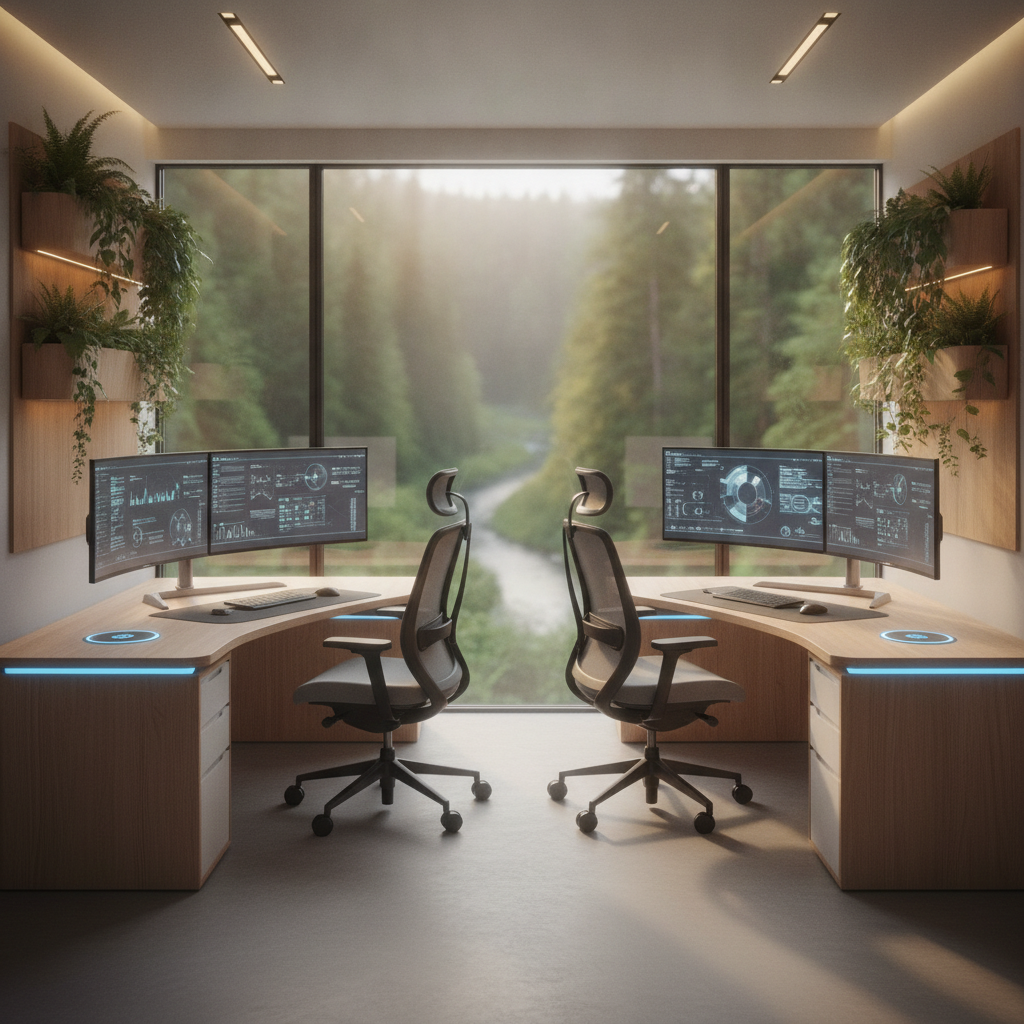
Working from home is now normal for many people. When two people need to work in the same space, a shared home office setup becomes important. This guide helps couples, roommates, or family members create a workspace that works for both people. You will learn how to plan, buy, and organize a shared home office that fits your needs and budget.
A good shared home office helps both people stay focused and comfortable. Bad setups cause fights, noise problems, and wasted space. This guide shows you how to avoid these problems. You will find clear steps, budget tips, and answers to common questions.
Quick Picks – Best Shared Home Office Layouts for Two People
Best for Couples Who Collaborate
Side-by-side desks work best when you work on the same projects. Place two desks next to each other against one wall. This layout lets you talk easily and share screens. Use a desk that is at least 60 inches wide for two people.
Best for Roommates Who Need Privacy
Put desks on opposite walls. This gives each person their own space and reduces noise. Add a bookshelf between desks for more privacy. Each person gets their own wall for shelves and storage.
Best for Small Rooms
Use an L-shaped corner setup. Place one desk against two walls in the corner. This uses space well and gives each person a clear work area. Choose desks that are 48 inches long each.
Best for Different Work Schedules
Put desks far apart and use room dividers. Add separate lighting for each desk. This way, one person can work while the other sleeps. Use blackout curtains if needed.
Step 1 – Plan Your Shared Home Office Setup Before Buying Anything
Measure Your Room and Mark Key Clearances
Start by measuring your room. Write down the length, width, and height. Mark where doors open and where windows are. You need at least 36 inches of space behind each chair to move freely. Measure twice before buying furniture.
Assess Each Person’s Work Needs and Equipment
Make a list of what each person needs. Do you need one monitor or two? Do you need a printer? Write down all equipment. This helps you choose the right desk size and power outlets.
Set a Shared Budget and Ownership Rules
Talk about money before buying anything. Decide who pays for what. Write down who owns each item. This prevents fights later. Split costs fairly based on who uses what more.
Identify Power Outlets, Windows, and Door Swing Zones
Find all power outlets in your room. Count how many you need for both workstations. Check where windows are for natural light. Make sure doors can open fully without hitting desks.
Step 2 – Choose the Right Layout for Your Shared Home Office
Side-by-Side Desk Setup (Best for Collaboration)
Place two desks next to each other against one wall. This works well for couples who work together. You can talk easily and share ideas. Make sure each person has at least 48 inches of desk space.
Opposite-Wall Desk Layout (Best for Focus and Privacy)
Put one desk on each wall facing each other. This gives each person privacy and reduces distractions. Add a rug or room divider between desks for more separation.
Back-to-Back Desk Arrangement (Best for Video Calls)
Place desks back-to-back in the middle of the room. This works well for video calls because your background is clear. Make sure you have good lighting behind you.
L-Shaped Corner Setup (Best for Small Rooms)
Use the corner of your room for an L-shaped desk setup. This saves space and gives each person their own area. Choose corner desks that fit your room size.
Face-to-Face Desk Configuration (Best for Discussion)
Put desks facing each other with space between. This works well for people who need to talk often. Add a small table between desks for shared items.
Shared Long Desk for Two (Best for Tight Spaces)
Use one long desk that is at least 72 inches wide. Each person gets 36 inches of space. This saves money and works well in small rooms. Add a divider in the middle if needed.
Step 3 – Select Desks, Chairs, and Furniture for Your Two-Person Office
Desk Size Requirements: Minimum Width and Depth Per Person
Each person needs at least 48 inches of desk width and 24 inches of depth. This gives enough space for a monitor, keyboard, and some papers. Measure your equipment before buying desks.
Matching vs. Separate Desks: What Works Best
Matching desks look neat and save money. Separate desks let each person choose what they like. If you buy separate desks, make sure they are the same height for a clean look.
Sit-Stand Desks for Different Body Heights
Buy sit-stand desks if you have different heights. These desks move up and down. Each person can set the height they need. This helps prevent back pain and keeps you healthy.
Chair Selection for Two People with Different Needs
Choose chairs that fit each person’s body. Look for chairs with good back support and adjustable height. Test chairs before buying if possible. Good chairs cost more but last longer.
Step 4 – Organize Storage and Keep Your Shared Home Office Clutter-Free
Assign Equal Storage to Each Person
Give each person the same amount of storage space. Use labeled drawers or bins. This keeps things fair and organized. Count shelves and drawers to make sure they are equal.
Use Shelving and Dividers to Create Zones
Add shelves between desks to create separate zones. Use bookshelves or room dividers. This helps each person feel like they have their own space. Keep shared items in the middle.
Shared vs. Personal Storage: What to Keep Together
Keep shared items like printers and paper in one place. Keep personal items in your own drawers. Label shared supplies clearly. This prevents confusion and saves time.
Renter-Friendly Storage Solutions Without Drilling
Use freestanding shelves instead of wall shelves. Try adhesive hooks for lightweight items. Use tension rods for hanging organizers. These solutions do not damage walls and work well for renters.
Step 5 – Manage Lighting and Glare in a Dual-Desk Home Office
Position Desks Relative to Windows to Avoid Glare
Place desks perpendicular to windows, not facing them. This reduces screen glare. If you must face a window, use blinds or curtains. Natural light is good but too much causes problems.
Set Up Task Lighting for Each Workstation
Give each person their own desk lamp. Choose lamps with adjustable arms and brightness. Place lamps on the opposite side of your writing hand. This reduces shadows on your work.
Control Backlighting for Video Calls
Make sure light is in front of you during video calls. Do not sit with a window behind you. Use a ring light or desk lamp for clear video. Test your setup before important calls.
Adjust Color Temperature for Different Preferences
Some people like warm light, others like cool light. Buy lamps with adjustable color temperature. This lets each person choose what they like. Warm light is relaxing, cool light helps focus.
Step 6 – Solve Sound and Meeting Conflicts in Your Shared Office
Soundproofing Tips for Two-Person Home Offices
Add rugs and curtains to reduce echo. Use foam panels on walls if needed. Close the door when on calls. These simple steps reduce noise for both people.
Noise-Canceling Headsets and Microphone Etiquette
Buy noise-canceling headsets for both people. Mute your microphone when not talking. Use push-to-talk if possible. This reduces background noise during calls.
Create a Meeting Schedule to Avoid Overlapping Calls
Share your calendars with each other. Block time for important calls. Try not to schedule calls at the same time. If you must, use different rooms or take turns.
Visual Signals for “Do Not Disturb” During Calls
Use a small sign or light to show when you are on a call. Red means do not disturb, green means it is okay to talk. This prevents interruptions during important meetings.
Step 7 – Set Up Technology and Cable Management for Two Workstations
Plan Power and Ethernet for Dual Desks
Count how many outlets you need for both desks. Use power strips with surge protection. Run Ethernet cables for stable internet. Label cables so you know what they do.
Route and Hide Cables Between Two Workstations
Use cable trays under desks to hide wires. Bundle cables with zip ties or velcro straps. Run cables along walls and baseboards. This keeps your shared home office looking clean.
Share a Network Router and Printer Fairly
Place the router in the middle of the room for good signal. Share one printer to save money and space. Set up the printer for both computers. Take turns using it if needed.
Monitor Arms and Dual-Screen Setups
Use monitor arms to save desk space. These hold screens above your desk. Each person can adjust their screen height. Dual monitors help with multitasking but need more desk space.
Step 8 – Create Operating Rules for Your Shared Home Office
Agree on Room Temperature and Lighting Preferences
Talk about temperature and light before problems start. Find a compromise that works for both people. Use fans or heaters if needed. Small personal heaters or fans help each person stay comfortable.
Set Clean-Desk and End-of-Day Reset Expectations
Agree to clean your desk at the end of each day. Put papers away and throw out trash. This keeps the shared home office tidy for both people. Make it a habit.
Handle Shared Supplies and Confidential Documents
Keep shared supplies in one place and track who uses them. Keep confidential documents in locked drawers. Do not leave sensitive papers on desks. Respect each other’s privacy.
Divide Costs Fairly Between Couples or Roommates
Split furniture costs based on who uses what. If one person needs a bigger desk, they pay more. Keep receipts and track expenses. This keeps things fair and prevents arguments.
Rotate “Better” Desk Positions When Layout Is Unequal
If one desk gets better light or more space, rotate who sits there. Switch every month or every few months. This keeps things fair and gives both people a chance to enjoy the better spot.
Shared Home Office Setup on a Budget: Options for Every Price Range
No-Buy Rearrangement Using Existing Furniture
Start with what you have. Move existing desks and tables to create your shared home office. Use dining tables or kitchen counters if needed. Add pillows for chair comfort. This costs nothing.
Low-Cost Setup Under $500
Buy two basic desks and chairs from discount stores. Use second-hand furniture if possible. Add simple shelves and desk lamps. This setup works well for basic needs.
Midrange Dual-Desk Setup ($500–$1,500)
Buy quality desks with good chairs. Add monitor arms and cable management. Include task lighting and small storage units. This setup lasts longer and looks professional.
Premium Built-In Shared Office ($1,500+)
Install custom built-in desks and shelves. Buy sit-stand desks and ergonomic chairs. Add professional lighting and soundproofing. This creates a permanent, high-quality shared home office.
FAQ: Common Questions About Shared Home Office Setups for Two People
What Is the Minimum Room Size for a Two-Person Home Office?
You need at least 10 by 12 feet for a comfortable shared home office. This gives enough space for two desks, chairs, and walking room. Smaller rooms work but feel tight.
Should Couples or Roommates Use Separate Desks?
Yes, separate desks work better for most people. Each person gets their own space and can organize how they like. Shared desks cause clutter and conflicts.
How Do You Share a Home Office With Different Work Schedules?
Use separate lighting and sound control. Put desks far apart. Use room dividers or curtains. This lets one person work while the other rests.
Can You Set Up a Shared Home Office in a Small Bedroom?
Yes, use corner desks or wall-mounted desks. Choose compact furniture and vertical storage. Keep the room organized and clutter-free. Use light colors to make the room feel bigger.
What Furniture Works Best for Renters in a Shared Office?
Choose freestanding furniture that does not need drilling. Use adhesive hooks and tension rods. Pick pieces you can move easily. This protects your security deposit.
Final Checklist: Set Up Your Shared Home Office in One Weekend
- Measure your room and mark door swings and windows
- List each person’s equipment and storage needs
- Set a budget and decide who pays for what
- Choose your desk layout based on your needs
- Buy desks, chairs, and storage furniture
- Set up power outlets and cable management
- Install lighting for each workstation
- Organize storage and assign equal space
- Create rules for temperature, cleaning, and noise
- Test your setup and make adjustments
Setting up a shared home office takes planning and communication. Follow these steps to create a workspace that works for both people. Start with a good plan, choose the right layout, and set clear rules. Your shared home office will help you both work better and stay happy together.