

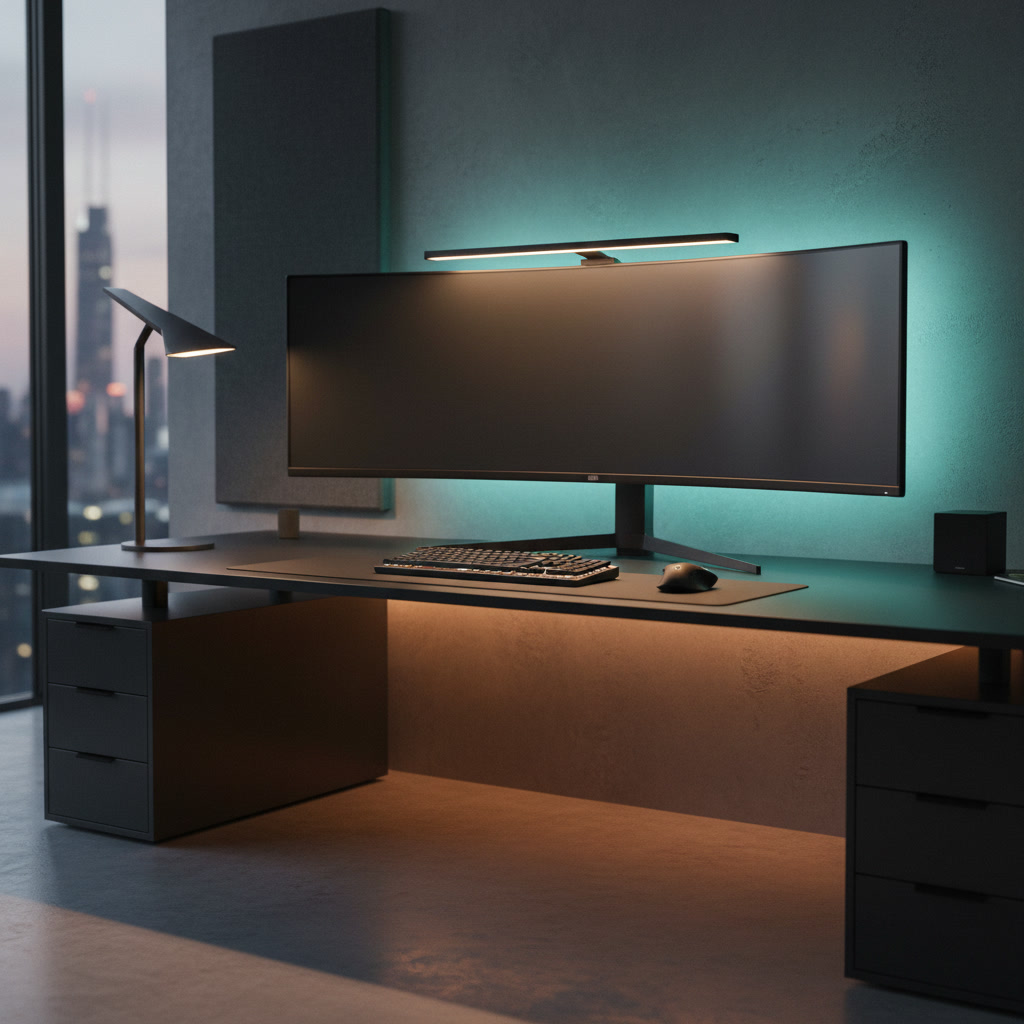
Bad lighting can hurt your eyes, cause headaches, and make your desk setup look dull. Good desk setup lighting changes everything. It helps you see better, feel more comfortable, and enjoy your workspace. This guide shows you how to build the perfect desk setup lighting step by step. Whether you are a student, gamer, or work from home, you will find ideas that fit your needs and budget.
What you will need:
- A tape measure
- A desk lamp or monitor light bar
- LED strip lights (optional)
- A phone light meter app (free download)
- Double-sided tape or cable clips
Quick Answer: The 3-Layer Desk Setup Lighting Formula
The best desk setup lighting uses three layers. Each layer has a different job. Together, they create a balanced and comfortable workspace.
Why Layered Lighting Matters for Your Desk Setup
One single light source creates harsh shadows and bright spots. Layered lighting spreads light evenly across your desk setup. This reduces eye strain and makes your workspace look professional. Each layer fills in the gaps that the others leave behind.
Ambient vs Task vs Accent Lighting Explained
Ambient lighting is the general light in your room. It comes from ceiling lights or windows. Task lighting focuses light where you work, like on your keyboard or books. Accent lighting adds style and mood, like LED strips behind your monitor. All three layers work together for the best desk setup lighting.
The Ideal Color Temperature for Desk Work (4000K-5000K)
Color temperature is measured in Kelvin (K). Warm light (2700K-3000K) feels cozy but can make you sleepy. Cool light (5000K-6500K) feels bright but may cause strain. For desk setup lighting, aim for 4000K-5000K. This neutral white light keeps you alert without hurting your eyes.
Step 1: Assess Your Desk Setup Lighting Needs
Before buying any lights, take time to understand your space. Every room is different. Your needs depend on room size, activities, and existing light sources.
Measure Your Room Size and Natural Light
Use a tape measure to find your room dimensions. Note where windows are and which direction they face. South-facing windows give the most light. North-facing windows give softer light. This helps you decide how much extra desk setup lighting you need during the day.
Identify Your Primary Desk Activities
What do you do at your desk? Computer work needs different lighting than drawing or reading. List your main activities. This tells you which type of desk setup lighting matters most for you.
Calculate Required Lux Levels (300-500 Lux for Computer Work)
| Activity | Recommended Lux |
|---|---|
| Computer work | 300-500 lux |
| Reading and writing | 500-750 lux |
| Detailed crafts or drawing | 750-1000 lux |
| Video calls | 200-400 lux on face |
Download a free lux meter app on your phone. Place it on your desk surface to check current light levels.
Common Desk Lighting Problems to Fix
- Screen glare: Light reflects off your monitor
- Eye strain: Room is too dark compared to your screen
- Shadows on workspace: Light comes from the wrong direction
- Fatigue: Wrong color temperature makes you feel tired
Step 2: Choose Your Desk Setup Lighting Types
Now pick the right lights for your desk setup. Each type has strengths and best uses.
Monitor Light Bars: Best for Screen-Based Work
A monitor light bar sits on top of your screen. It shines light down on your desk without hitting the screen. This prevents glare and saves desk space. It is one of the most popular desk setup lighting choices for computer users.
Traditional Desk Lamps: Best for Reading and Writing
Desk lamps are flexible and affordable. Choose one with an adjustable arm so you can direct light where needed. Look for models with brightness and color temperature controls. They work great for reading, homework, and handwriting tasks.
LED Strip Lights: Best for Ambient and Accent Lighting
LED strips are cheap and easy to install. Stick them behind your monitor, under shelves, or along desk edges. They add color and mood to your desk setup. Use warm white for work and RGB colors for gaming or relaxing.
Ceiling and Overhead Lights: Best for General Illumination
Your ceiling light provides the base layer of desk setup lighting. Make sure it is bright enough for the whole room. If your ceiling light is dim, add a floor lamp or upgrade the bulb to improve overall brightness.
Smart Lighting Solutions: Best for Flexible Control
Smart bulbs and smart LED strips let you change brightness and color from your phone. You can set schedules, create scenes, and control lights with voice commands. Smart desk setup lighting is great if you want full control over your workspace mood.
Step 3: Position Your Desk Setup Lighting Correctly
Where you place your lights matters as much as what lights you choose. Bad placement causes glare, shadows, and eye strain.
Desk Placement Relative to Windows (Avoid Glare)
Place your desk perpendicular to windows if possible. Facing a window directly causes backlight during video calls. Having a window behind you causes screen glare. Side placement gives you natural light without these problems.
Task Light Positioning (Side Placement, Opposite Dominant Hand)
Place your task lamp on the side opposite your dominant hand. If you are right-handed, put the lamp on the left. This prevents your hand from casting shadows while you write or use a mouse. Keep the lamp at eye level or slightly above.
Monitor Light Bar Installation Guide
- Unbox the light bar and check the mounting clips
- Place the clips on the top edge of your monitor
- Slide the light bar into the clips until it clicks
- Adjust the angle so light hits your desk, not the screen
- Connect the USB cable to your monitor or computer
LED Strip Placement for Bias Lighting
Stick LED strips on the back edge of your monitor, facing the wall. This creates a soft glow behind the screen called bias lighting. It reduces the contrast between your bright screen and dark wall, which lowers eye strain.
Avoiding Shadows and Hot Spots
Use multiple light sources instead of one bright light. This spreads light evenly. If you see harsh shadows, add another light from a different angle. Hot spots happen when one area is much brighter than the rest. Diffuse the light or move the source farther away to fix this.
Step 4: Set Up Ambient Desk Setup Lighting
Ambient lighting fills your room with a base level of light. It sets the overall mood and brightness.
Ceiling Light Selection and Placement
Choose a ceiling light that covers your whole desk area. A flush-mount or pendant light works well. Use a 4000K bulb for neutral white light. If your ceiling light is the only light source, make sure it provides at least 300 lux on your desk surface.
Floor Lamps for Desk Areas
A floor lamp behind or beside your desk adds ambient light without taking desk space. Choose an arc floor lamp that reaches over your desk area. This is a simple way to boost your desk setup lighting without any installation.
Wall Sconces and Shelf Lighting
Wall sconces add style and light to your workspace. Install them on the wall above or beside your desk. If you have shelves near your desk, add small puck lights under each shelf. This adds layers to your desk setup lighting.
Dimmer Switches for Flexible Ambient Control
Install a dimmer switch for your ceiling light. This lets you adjust brightness for different times of day. Use bright light during work hours and dim light for relaxing. Smart bulbs also offer dimming without a dimmer switch.
Step 5: Install Task Lighting for Your Desk Setup
Task lighting is the most important layer for your work area. It gives you focused light right where you need it.
Choosing the Right Desk Lamp (Adjustable Arm, Brightness)
Look for a desk lamp with these features: adjustable arm, dimmable brightness, color temperature control, and a stable base. An adjustable arm lets you move light exactly where you need it. Aim for at least 500 lux on your work surface.
Monitor Light Bar Setup and Calibration
After installing your monitor light bar, turn it on and adjust the brightness. Start at 50% and increase until your desk feels comfortable. Make sure no light hits your screen directly. Tilt the bar forward or backward to find the sweet spot for your desk setup lighting.
Clamp-On and Space-Saving Task Lights
If your desk is small, use a clamp-on lamp. It attaches to the desk edge and saves surface space. Some monitor light bars also use clamp mounts. These are great desk setup lighting options for compact workspaces.
Task Lighting for Different Desk Sizes
| Desk Size | Recommended Task Lighting |
|---|---|
| Small (under 100cm) | Monitor light bar or small clamp lamp |
| Medium (100-140cm) | Monitor light bar + small desk lamp |
| Large (140cm+) | Monitor light bar + adjustable desk lamp + LED strip |
Step 6: Add Accent and Decorative Desk Setup Lighting
Accent lighting makes your desk setup look amazing. It adds personality and style to your workspace.
LED Strip Installation Behind Monitor (Bias Lighting)
Clean the back of your monitor with a dry cloth. Peel the adhesive on the LED strip and stick it along the back edge. Connect it to a USB port. Choose warm white or soft colors for a calming effect behind your screen.
Under-Desk and Under-Shelf Lighting
Stick LED strips under your desk edge or under floating shelves. This creates a floating effect and adds ambient glow. Use motion-sensor strips so they turn on when you sit down. This is a cool desk setup lighting trick.
RGB Lighting for Gaming and Creative Setups
RGB LED strips let you pick any color. Sync them with your games or music for an immersive experience. Use warm colors like orange and red for relaxing. Use cool colors like blue and purple for focus. Many RGB systems work with phone apps for easy control.
Decorative Lamps for Visual Appeal
Add a small decorative lamp to your desk. A neon sign, a vintage Edison bulb lamp, or a geometric lamp adds character. These pieces make your desk setup lighting unique and personal. They also serve as conversation starters on video calls.
Desk Setup Lighting for Video Calls and Streaming
Good lighting makes you look professional on camera. Bad lighting makes you look tired or dark.
Front-Facing Lighting for Clear Video
Place your main light in front of you, slightly above eye level. This lights your face evenly. A desk lamp angled toward you or a ring light behind your monitor works well. Your face should be the brightest part of the frame.
Ring Lights vs Softbox Lights for Webcams
Ring lights give even, circular light and are compact. They fit behind your monitor easily. Softbox lights give softer, more professional light but take more space. For most desk setups, a small ring light is the best desk setup lighting choice for video calls.
Avoiding Backlight and Silhouettes
Never sit with a bright window or light behind you. This makes you look like a dark shadow. If you cannot move your desk, close the blinds or add front lighting to balance the backlight. This is a common desk setup lighting mistake to avoid.
Lighting Setups for Different Camera Angles
If your camera is above your monitor, angle your light slightly upward. If your camera is at desk level, keep the light at face height. Test your lighting on camera before important calls. Adjust until your face looks clear and natural.
Desk Setup Lighting Ideas for Different Room Types
Every room has unique challenges. Here is how to handle common situations.
Small Home Office Lighting Solutions
In a small room, use wall-mounted lights and monitor light bars to save space. Avoid floor lamps that take up floor area. Use light-colored walls to reflect more light. A well-lit small room feels bigger than a dark large room.
Windowless Room Lighting Strategies
Without natural light, you need strong ambient lighting. Use a bright ceiling light plus a desk lamp. Add bias lighting behind your monitor. Consider a daylight lamp that mimics natural sunlight. This is important for your mood in a windowless desk setup lighting situation.
Shared Space Lighting Considerations
If you share a room, use focused task lighting instead of bright overhead lights. A monitor light bar and desk lamp light only your area. Use dimmable lights so you can lower brightness when others need to sleep or relax.
Corner Desk Lighting Setups
Corner desks can have dark spots. Place a floor lamp in the corner behind your desk to fill the gap. Use a monitor light bar for screen work and add an LED strip along the desk edge for extra coverage. This creates complete desk setup lighting even in tricky corners.
Budget Guide: Desk Setup Lighting at Every Price Point
You do not need to spend a lot to get great desk setup lighting. Here are options for every budget.
Budget Setup ($50-100): Basic Desk Lamp + LED Strips
Spend $30-50 on an adjustable LED desk lamp with brightness control. Add a $15-20 LED strip for behind your monitor. This gives you task and accent lighting on a tight budget. It is a solid start for your desk setup lighting.
Mid-Range Setup ($150-300): Monitor Light Bar + Ambient Lights
Get a quality monitor light bar ($60-120), a floor lamp ($40-80), and LED strips ($20-30). This covers all three lighting layers. You get professional desk setup lighting without breaking the bank.
Premium Setup ($400+): Smart Lighting + Professional Task Lights
Invest in a high-end monitor light bar ($150+), smart LED strips ($60-100), a smart ceiling light ($80+), and a premium desk lamp ($100+). You get full control, perfect color matching, and top-quality desk setup lighting.
Best Value Picks for Each Lighting Type
- Monitor light bar: Baseus or Xiaomi ScreenBar ($40-70)
- Desk lamp: BenQ ScreenBar alternative or Baseus LED lamp ($30-60)
- LED strips: Govee or Philips Hue Lightstrip ($20-50)
- Ring light: Basic 10-inch ring light with tripod ($25-40)
Troubleshooting Common Desk Setup Lighting Problems
Even the best setups have issues. Here is how to fix the most common ones.
Fixing Monitor Glare and Screen Reflections
Move your light source to the side of your monitor, not above or behind you. Use a monitor light bar that angles light downward. Close blinds if sunlight hits your screen. An anti-glare screen protector also helps reduce reflections in your desk setup lighting.
Eliminating Eye Strain and Harsh Shadows
Add more light layers instead of making one light brighter. Use bias lighting behind your monitor. Make sure your task light does not create shadows on your keyboard. Take breaks every 20 minutes and look at something 20 feet away for 20 seconds.
Balancing Brightness Between Screen and Room
Your screen should not be much brighter than your room. Lower your screen brightness to match the room light. Or add more ambient light to match your screen. The goal is a smooth transition between screen and surroundings in your desk setup lighting.
Correcting Color Temperature Mismatches
If your lights have different color temperatures, your eyes work harder to adjust. Match all your lights to the same color range. Use tunable white bulbs that let you set the same Kelvin value across all lights. This creates a unified desk setup lighting environment.
Managing Limited Desk Space for Lighting
Use clamp-on lamps, monitor light bars, or wall-mounted lights to free up desk space. Run LED strips under the desk edge. Go vertical with shelf lighting instead of adding more items to your desk surface.
FAQ: Common Questions About Desk Setup Lighting Ideas
What is the best color temperature for desk work?
The best color temperature for desk setup lighting is 4000K-5000K. This neutral white light keeps you alert without causing eye strain. Use warmer light (3000K) for evening relaxation and cooler light (5000K) for focused morning work.
Are monitor light bars worth it?
Yes, monitor light bars are worth it for desk setup lighting. They save desk space, prevent screen glare, and provide even light on your workspace. They are especially useful if you spend most of your time working on a computer.
How bright should my desk lighting be?
Aim for 300-500 lux on your desk surface for computer work. For reading and writing, aim for 500-750 lux. Use a phone lux meter app to check your levels. Your desk setup lighting should feel bright but not harsh.
Can LED strips provide enough light for work?
LED strips alone usually do not provide enough task lighting for detailed work. They are best for ambient and accent lighting. For desk setup lighting, combine LED strips with a desk lamp or monitor light bar for complete coverage.
How do I reduce eye strain from desk lighting?
Use the 20-20-20 rule: every 20 minutes, look at something 20 feet away for 20 seconds. Add bias lighting behind your monitor. Make sure your room lighting matches your screen brightness. Avoid working in a dark room with only your screen as the light source.
What’s the best lighting for video calls at my desk?
Use a ring light or soft light source placed in front of you at eye level. Avoid overhead-only lighting, which creates shadows under your eyes. For desk setup lighting on video calls, a $30 ring light behind your monitor makes a huge difference.
Conclusion: Building Your Ideal Desk Setup Lighting System
Great desk setup lighting does not happen by accident. It takes planning, the right tools, and proper placement. Remember the three-layer formula: ambient light for the room, task light for your work, and accent light for style.
Key takeaways:
- Start by assessing your room and needs before buying lights
- Use the 3-layer approach: ambient, task, and accent lighting
- Aim for 4000K-5000K color temperature for desk work
- Position lights to avoid glare and shadows
- Match your budget to the right combination of lights
- Test and adjust your setup until it feels comfortable
Your next steps:
- Measure your current lux levels with a phone app
- Pick one lighting layer to improve first (start with task lighting)
- Buy one or two lights from the budget guide that fits your needs
- Install and test your new desk setup lighting
- Add more layers over time as your budget allows
Good desk setup lighting is one of the best upgrades you can make to your workspace. It improves your comfort, productivity, and the look of your desk. Start today and enjoy a better-lit workspace tomorrow.