

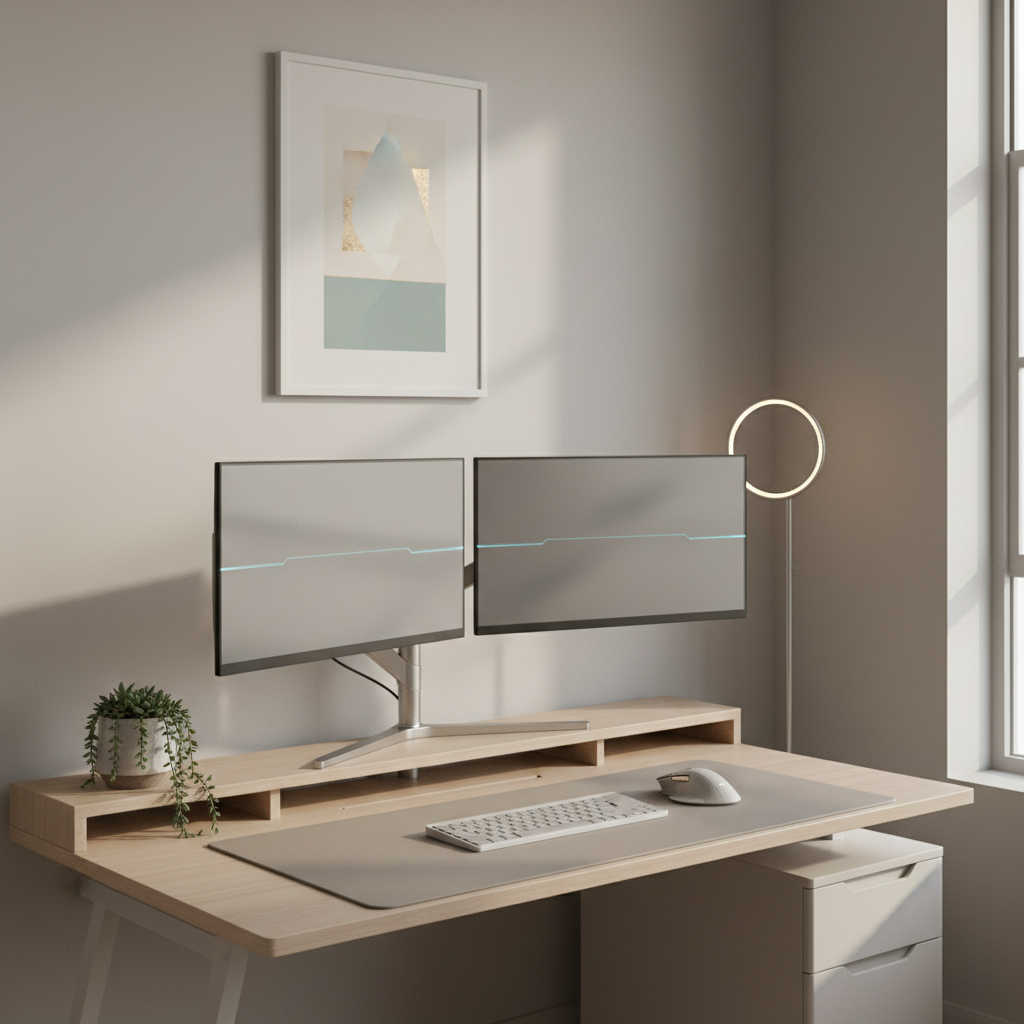
Why Choose a Dual Monitor Setup for a Small Desk?
Boosting Efficiency in Tight Spaces
Using two monitors on a small desk makes work, study, or gaming quicker and more organized. You can read on one screen and type on the other. You switch less between windows. This saves time and keeps you focused, even if space is limited.
Addressing Common Small Desk Challenges
Small desks mean less room for gear and often more mess. Dual monitor setups help to use every inch wisely. They help keep your desk tidy and make multitasking easier, so you do not need to spread papers and gadgets everywhere.
Planning the Perfect Dual Monitor Small Desk Layout
Assessing Your Desk Dimensions and Limitations
- Measure your desk width, depth, and height. Use a tape measure.
- Check for wall space near your desk. It might help with mounting.
- Write down how much space you need for your chair and keyboard.
- Notice power outlet locations for plugging in monitors.
Essential Measurements for a Comfortable Setup
- Each monitor usually needs at least 18 inches of width.
- Leave at least 4-6 inches behind your monitors for cables and air flow.
- Keep your eyes 20-30 inches from the monitor screen.
- Monitors should be set up so you can glance between them easily, without neck strain.
Space-Saving Dual Monitor Layout Ideas for Small Desks
Side-by-Side vs. Stacked Monitor Arrangements Explained
- Side-by-Side: Place monitors next to each other. Good for wide desks. Easy to switch screen focus with your eyes.
- Stacked: Place one monitor on top of the other. Good for deep or narrow desks. Saves lots of width.
L-Shaped and Corner Desk Dual Monitor Solutions
- L-shaped desks let you place one monitor on each side, using corner space well.
- Corner desks naturally fit two monitors, with one in the middle and one angled beside it.
Creative Non-Obvious Mounting Methods (Including Renter-Friendly and No-Drill Options)
- Use clamp-on monitor arms that grip to the edge of your desk and do not need drilling.
- Try tension rod shelves between walls or in corners to hold monitors above the desk.
- Use strong adhesive hooks or strips for very light or portable screens.
- Place a monitor on a tall laptop stand to free up desk surface.
Dual Monitor Setups Without a Traditional Desk (Wall Mounts, Shelves, and More)
- Wall-mount both monitors directly above a small table or shelf.
- Floating shelves can hold monitors and small gadgets high above your work area.
- Use a mobile cart or portable table and attach monitor arms.
Gear & Accessories to Optimize a Dual Monitor Small Desk Setup
Best Monitor Arms and Mounts for Small Desks
- Choose arms with a small base and full rotation.
- Look for gas-spring arms for easy height changes.
- Double-monitor stands are good if you cannot clamp or drill.
Must-Have Cable Management Tools
- Cable clips keep cords along desk edges.
- Velcro ties or zip ties help bundle cables together.
- Cable sleeves hide groups of wires for a clean look.
Space-Saving Keyboards, Mice, and Desk Mats
- Choose a compact or tenkeyless keyboard.
- Use a wireless mouse to cut cable mess.
- Get a desk mat that fits your desk size and holds keyboard and mouse.
Integrating Smart Accessories (Lighting, Wireless Charging, and Hubs)
- LED light strips or clip-on lamps save space and help your eyes.
- Wireless charging pads keep your phone powered without more cords.
- USB hubs organize device connections and save desk space.
Ergonomics and Comfort in Your Small Desk Dual Monitor Arrangement
Recommended Viewing Heights and Distances
- Your eyes should be just below the top edge of the main screen.
- Monitors should be an arm’s length away — about 20-30 inches.
Chair and Monitor Placement for Healthy Posture
- Keep feet flat on the floor and elbows at 90 degrees.
- Chairs with adjustable height and backrest work best for comfort.
- Angle monitors slightly inward and tilt them up just a little.
Minimizing Strain in Compact Working Conditions
- Switch between sitting and standing if possible.
- Take short breaks every 30-60 minutes to stretch or move.
- Position lighting to prevent glare on the screens.
Budget-Friendly Dual Monitor Setup Ideas for Small Desks
Affordable Desk Solutions and DIY Hacks
- Use sturdy folding tables as budget desks.
- Stack books or boxes to raise a monitor if you lack monitor arms.
- Repurpose old shelves as monitor stands.
Maximizing Productivity Without Breaking the Bank
- Buy used monitors or gear online.
- Choose basic accessories at first, and upgrade over time.
- DIY cable holders from binder clips or twist ties.
Workflow Examples: Tailoring Dual Monitor Setups to Your Needs
Best Setups for Coding, Design, and Multitasking
- For coding, place code on one monitor, and testing or documentation on the other.
- For design, use one screen for tools and the other for previews.
- For multitasking, have emails open on one and your main work on the second screen.
Small Desk Arrangements for Writers, Students, and Home Offices
- Writers and students can research on one screen and write on the other.
- Home office work is easier with video calls on one monitor and documents on the second.
Maintenance and Upkeep Tips for Small Dual Monitor Desks
Daily Organization Habits
- Clear your desk at the end of each day.
- Put away pens, papers, and cups as soon as you finish using them.
- Wipe screens and desk surface weekly with a soft cloth.
Keeping Your Space Tidy and Efficient
- Set a place for every item so you always know where to put things back.
- Label cables and plugs for quick fixes.
- Sort and dispose of clutter regularly.
FAQ: Dual Monitor Setup Ideas for Small Desk Users (2026)
- Q: Can any desk support dual monitors?
A: Most desks can, if your monitors are not too wide and you use space-saving accessories. - Q: Are monitor arms safe for small desks?
A: Yes, choose the right clamp or stand. Always follow weight limits in the instructions. - Q: What if I cannot drill or mount to walls?
A: Use clamp-on arms, tension rods, or freestanding monitor stands. - Q: How do I deal with cable mess?
A: Use cable clips, sleeves, or ties to keep wires neat and out of the way. - Q: Can I use two different size monitors?
A: Yes, but try to match the heights so you do not strain your neck.
Summary: Key Points & Next Steps
- Measure your small desk carefully before starting.
- Pick a layout — side-by-side, stacked, corner — that fits your space best.
- Use monitor arms, cable tools, and compact gear to save space.
- Check and adjust for healthy posture and comfort.
- Stay organized daily for a tidy desk and productive setup.
- Adapt ideas to your needs, and upgrade as you go for the best dual monitor setup on a small desk.