

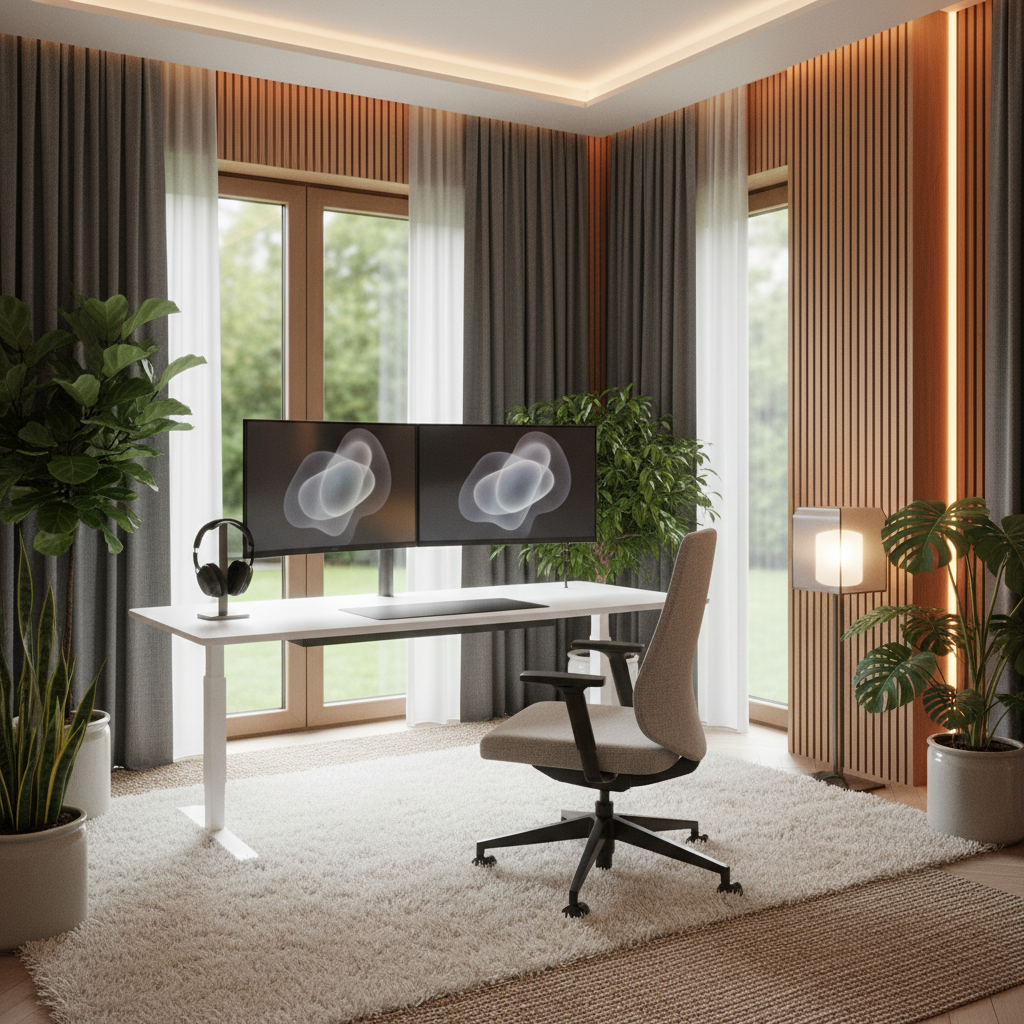
Working from home sounds great, but noise can ruin your day. A car honks outside, a dog barks next door, or your family talks in the next room. These sounds hurt your focus and waste your time. This guide shows you how to build a noise reduction home office setup that fits any room and any budget. You will learn simple steps, cheap gear picks, and smart tricks that work in 2026. No heavy tools. No ugly changes. Just quieter days.
Why Noise Reduction Is the Missing Piece in Your Home Office Setup
How Noise Pollution Affects Remote Productivity
Studies show that loud noise cuts your focus by up to 66%. Every time a sound breaks your thought, it takes almost 20 minutes to get back on track. This is true for typing, writing, or taking calls. Over one week, noise can steal several hours of real work from you.
Noise also drains your mind. Your body makes more stress hormones when sounds keep jumping at you. This leads to tired eyes, sore heads, and slow work. A clean, quiet space helps your brain rest and think.
The 3 Pillars of a Quiet Home Office: Block, Absorb, and Mask
Every good noise reduction home office setup rests on three pillars.
- Block – Stop noise from getting in or out. Seal doors, windows, and walls.
- Absorb – Soak up sounds that already echo in the room. Use soft items like rugs, panels, and curtains.
- Mask – Cover small sounds with a kind, steady noise. Fans, white noise machines, or soft music work best.
Use all three pillars. They work together to make your space truly quiet.
Step 1: Run a Quick Noise Audit Before Making Changes
Identify Your Top Noise Culprits (Free Apps to Use)
Before you buy anything, find out what sounds bother you most. Start your noise reduction home office setup with a simple test.
- Download a free app like Decibel X, NIOSH SLM, or SoundPrint.
- Place your phone on your desk and sit in your work chair.
- Record sound levels for 15 minutes at three times: morning, noon, and late afternoon.
- Write down each loud sound and where it came from.
This list tells you which sounds are the biggest problems. Traffic? Kids? Fridge hum? HVAC? Now you know where to focus.
Map the Floor Plan of Your Home Office Space
Draw a quick sketch of your room on paper or a free app. Mark the doors, windows, thin walls, and nearby high-traffic rooms. Color-code the loudest sides. This map helps you pick which walls need panels and which need seals.
Set Your Quietness Goals (Calls, Focus, or Both)
Decide what you need most:
- Clear calls – Focus on mic and headset gear with AI noise filters.
- Deep focus – Focus on block and absorb steps, plus smart masking.
- Both – Mix all steps. This is the best long-term plan.
Step 2: Start at Your Desk for the Fastest Noise Reduction Results
Choose a Quiet Mechanical Keyboard or Switched Keyboard
Your keyboard is one of the loudest things on a desk. Pick quiet switches to cut typing noise fast.
- Silent mechanical – Look for “silent red” or “silent brown” switches. Brands like Keychron and NuPho sell quiet boards.
- Scissor-switch – Laptop-style keyboards (Apple Magic Keyboard, Logitech MX Keys) are almost silent.
- O-rings or dampeners – Add small rubber rings to your current keys to soften clicks.
Position Your Monitors and Desk Orientation for Sound Control
Face your desk toward the quietest wall. Put your back to the noisy side. Your monitors act as a small sound wall. Face the open part of your room to cut echo bounce.
Use a Desk Mat and Under-Desk Tray to Absorb Vibrations
A large felt or rubber desk mat soaks up keyboard and mouse clicks. A metal or wood under-desk tray stops gear from rattling. Together, they cut desk noise by up to 40%.
Add Desktop Acoustic Dividers and Monitor Barriers
Small felt or foam screens sit on your desk between you and noise sources. They also stop your voice from bouncing out during calls. Brands like Artpod and Auralex sell desk-top picks.
Step 3: Upgrade Your Headset and Microphone for Crystal-Clear Calls
Best ANC Headsets for Noisy Environments (2026 Picks)
Active Noise Cancelling (ANC) headsets are a must for a noise reduction home office setup. Top 2026 picks:
- Sony WH-1000XM6 – Best overall ANC, great mic for calls.
- Bose QuietComfort Ultra – Most comfort for long days.
- Jabra Evolve2 85 – Best business pick with boom mic.
- Apple AirPods Pro 3 – Best for Mac users with quick pairing.
Pick over-ear headsets. They block more sound than earbuds.
AI Microphone Filters Like Krisp for Video Meetings
Apps like Krisp, NVIDIA Broadcast, and Teams Premium AI Denoise filter out dog barks, babies, and fans in real time. Install one app and run it in the background. Most have free plans that cover 60 to 90 minutes per day.
Webcam and Mic Placement Tips to Reduce Background Noise
Put your mic as close to your mouth as possible. Keep it 4 to 8 inches away. Put your webcam on top of your monitor, not behind you. This cuts echo paths and keeps your voice clear.
Step 4: Soundproof Your Home Office Without Renovation (Renter-Friendly)
Seal Door Gaps and Windows with Weatherstripping
Sound sneaks in through thin gaps. Buy a door sweep for the bottom of your door. Stick foam tape around window frames. This stops up to 30% of outside noise and costs less than $25.
Hang Acoustic Curtains Over Shared Walls and Windows
Heavy, dense curtains absorb high-pitched sounds. Hang them on any shared wall or noisy window. Brands like Nicotext and Rogue offer thick, renter-safe picks that fit standard rods.
Use Removable Acoustic Panels and Foam Tiles
Peel-and-stick foam tiles or fabric-wrapped panels can go up in minutes. Put them at ear height on noisy walls. Most brands (like Burton and Foamorder) use damage-free hooks, so you can take them out when you move.
Add a Thick Rug or Carpet Under Your Desk Setup
Hard floors bounce sound. A thick rug with a pad underneath kills footstep noise and echo. A 5×7 wool or high-pile rug works best in most home offices.
Step 5: Rearrange Furniture to Block and Absorb Sound
Place Bookshelves Against Thin Walls as Sound Barriers
A full bookshelf next to a shared wall adds real mass. Books, boxes, and bins soak up sound. Leave small gaps between items for the best effect.
Use Upholstered Seating and Soft Furnishings to Reduce Echo
Swap hard chairs for soft, padded ones. Add a small sofa, throw pillows, or fabric bins. Every soft surface in your room cuts echo by a small but real amount.
Create a Dedicated Call Zone Away from High-Traffic Areas
If you share space, set up one small call corner. Put a chair, lamp, and small panel in a low-traffic spot. Use this only for meetings so your brain ties that spot to quiet focus.
Step 6: Add Smart Noise Masking Equipment to Your Setup
White Noise Machines vs. Smart Sound Conditioners
White noise covers small, sudden sounds. Smart sound conditioners use sensors to adapt the noise level in real time. The Marpac Dohm is a classic fan-based pick. The SoundFit Cube and Ottewa M1 are top smart picks in 2026.
Best Small Fans and Sound Generators for a Home Office Desk
- Vornado Pivot – Quiet, small, adjustable airflow.
- Meko USB Desk Fan – Silent DC motor, great for hot months.
- LectroFan Evo – 22 non-looping sounds, small size.
- Hatch Restore 2 – Adds soft light and sleep routines.
Automate Masking with Smart Home Routines
Use a smart plug or smart speaker routine. Set a “Work Mode” that turns on your fan, noise machine, and mask app when your calendar says a meeting starts. Turn it back off at 6 PM.
Step 7: Optimize Your Desk Setup for Hybrid and Micro-Meeting Days
Quick-Setup Acoustic Accessories for Sudden Video Calls
Keep a small kit next to your desk. A foldable screen, a desk mic shield, and a pair of ANC earbuds let you get ready in under 30 seconds. This helps a lot on hybrid days.
Monitor Arm and Monitor Light Bar Placement for Quiet Calls
A monitor arm lifts your screen off the desk. This cuts keyboard rattle that travels through the table. A monitor light bar on top gives you clean light without extra hum from a desk lamp.
Cable Management That Also Reduces Visual and Physical Clutter
Loose cables rattle when you type. Use zip ties, under-desk clips, and cable sleeves. A clean desk feels quieter. Your mind rests more when your eyes see order.
Quick Picks: Best Gear for a Noise Reduction Home Office Setup
Best Acoustic Panels for Renters
The Burton Acoustix 2-Pack uses damage-free strips and offers strong mid-range absorption. Pair it with a peel-and-stick foam set from Auralex Studiofoam for corners.
Best Headset for Noisy Environments
The Jabra Evolve2 85 wins for hybrid workers in 2026. It has a strong boom mic, great ANC, and multi-device pairing. A cheaper pick is the Anker Soundcore Life Q30 at under $90.
Best White Noise Machine Under $50
The LectroFan Evo costs about $45 and gives 22 real, non-looping sounds. Battery back-up and volume control make it top choice for small offices.
| Gear Pick | Best For | Price |
|---|---|---|
| Burton Acoustix Panels | Renters who want safe wall fix | ~$70 |
| Jabra Evolve2 85 | Hybrid worker with busy home | ~$380 |
| LectroFan Evo | Budget white noise desk use | ~$45 |
| Keychron K3 Silent | Quiet keyboard for deep focus | ~$90 |
FAQ: Common Questions About Noise Reduction for Home Offices
Can I reduce noise without spending a lot of money?
Yes. A noise reduction home office setup can start under $50. Start with free apps to test noise. Move your desk to a quiet wall. Add a thick rug and heavy curtains. Seal door gaps with cheap foam tape. These simple steps already cut most echo and outside sounds.
Do acoustic panels actually work in a small home office?
Yes, but pick the right panels. Thin foam only stops high sounds. Thick, fabric-wrapped panels with real density cut mid and low sounds. Put them at ear height and at reflection points. Even two or three panels make a real change.
What’s the difference between soundproofing and sound masking?
Soundproofing blocks sounds from going in or out. Sound masking adds a kind, steady noise that covers small, sudden sounds. Use both. Soundproofing is the base. Masking is the top layer for a calm feeling.
Will adding a rug really make my office quieter?
Yes. A thick rug with a felt pad can cut echo by up to 50% in a small room. Hard floors bounce voice and keyboard sounds back into the room. A rug soaks them up. Pick wool or a high-pile pick for best results.
Conclusion: Build Your Ideal Noise Reduction Home Office Setup Step by Step
A calm home office is not a dream. Start with a noise audit, fix your desk, pick the right headset, seal the room, and add masking sound. Use the quick picks list to save time. Take one step this week and one step the next. In one month, you will feel a clear, calmer space. Quieter days lead to better work, cleaner calls, and more time for life.