

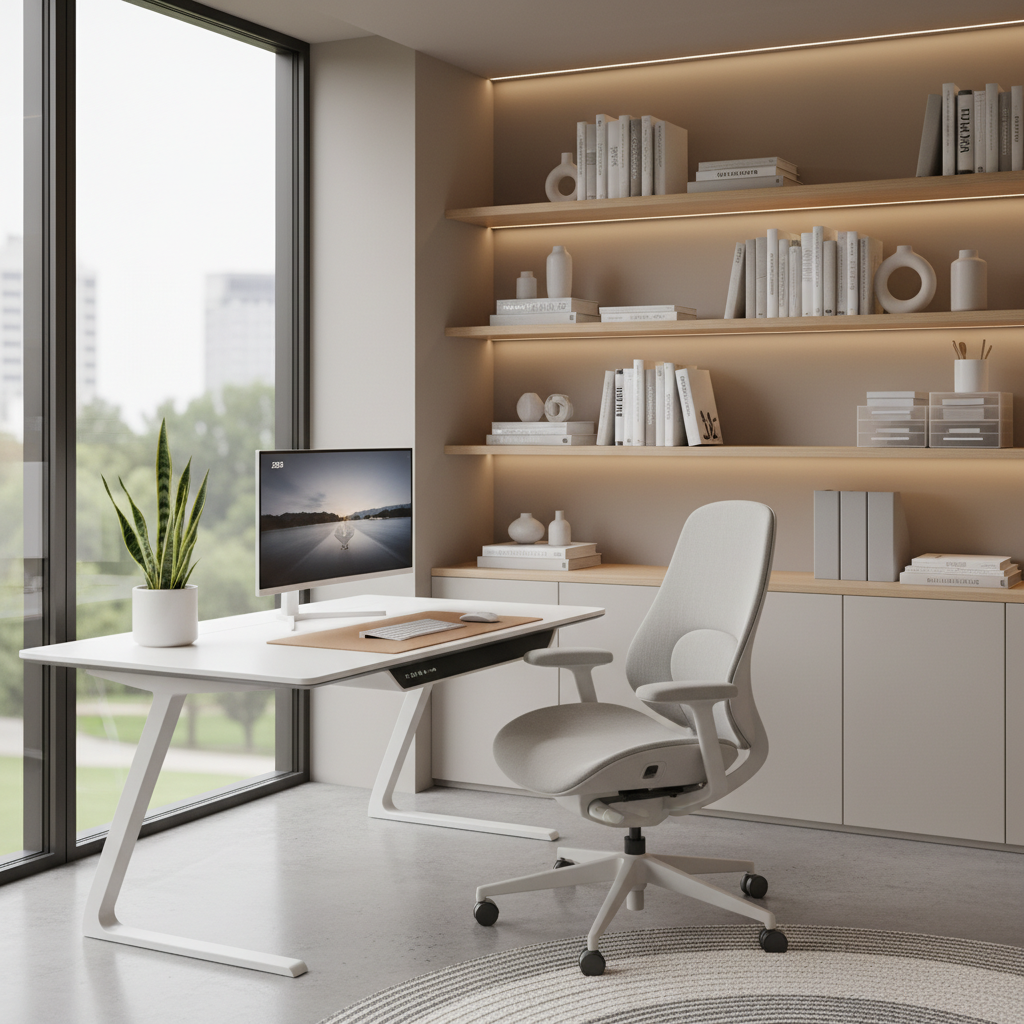
Understanding Ergonomics: Why Your Home Office Chair Setup Matters
Main Benefits of Proper Ergonomic Chair Setup
Having an ergonomic chair setup helps you feel comfortable while working. It is important because:
- Reduces back and neck pain
- Prevents tiredness and helps you focus
- Improves your posture, so you look and feel better
- Lowers risk of long-term injuries
Common Myths vs. Real Ergonomic Science
- Myth: Any chair can be ergonomic if you sit up straight.
Fact: Only chairs with proper support and adjustments are truly ergonomic. - Myth: Good posture means sitting still all day.
Fact: The best posture changes during the day; movement is key. - Myth: Expensive chairs are always better.
Fact: Comfort and adjustability matter more than price.
Quick-Start Checklist: Ergonomic Chair Setup Essentials for Home Office
- An ergonomic office chair with adjustable features
- A desk at the right height for sitting or standing
- Monitor, keyboard, and mouse placed in easy reach
- Footrest (if your feet don’t touch the floor easily)
- Good lighting for your workspace
How to Adjust Every Part of Your Ergonomic Chair for Maximum Comfort
Setting the Right Chair Height for Your Desk
- Sit down with your feet flat on the floor.
- Your knees should be at a 90-degree angle.
- Adjust the chair height so your elbows are level with your desk surface.
Lumbar Support Positioning: Back Health Strategies
- Find the small curve in your lower back.
- Set the lumbar support so it fits nicely into that curve.
- If your chair doesn’t have lumbar support, roll up a towel and place it in the same spot.
Armrest, Seat Depth, and Tilt Adjustments Explained
- Set the armrests so your arms rest comfortably without lifting your shoulders.
- Your chair seat should support your thighs without pressing against the back of your knees (2-3 fingers space behind your knee).
- Try a slight tilt so you can easily switch between upright sitting and a relaxed lean.
Customizing Your Chair for Special Needs (Back Pain, Petite/Tall Users, Mobility Issues)
- Back Pain: Use extra lumbar support or a cushion.
- Petite Users: Use a footrest and lower the chair if needed.
- Tall Users: Raise the seat and get a deeper chair if possible.
- Mobility Issues: Choose a chair with easy-rolling wheels and open sides.
Creating the Complete Ergonomic Home Office Workspace
Desk and Monitor Height Alignment
- Your monitor top should be at or just below eye level.
- Keep your monitor about an arm’s length away.
- Adjust your desk or add monitor risers if needed.
Keyboard and Mouse Placement for Optimal Posture
- Put your keyboard directly in front of you, close to the edge of the desk.
- Your mouse should be next to the keyboard, easy to reach without stretching.
- Keep your wrists straight, not bent up or down.
Foot Positioning and Under-Desk Setup Tips
- Keep both feet flat on the floor or on a footrest.
- Don’t let your legs dangle or cross tightly.
- Clear clutter so you can stretch or move your legs easily.
Ergonomic Setup Solutions for Small Spaces and Shared Rooms
If your home office is in a small room or shared area:
- Choose a compact ergonomic chair that fits under your desk.
- Consider a wall-mounted desk or foldable tables.
- Use portable monitor stands and rolling chairs for flexibility.
- Store gear in boxes or shelves to keep the area tidy.
Self-Assessment Guide: Is Your Home Office Chair Setup Really Ergonomic?
Interactive Checklist and Common Mistake Fixes
- Checklist: Are your feet flat? Knees at 90 degrees? Elbows level with desk? Back supported?
- If “no” to any, adjust that part of your chair or desk.
- Common Mistakes: Sitting too high/low, ignoring lower back, wrong armrest height, screen too far or low.
Signs Your Setup Needs Adjustment
- Back or neck pain
- Tingling or numb hands or feet
- Tiredness or headaches after a short time working
- Slashed productivity or mood
Expert Advice: Long-Term Ergonomic Upgrades Beyond the Chair
When to Replace Your Chair or Invest in Accessories
- Replace your chair if it’s broken or no longer supports you well.
- Upgrade with accessories like footrests, extra cushions, or monitor risers for better comfort.
Ergonomic Habits: Movement Breaks and Stretching
- Every 30-60 minutes, stand up and stretch.
- Walk around your room or do gentle neck and back twists.
- Set reminders to avoid sitting in one position for too long.
Best Ergonomic Chairs for Home Office in 2026
Top Picks by Use Case (Budget, Petite Users, Chronic Pain, Luxury)
| Use Case | Best Chair | Main Feature |
|---|---|---|
| Budget | FlexiSeat Eco | Affordable, basic adjustments |
| Petite Users | ErgoMini | Smaller size, adjustable seat |
| Chronic Pain | BackCare Plus | Advanced lumbar and neck support |
| Luxury | AeroPro Elite | Full adjustability, top comfort materials |
What to Look for in a 2026 Ergonomic Chair
- Adjustable seat height, backrest and armrests
- Good lumbar support that fits your lower back
- Sturdy frame and comfortable seat padding
- Easy setup and fits your desk space
- Breathable materials that keep you cool
FAQ: All Your Home Office Ergonomic Chair Questions Answered
- Q: How often should I change my ergonomic setup?
A: Check every few months or if you feel uncomfortable. - Q: Can I make my old chair ergonomic?
A: You can add cushions and supports, but a real ergonomic chair is best. - Q: Is a standing desk better than sitting?
A: Both have benefits. Mix sitting and standing for best results. - Q: What if I share my chair with someone else?
A: Adjust it each time you use it for your comfort and safety.
Summary: Key Takeaways and Next Steps
- Having an ergonomic chair setup for your home office protects your health and boosts your focus.
- Adjust your chair—height, lumbar, armrests—so it fits you, not the other way around.
- Remember the whole workspace matters, from your desk and monitor to footrest and lighting.
- Check your setup regularly and fix problems right away.
- Upgrade your chair or workspace with new gear when needed for long-term comfort.
- Stay active with breaks and stretches. Your body will thank you!
Now you’re ready to create your perfect ergonomic home office chair setup for 2026 and beyond. Small changes make a big difference. Start today, and work smarter, not harder!