

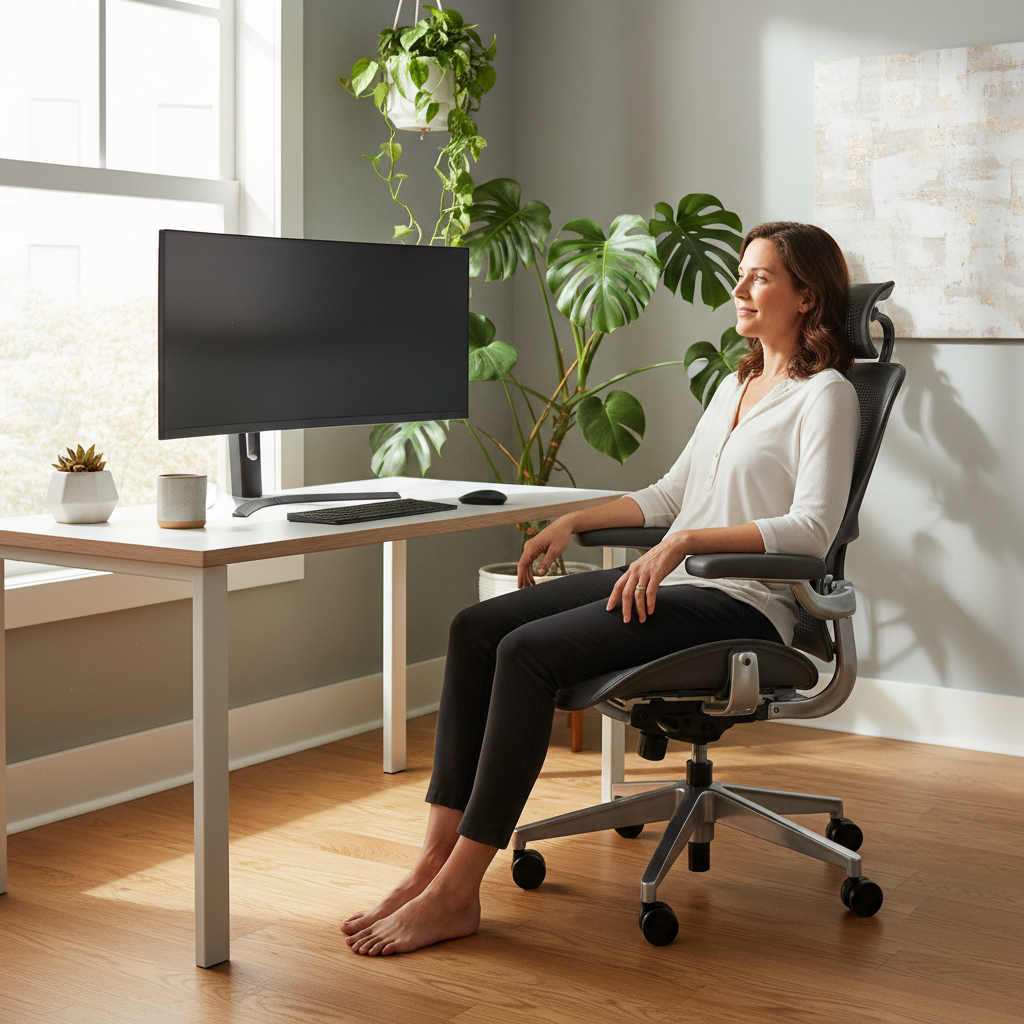
Sitting at a desk all day can hurt your neck, back, and wrists. A good home office posture checklist helps you fix your seat, desk, and screen fast. This guide shows you how to set up a safe, comfy workspace in steps you can follow at home.
By the end of this home office posture checklist, you will know:
- How to set chair, desk, and screen heights
- Which moves reduce pain during long work days
- How to turn small fixes into a daily habit
Quick Checklist — 10-Point Home Office Posture Audit
Use this home office posture checklist before you start work. Print it or keep it on your phone. Ten quick points can stop pain before it starts.
At-a-Glance: Print-Friendly Posture Checklist
| # | Check Point | Target |
|---|---|---|
| 1 | Feet flat on the floor | 100% |
| 2 | Knees at 90–100° | Bend only |
| 3 | Lower back supported | Touch lumbar |
| 4 | Elbows at 90° | Arm parallel |
| 5 | Wrists straight | No bend |
| 6 | Screen at eye level | Top line of text |
| 7 | Screen one arm away | ~50–70 cm |
| 8 | Shoulders relaxed | Drop & back |
| 9 | Head over shoulders | Ear aligned |
| 10 | Move every 20 minutes | 2-min break |
The 20-8-2 Movement Rule (2026 Standard)
The 2026 standard for every home office posture checklist is the 20-8-2 rule:
- 20 minutes of sitting with good posture
- 8 minutes of standing at a desk
- 2 minutes of walking or stretching
Repeat this cycle every half hour. It cuts back pain and keeps your brain alert.
Common Wrong vs. Right Posture Mistakes to Spot Instantly
| Body Part | Wrong | Right |
|---|---|---|
| Neck | Chin pushed forward | Ear in line with shoulder |
| Shoulders | Rounded up by ears | Relaxed and slightly back |
| Lower back | Slouched in the seat | Lumbar curve supported |
| Wrists | Bent up or to the side | Straight and flat |
| Feet | Dangling or crossed | Flat and shoulder-width |
Step 1 — How to Set Your Chair Height & Seating Posture at Home
Your chair is the start of any home office posture checklist. A poor seat ruins every other fix.
Chair Height for Feet-Flat, Thighs-Parallel Position
- Sit all the way back in the chair.
- Adjust the height so your feet rest flat on the floor.
- Your thighs should be parallel to the floor.
- Leave two to three finger widths between the seat edge and the back of your knees.
Lumbar Support: Finding Your Natural Lower-Back Curve
Your lower back has a small inward curve. Lean back until you feel the chair push into that curve. If your chair has a knob, turn it until the support sits just above your belt line.
Budget Fix: No Ergonomic Chair? Use Pillows, Towels & Books
You can still follow this home office posture checklist without a fancy chair:
- Roll a small towel and place it behind your lower back.
- Stack books under your seat to raise height if needed.
- Use a firm cushion to stop your hips from sliding forward.
Step 2 — Desk & Keyboard Posture Setup for the Home Office
A right desk setup is the next key part of the home office posture checklist. It saves your wrists and shoulders.
Ideal Desk Height for the 90-Degree Elbow Rule
- Let your arms hang loose by your sides.
- Bend your elbows to 90 degrees.
- The desk top should match the height of your bent elbow.
- If the desk is too high, raise the chair and add a footrest.
Keyboard Positioning to Prevent Wrist Strain
- Place the keyboard right in front of you.
- Keep your wrists straight, not bent up or down.
- Type with your fingers, not by dropping your whole hand.
- A split or tilted keyboard helps keep wrists neutral.
Mouse Placement & Desk Surface Checklist
Keep the mouse close to the keyboard. Your reaching arm should stay under your shoulder. A mouse pad with a soft wrist rest removes pressure from the base of your hand. The desk surface should be clear of clutter so your arms glide freely.
Step 3 — Monitor Placement Checklist for Healthy Neck Posture
Where you place your screen changes your neck and upper back fast. This step is a must in any home office posture checklist.
Correct Monitor Height & Distance (Eye-Level, Arm’s-Length)
- The top line of text should be at or just below eye level.
- The screen should sit about one arm’s length away.
- Tilt the screen back about 10–20 degrees.
Dual-Monitor & Laptop Posture Adjustments
If you use two screens, put the main one straight in front. Place the second one at a slight angle. For a single laptop, stack books under it to lift the screen. Then plug in an external keyboard and mouse so your neck stays tall.
DIY Monitor Fix: Laptop Stands, Boxes & Book Stacks
No monitor arm? Use a sturdy box or a stack of books. Make sure the base is wide and stable. A cheap laptop stand on Amazon or a local store works even better. Test it for two days — if it wobbles, swap it.
Step 4 — Foot & Lower-Body Posture Checklist in the Home Office
Legs and feet often get ignored, but bad lower-body posture is a top cause of back pain. Add this section to your home office posture checklist today.
The Feet-Flat Rule: When You Need a Footrest
If your feet do not reach the floor, use a footrest. A tilted footrest keeps your ankles open at about 90 degrees. You can also use a thick book or a small box wrapped in soft cloth.
Knee Angle Checklist (90–100° Target)
- Check the bend of your knee while sitting.
- It should fall between 90 and 100 degrees.
- Hips should sit just a bit higher than the knees.
Standing Desk Posture: Anti-Fatigue Mat & Slight Knee Bend
When standing, keep a soft bend in your knees. Do not lock them. Use an anti-fatigue mat to cut pressure on your feet. Shift your weight from one leg to the other every few minutes.
Step 5 — Shoulder, Head & Upper-Body Posture Habits
Your neck and shoulders absorb most of the stress from screen work. This section of the home office posture checklist keeps them loose and strong.
The 2026 “Kinetic Support” Principle: Move, Don’t Freeze
The 2026 rule says “the best posture is the next posture.” No seat or desk is perfect for hours on end. Short, frequent moves matter more than holding a rigid pose.
Scapular Squeeze & Micro-Movement Techniques
- Sit tall in your chair.
- Squeeze your shoulder blades together for three seconds.
- Release gently and repeat five times.
- Shrug your shoulders up, roll them back, then drop them down.
- Do this mini-routine every thirty minutes.
Posture Tracking Apps & Wearables Worth Trying in 2026
Apps like PosturePal and small clip-on sensors remind you to sit tall. Smartwatches can nudge you to stand. Pick one that fits your budget and test it for a week before you decide.
How to Maintain Home Office Posture Throughout the Workday
Setting up once is not enough. You need a plan to keep good posture all day. This part of the home office posture checklist turns a one-time fix into a daily habit.
The 20-8-2 Rule Explained (Stand 20 / Sit 8 / Move 2 Minutes)
For every 30-minute block:
- 20 minutes — sit with full checklist support
- 8 minutes — stand at a high desk or counter
- 2 minutes — walk around, stretch, or grab water
Use a timer or a phone alarm to stay on track.
20-20-20 Eye Reset + Posture Reset Routine
Every 20 minutes, look at something 20 feet away for 20 seconds. While you look, roll your shoulders back and take a deep breath. This small reset helps both your eyes and your posture.
Hourly Posture Self-Check Checklist
Every hour, pause and run through the 10-point home office posture checklist above. Mark any step that feels off and fix it right away. A sticky note on your screen can serve as a quick reminder.
Home Office Posture Trouble-Shooting: Pain-Point → Posture Fix
Pain tells you something is wrong. Use this trouble-shooting section of the home office posture checklist to find the root cause.
Neck Pain? Check Your Monitor Height Checklist
- Raise or lower the screen until the top edge is at eye level.
- Move the screen closer if you find yourself leaning forward.
- Enlarge the font so you don’t have to squint.
Lower-Back Pain? Fix Lumbar & Chair Tilt First
- Add lumbar support with a towel or small cushion.
- Check that your hips are all the way back in the seat.
- Tilt the seat pan slightly forward to open the hip angle.
Wrist Pain? Adjust Keyboard, Mouse & Elbow Angle
- Keep your elbows at 90 degrees.
- Move the keyboard closer to your body.
- Use a wrist rest or a soft mouse pad.
Shoulder Tension? Reset Armrests & Shoulder Position
Lower or remove armrests if they push your shoulders up. Do shoulder rolls often. A desk that is too high also forces shoulders up — fix the desk height first.
Bonus — Home Office Posture Checklist for Non-Traditional Setups
Not everyone works at a perfect desk. This bonus section helps students and freelancers who sit on couches or at kitchen tables.
Working from the Couch: Posture Survival Tips
- Sit in the corner of the couch with a firm cushion behind your back.
- Use a lap desk so the laptop is at chest level.
- Keep both feet on the floor, not under you.
Dining-Table & Kitchen-Counter Desk Ergonomics
A dining chair often has no lumbar support. Roll a towel behind your lower back. If the table is low, sit on a cushion to raise your seat. A kitchen counter is great for standing work — just use an anti-fatigue mat.
Portable Tools for Hybrid Home-Office Workers (2026 Picks)
- Foldable laptop stand (light and flat)
- Mini wireless keyboard and mouse
- Inflatable lumbar cushion
- Compact footrest that slides into a backpack
5-Minute Posture Recovery Stretches for Home Office Workers
Stretching is the last step in the home office posture checklist. Five minutes at the end of the day can undo hours of sitting.
Neck & Upper-Back Release Stretches
- Tilt your right ear to your right shoulder. Hold 15 seconds. Switch side.
- Reach both arms forward and round your upper back. Hold 20 seconds.
- Interlace fingers behind your head and gently pull your chin to your chest.
Wrist & Forearm Desk Recovery Moves
- Stretch your arm forward, palm up, and pull fingers back with the other hand. Hold 15 seconds.
- Flip hand palm down and repeat the stretch.
- Make a fist and roll your wrists in slow circles, 20 times each way.
Lower-Back & Hip Stretches for Desk Workers
- Stand up, put your hands on your hips, and lean back gently. Hold 10 seconds.
- Step into a lunge with one foot forward. Sink your hips down. Feel the stretch in the front hip. Hold 20 seconds each side.
- Lie on your back, pull both knees to your chest, and rock side to side slowly.
FAQ About the Home Office Posture Checklist
Q: How often should I run the home office posture checklist?
A> At least three times a day — start of work, after lunch, and mid-afternoon.
Q: Do I need to buy a new chair to follow the checklist?
A> No. You can use towels, cushions, and books to build support on a budget.
Q: How long until I feel less pain?
A> Most people notice less neck and back pain within 7 to 14 days of daily use.
Q: Can kids use this home office posture checklist?
A> Yes. Students in Grade 9 and up can follow the same steps with help from a parent for setup.
Q: Is a standing desk better than sitting?
A> Neither is best alone. Mix sitting, standing, and moving for the healthiest day.
Conclusion — Build Your Daily Home Office Posture Routine for 2026
Your home office posture checklist is most powerful when used every day. Start with one step this week, like feet flat on the floor. Add one more step next week. In one month, all ten points will feel normal.
Remember the three keys of a great home office posture checklist:
- Setup once — chair, desk, and screen at the right height
- Check often — use the 10-point list every hour
- Move always — stand, stretch, and walk every half hour
Print the checklist. Stick it near your screen. Share it with a friend or family member who sits a lot. Small changes done every day give you a pain-free, focused workspace all through 2026.