

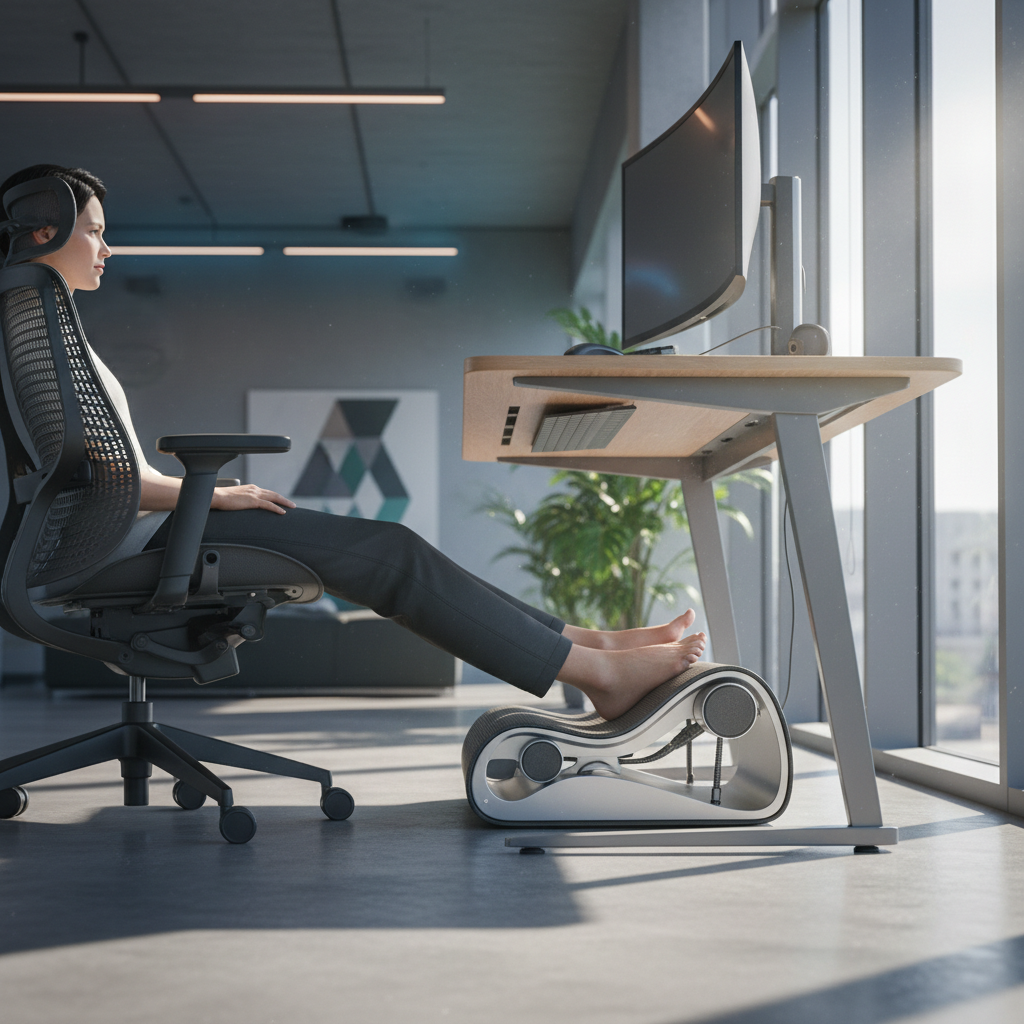
Sitting at a desk all day can hurt your back, legs, and neck. Many people do not know that the position of their feet matters just as much as their chair or monitor. A simple tool called a footrest can fix this problem. This office footrest ergonomics guide will show you how to set up your desk the right way so your body stays comfortable and healthy.
Whether you work from home or in an office, your feet need proper support. When your feet hang or rest at the wrong angle, blood flow slows down. This causes numbness, swelling, and pain. By the end of this guide, you will know exactly what to do. Let us start with a quick test to see if you even need a footrest.
Quick Answer – Do You Need an Office Footrest?
Not everyone needs a footrest. But most people who sit for long hours will benefit from one. Your feet should rest flat on the floor or on a stable surface. If your chair is raised high enough for proper desk height, your feet might not reach the ground. That is where a footrest comes in. Here is how to check if you need one.
The 3-Point Diagnostic Test
Follow these three checks to decide if a footrest will help you:
- Feet Check: Sit in your normal chair position. Place both feet flat on the floor. Do your knees form a 90-degree angle or are they higher than your hips? If your knees are higher, you need a footrest.
- Back Check: Sit upright and lean against the chair back. Does your lower back feel pressure or pain after 30 minutes? This often means your feet are not supported properly.
- Posture Check: Look at your whole body from the side. Are your shoulders relaxed? Is your spine in a natural curve? If you slouch to reach the floor, your feet need help.
Common Signs You Need a Footrest
- Your feet do not touch the floor when sitting at your desk.
- You feel tingling or numbness in your legs after sitting.
- Your lower back aches by the end of the day.
- You catch yourself crossing your legs or tucking your feet under you.
- Your thighs press hard against the edge of the chair.
When a Footrest Isn’t Necessary
You can skip the footrest if your feet already rest flat on the floor at a 90-degree knee angle. Shorter desks or lower chairs may already give you the right setup. If you are taller and your desk is at the right height, your feet may already be in a good position. Always check with the 3-point test above.
Office Footrest Ergonomics Guide: The Complete Setup Workflow
Setting up a footrest is not just about putting something under your desk. It works as part of a full system. Your chair, desk, monitor, and footrest all connect. Follow these steps in order for the best results.
Step 1 – Adjust Your Chair Height First
Your chair is the starting point for everything else. Here is what to do:
- Sit all the way back in your chair. Your hips should touch the chair back.
- Raise or lower the seat until your feet rest flat on the floor.
- Your knees should be at the same height as your hips or slightly lower.
- There should be a small gap (about 2 inches) between the seat edge and the back of your knees.
- Lock the chair height in place.
This step matters because the chair height changes everything else. Get it right first.
Step 2 – Position Your Desk at Elbow Level
Now check your desk height:
- Sit in your chair with your shoulders relaxed.
- Bend your elbows to 90 degrees. Let your forearms hang naturally.
- Your desk surface should be at the same height as your elbows or just below.
- If your desk is too high, raise your chair and use a footrest to bring your feet back to a resting position.
- If your desk is too low, add risers under the desk legs.
Step 3 – Place and Angle Your Footrest Correctly
Now it is time for the footrest itself:
- Place the footrest directly in front of your chair, centered under your desk.
- It should be close enough so your feet rest on it without stretching your legs forward.
- Your feet should sit flat on the surface. There should be no gap under your heels.
- If your footrest has an adjustable angle, tilt it to about 15 to 20 degrees. This slight tilt reduces strain on your ankles.
- Both feet should rest on the footrest at the same time, or you should be able to switch feet easily.
Step 4 – Align Your Monitor to Complete the System
Your monitor position affects your whole posture:
- The top of your screen should be at or slightly below eye level.
- The screen should be about an arm’s length away from your face.
- Center the monitor directly in front of you.
- If you use two screens, place them at equal angles from center.
- Adjust the tilt so you do not have to bend your neck forward.
Step 5 – Fine-Tune for Personal Comfort
Sit in your fully set up station for at least 15 minutes. Pay attention to:
- Any pressure points on your feet.
- Whether your lower back feels supported.
- If your shoulders still feel tense.
- Whether you need to adjust the footrest angle up or down.
Small changes make a big difference. Do not be afraid to move things around until it feels right.
How to Choose the Right Footrest Type for Your Body
Not all footrests are the same. Different types work better for different people. Here is what you need to know before buying one.
Active vs. Passive Footrests: Which Works Best?
A passive footrest is flat and still. You place your feet on it and they stay there. This type is simple and good for most people. An active footrest has a rocking or tilting surface. It keeps your feet moving slightly. This motion increases blood flow in your legs. If you sit for many hours, an active footrest may help you feel less stiff. If you prefer a simple setup, a passive footrest is perfectly fine.
Height and Angle Specifications Explained
| Feature | Recommended Range | Why It Matters |
|---|---|---|
| Height | 3 to 7 inches | Gives enough lift so your knees reach 90 degrees. |
| Angle | 0 to 30 degrees | A small tilt (15 degrees) reduces pressure on your ankles. |
| Surface Size | At least 17 x 12 inches | Lets both feet rest comfortably side by side. |
Material Durability: Foam vs. Metal vs. Plastic
- Memory Foam: Soft and comfortable. Best for people who like a cushioned feel. Wears out faster than hard surfaces.
- Metal Frame with Plastic Surface: Strong and stable. Lasts the longest. Can feel hard on bare feet. Best for heavy daily use.
- Hard Plastic Only: Lightweight and affordable. Does not have much padding. Good for short-term use or light budgets.
Budget Comparison: Under $30 vs. $60-$100 Models
Footrests under $30 usually have basic plastic or foam builds. They work fine but may not last as long. Models in the $60 to $100 range often include adjustable height, angle control, and better materials. If you sit more than six hours a day, the extra money is worth it. For shorter use, a budget model is a good starting point.
Office Footrest Ergonomics Guide: Customization for Different Users
Everyone’s body is different. A setup that works for one person may not work for another. Here are tips for specific body types and conditions.
Setup for Petite Users (Under 5’4″)
If you are shorter, your feet likely do not reach the floor when your desk is at the right height. You almost always need a footrest. Choose one with at least 4 inches of height. A tilt feature is helpful so your ankles stay relaxed. Make sure the footrest is wide enough for both feet without feeling cramped.
Setup for Tall Users (Over 6’0″)
Taller users may not need a footrest at all if their desk height matches their body. But if your chair needs to be raised for proper arm position, a thinner footrest (2 to 3 inches) can help fill the gap under your feet. Focus on a large surface area so your bigger feet have room to rest.
Modifications for Knee Pain and Sciatica
If you have knee pain or sciatica, your footrest can help ease pressure. Set the footrest angle slightly higher, around 20 to 25 degrees. This lifts your knees above your hips and takes stress off your lower back. Try a rocking footrest to keep your legs moving. Motion helps reduce stiffness in the sciatic nerve area.
Adjustments for Pregnancy and Mobility Issues
During pregnancy, your body changes fast. A footrest becomes more important as your belly grows. Use a soft foam footrest for extra comfort. Adjust the angle often as your needs change. If you have trouble standing or moving, choose a footrest with a non-slip base. Make sure it stays in place when you put your feet on it.
Integrating a Footrest with Standing Desk Setups
Standing desks are popular, but they do not replace the need for good foot support. Here is how to use a footrest with a sit-stand desk.
When to Use a Footrest While Standing
When you stand at your desk, place one foot on a small raised platform or footrest. Switch feet every few minutes. This simple trick takes pressure off your lower back and helps blood flow in your legs. You do not need a full-size seated footrest for this. A small 2-inch platform works well.
Sitting-to-Standing Transition Protocol
- Start by standing for 15 minutes per hour. Sit for the rest.
- Each week, add 5 minutes of standing time.
- When you sit, always use your footrest.
- When you stand, shift your weight or use a small foot platform.
- Never stand for more than 45 minutes without moving or sitting down.
Combining Anti-Fatigue Mats with Footrests
An anti-fatigue mat softens the floor for standing. It does not replace a footrest for sitting. Use both together. Keep the footrest under your desk for sitting time. Place the mat nearby so you can step onto it when you stand. This gives your body the best of both setups.
Common Mistakes to Avoid in Office Footrest Ergonomics
Even with a good footrest, mistakes can ruin your setup. Watch out for these common problems.
Setting Your Chair Too High
If your chair is too high, your feet dangle even with a footrest. This puts pressure on your thighs and cuts off blood flow. Always check that your knees are at 90 degrees. If you raise your chair for desk height, always add a footrest to bring your feet back up.
Using the Wrong Footrest Angle
A flat footrest (zero angle) works for some people. But a slight tilt of 15 degrees is better for most. If the angle is too steep (over 30 degrees), your feet slide forward. This strains your ankles and calves. Start with a small tilt and adjust from there.
Ignoring the Knee-to-Hip Relationship
Your knees should be at or slightly below hip level. If your knees are much higher than your hips, your lower back rounds out and takes on extra load. This is one of the biggest causes of back pain. The footrest helps fix this by raising your feet so your knees move down to the right level.
Standing on Your Footrest (Safety Warning)
Never stand on a seated footrest. It is not built to hold your full body weight. The base can flip or crack, causing falls and injuries. If you need a standing foot platform, buy one made for standing use. It will have a wider, heavier base and a non-slip surface.
Maintaining and Replacing Your Office Footrest
A footrest is a simple tool, but it still needs care. Regular maintenance keeps it safe and comfortable.
Signs Your Footrest Needs Replacement
- The surface is cracked, warped, or uneven.
- The foam is flat and no longer bounces back.
- The legs wobble or do not stay locked.
- The non-slip pads on the bottom are worn smooth.
- You feel new foot or leg pain that started after the footrest broke down.
Expected Lifespan by Material Type
| Material | Expected Lifespan | Care Tips |
|---|---|---|
| Memory Foam | 1 to 2 years | Keep away from direct sunlight. Clean cover regularly. |
| Metal and Plastic | 5 to 8 years | Tighten screws every 6 months. Wipe with a damp cloth. |
| Hard Plastic Only | 3 to 5 years | Check for cracks. Clean with mild soap and water. |
Care and Cleaning Tips
- Wipe hard surfaces with a damp cloth once a week.
- Remove and wash foam covers according to the label instructions.
- Check the non-slip pads on the bottom. Replace them if they get smooth.
- Keep the footrest away from heater vents. Heat damages foam and warps plastic.
- Tighten any loose screws or bolts every few months.
FAQ: Office Footrest Ergonomics Guide Questions
Can I Use a Footrest with a Fixed Desk?
Yes. A fixed desk just means you cannot change its height. If the desk is too high for your chair, raise the chair and use a footrest underneath. This is one of the most common reasons people need a footrest. Make sure the footrest is tall enough to make up the difference.
Do I Need a Footrest if My Feet Touch the Floor?
Even if your feet touch the floor, a footrest can still help. The key test is whether your knees are at 90 degrees and your thighs are parallel to the floor. If your desk is higher than your elbow level, you may have raised your chair too much. A footrest bridges the gap between your feet and the floor.
What’s the Ideal Footrest Angle?
Most people feel best at a 15-degree tilt. This angle keeps your ankles comfortable and reduces pressure on the soles of your feet. Some footrests let you switch between flat and tilted positions. Try both and see which feels better for your body.
Are Heated Footrests Safe?
Heated footrests are safe when used properly. They have built-in temperature controls and auto-shutoff features. Keep the heat on low or medium. Do not use them for more than 30 minutes at a time. If you have diabetes or poor circulation in your feet, talk to a doctor before using one. The heat may reduce your ability to feel burns.
Conclusion: Building Your Complete Ergonomic System
A good desk setup is more than just a nice chair or a big monitor. Your feet are the base of your whole body. When they are supported, your back, neck, and shoulders all feel better. This office footrest ergonomics guide has shown you every step you need to take.
Key takeaways:
- Start with your chair height. Everything else builds on it.
- Your knees should be at 90 degrees with feet flat on the floor or on a footrest.
- A slight 15-degree tilt on your footrest reduces ankle strain.
- Match your footrest type to your body and your daily sitting time.
- Avoid common mistakes like a chair set too high or standing on a seated footrest.
- Maintain your footrest to keep it safe and last longer.
Next steps: Use the 3-point diagnostic test today. If it shows you need a footrest, pick one that fits your budget and body type. Set it up using the 5-step workflow in this guide. Then sit for 15 minutes and fine-tune until it feels perfect. Your body will thank you every day you sit at your desk.