

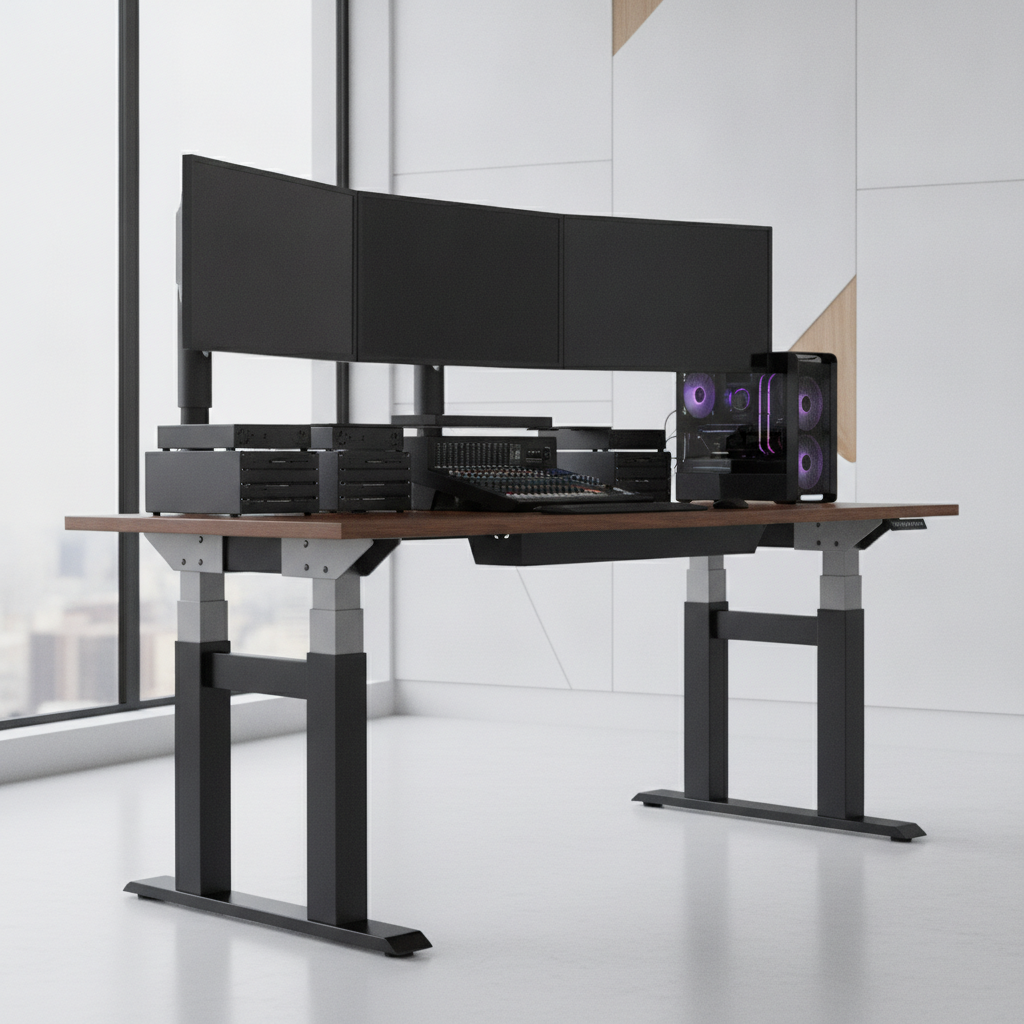
Choosing the right standing desk frame weight capacity is one of the most important decisions you will make when building your workspace. A frame that cannot hold your gear will wobble, break, or stop working over time. This guide will show you exactly how to figure out what weight capacity you need. We will walk through every step in simple language. By the end, you will know how to pick the perfect standing desk frame for your setup.
Quick Answer: What Weight Capacity Do You Need?
Most people need a standing desk frame with a weight capacity between 150 and 350 pounds. The right number depends on what you put on your desk. A simple laptop setup may only need 150 pounds. A big gaming station with multiple monitors may need 350 pounds or more.
Typical Capacity Ranges for 2026 Standing Desks
| Desk Type | Weight Capacity | Best For |
|---|---|---|
| Basic Frame | 100–150 lbs | Laptop only |
| Standard Frame | 150–220 lbs | Single monitor setup |
| Heavy-Duty Frame | 220–350 lbs | Dual monitor or gaming |
| Commercial Frame | 350–500+ lbs | Multi-monitor studio |
The 80% Rule: Why You Should Never Max Out Your Frame
Here is a simple rule: never load your standing desk frame to its full weight limit. Instead, use only 80% of the rated capacity. For example, if your frame is rated for 200 pounds, keep your total load under 160 pounds. This gives your desk room to move smoothly and last longer. It also keeps the desk stable when it goes up and down.
Quick Capacity Calculator by Setup Type
- Laptop only: 100–150 lbs capacity
- Single monitor: 150–220 lbs capacity
- Dual monitors: 220–300 lbs capacity
- Gaming station: 300–400 lbs capacity
- Creative studio: 350–500 lbs capacity
Understanding Standing Desk Frame Weight Capacity
Before you buy a desk frame, you need to understand what “weight capacity” really means. It is not just one number. There are different types of weight ratings, and they matter a lot for how your desk performs every day.
Dynamic vs. Static Load Capacity Explained
Static load is the weight your desk can hold while sitting still. Think of it as the weight the frame can support when it is not moving. Dynamic load is the weight the desk can carry while it is moving up or down. The dynamic load number is always lower. This is the number you should pay attention to. It tells you what the frame can handle during real use.
Does the Weight Rating Include the Desktop?
Yes, it does. Many people forget this. The standing desk frame weight capacity includes everything: the desktop surface, your monitors, your keyboard, your mouse, and all accessories. If your frame says 200 lbs, that 200 lbs must cover the desktop too. A solid wood top can weigh 40 to 80 pounds by itself.
Why Weight Capacity Affects Stability and Performance
A desk frame that is close to its weight limit will show problems. It may wobble when you type. The motors may sound loud. The desk may move slowly. Over time, the motors can burn out. Choosing a frame with enough weight capacity keeps everything smooth and quiet.
Single Motor vs. Dual Motor: Capacity Differences
Single motor frames usually have a lower weight capacity, around 100 to 180 pounds. They use one motor to drive both legs through a rod. Dual motor frames have a motor on each leg. They can lift 200 to 400 pounds or more. Dual motor frames also move faster and more evenly.
How to Calculate Your Standing Desk Weight Capacity Needs (Step-by-Step)
Now let us do the real math. Follow these steps to find the exact standing desk frame weight capacity you need.
Step 1: Weigh Your Desktop Surface
First, find out how much your desktop weighs. If you have not bought it yet, check the product page for its weight. Common desktop weights include:
- Laminate or MDF top (48″x24″): 25–35 lbs
- Bamboo top (60″x30″): 35–50 lbs
- Solid wood top (60″x30″): 50–80 lbs
- Glass or steel top: 60–100+ lbs
Step 2: Calculate Monitor and Equipment Weight
Next, add up the weight of everything that sits on your desk.
| Item | Typical Weight |
|---|---|
| 24″ monitor | 8–12 lbs |
| 27″ monitor | 12–18 lbs |
| 32″ monitor | 18–25 lbs |
| Laptop | 3–6 lbs |
| Keyboard and mouse | 1–3 lbs |
| PC tower (on desk) | 15–30 lbs |
| Speakers | 3–10 lbs |
Step 3: Add Accessories and Cable Management
Do not forget the small items. They add up fast. Cable trays, monitor arms, desk pads, headphone hooks, and phone chargers can add 10 to 30 pounds total. A monitor arm alone can weigh 5 to 10 pounds.
Step 4: Apply the 20-30% Safety Margin
Add up all the weight from Steps 1 through 3. Then multiply that number by 1.25. This gives you a 25% safety margin. For example:
- Desktop: 40 lbs
- Two 27″ monitors: 30 lbs
- Laptop, keyboard, mouse: 8 lbs
- Accessories: 15 lbs
- Total: 93 lbs
- With 25% margin: 93 × 1.25 = 116 lbs needed
So you need a standing desk frame with a weight capacity of at least 116 pounds.
Complete Weight Calculation Worksheet with Examples
Use this simple worksheet for your own setup:
- Desktop weight: _____ lbs
- Monitors: _____ lbs
- Computer or laptop: _____ lbs
- Keyboard, mouse, speakers: _____ lbs
- Accessories and cable management: _____ lbs
- Add lines 1–5 for total weight: _____ lbs
- Multiply line 6 by 1.25: _____ lbs
- This is your minimum standing desk frame weight capacity.
Standing Desk Frame Weight Capacity by Setup Type
Different setups need different standing desk frame weight capacity levels. Here is what each type requires.
Laptop Setup: Weight Requirements and Frame Recommendations
A laptop setup is the lightest option. A laptop weighs 3 to 6 pounds. With a light desktop, your total load may be under 50 pounds. A basic single motor frame with 100 to 150 lbs capacity works well. These frames are also the cheapest option.
Single Monitor Home Office: Calculating Your Load
A single monitor home office usually needs 150 to 220 lbs of weight capacity. This covers a 24 to 27 inch monitor, a desktop, a keyboard, and some small accessories. A standard dual motor frame is a great choice here.
Dual Monitor Professional Setup: Capacity Considerations
Two monitors add 20 to 40 pounds. With a solid desktop and accessories, your total load may reach 100 to 150 pounds. You need a frame rated for at least 220 to 300 pounds. Look for a dual motor frame with a wide crossbar for extra stability.
Gaming and Multi-Monitor Station: Heavy-Duty Requirements
Gaming setups are heavy. You may have three or more monitors, a PC tower on the desk, speakers, a headset stand, and more. Total weight can reach 150 to 250 pounds. Choose a heavy-duty frame with 300 to 400 lbs capacity. A four-leg frame gives the best support.
Studio and Creative Workstation: Maximum Capacity Needs
Creative studios often need the most weight capacity. Audio gear, large monitors, drawing tablets, and extra screens add up. You may need a frame with 350 to 500 pounds of capacity. Commercial-grade frames are built for this level of load.
Solid Wood Desktop Setups: Accounting for Heavy Tops
Solid wood desktops look amazing but they are heavy. A 60 by 30 inch walnut or oak top can weigh 60 to 80 pounds. That is 30 to 50 pounds more than a laminate top. Always account for this extra weight. You may need to move up one capacity class just for the desktop alone.
Frame Features That Affect Standing Desk Frame Weight Capacity
The number on the box is not the whole story. Many design features change how much weight a frame can actually handle well.
Motor Configuration: Single vs. Dual Motor Systems
Dual motor frames lift more weight than single motor frames. Each leg has its own motor. This means more power and better balance. Single motor frames use a drive rod to connect the legs. This rod adds friction and limits how much weight the system can move.
Column Stages: Two-Stage vs. Three-Stage Lifts
Two-stage frames have two telescoping sections per leg. Three-stage frames have three. Three-stage frames reach higher and lower. But they can be slightly less stable at full height because the columns are thinner. For heavy loads, a two-stage frame is often the stronger choice.
Frame Design: T-Frame vs. C-Frame Stability
A T-frame has a crossbar that runs front to back under the desktop. This design is very stable and handles heavy loads well. A C-frame has legs that curve from the back. It gives more leg room but is less stable with heavy weight. For high weight capacity needs, choose a T-frame.
Leg Count: Two-Leg vs. Four-Leg Frames
Two-leg frames are the most common. They work well for loads up to about 300 pounds. Four-leg frames spread the weight across more points. They are ideal for loads over 300 pounds or for very wide desktops over 72 inches.
Crossbar Design and Foot Width Impact on Capacity
A wider crossbar and wider feet make the frame more stable. They reduce side-to-side wobble. Frames with adjustable crossbars that stretch to match your desktop width are the best. They keep the support points near the edges of the desk.
Build Quality Indicators Beyond the Weight Rating
Look at the steel thickness. Good frames use 1.5 to 2 mm steel. Check the weld quality. Clean, even welds are a good sign. Look at the glide inserts inside the columns. Metal or high-quality plastic inserts last longer. A longer warranty also shows the maker trusts their product.
Common Mistakes When Choosing a Standing Desk Frame by Weight Capacity
Many buyers make the same errors. Avoid these six mistakes to get the right standing desk frame weight capacity.
Mistake #1: Ignoring the Desktop Weight in Calculations
This is the most common mistake. People see a 200 lb frame and think they can put 200 lbs of gear on it. But the desktop takes up a big part of that limit. Always include the desktop weight in your math.
Mistake #2: Confusing Static and Dynamic Capacity Ratings
Some brands list the static load as the main number. But the dynamic load (lifting capacity) is lower. Always ask for or find the dynamic weight capacity. That is the real number that matters for daily use.
Mistake #3: Not Accounting for Monitor Arm Leverage
A monitor arm clamps to the back of your desk. It creates a lever effect. The force on the desk edge is higher than the arm’s actual weight. If you use a monitor arm, add an extra 10 to 15 pounds to your calculation for this leverage effect.
Mistake #4: Assuming Higher Capacity Equals Better Stability
A frame rated for 400 pounds is not always more stable than one rated for 250 pounds if both are holding 100 pounds. Stability comes from the frame design, column thickness, and crossbar width. The weight rating just tells you the maximum safe load.
Mistake #5: Overlooking Warranty Implications of Overloading
If you put more weight on your frame than the rated limit, you may void the warranty. If the motor burns out or the frame bends, the company will not help you. Stay within the rated capacity to keep your warranty valid.
Mistake #6: Buying for Current Needs Without Future-Proofing
Your setup will grow. You may add a second monitor, a new speaker set, or a heavier desktop later. Buy a frame with 20 to 30% more capacity than you need right now. This saves you from buying a new frame in a year.
How to Test If Your Standing Desk Frame Is Overloaded
If you already have a desk and think it might be overloaded, here is how to check.
Warning Signs of an Overloaded Standing Desk
- The desk wobbles a lot when you type
- The motors make a grinding or straining sound
- The desk moves much slower than it used to
- The desk stops halfway and reverses direction
- You see gaps forming in the frame joints
- The frame leans to one side
Performance Tests: Speed, Noise, and Wobble
Time how long your desk takes to go from sitting to standing height. Compare it to the time listed in the manual. If it takes much longer, the frame may be overloaded. Listen to the motors. A healthy motor makes a low, smooth hum. A strained motor sounds loud and rough. Push the desk gently from the side when it is at standing height. Some movement is normal, but big wobbles mean trouble.
Long-Term Wear Indicators to Monitor
Check your desk every few months. Look for scratches or marks where metal parts rub together. Check if the screws in the frame have loosened. Look at the column surfaces for uneven wear. If one side looks more worn, the weight may not be balanced. These signs mean your frame is working too hard.
When to Upgrade Your Standing Desk Frame
It is time to upgrade if your desk wobbles badly, the motors fail, or you add gear that pushes past 80% of the frame’s capacity. A new heavy-duty frame is a smart investment. It protects your expensive monitors and gear.
2026 Standing Desk Frame Weight Capacity Trends and Technology
Standing desk frames keep getting better every year. Here is what is new in 2026.
Updated Capacity Ranges for Modern Frames
In 2026, standard dual motor frames now commonly offer 250 to 350 pounds of capacity. Five years ago, 220 pounds was considered high-end. Better motors and stronger steel have pushed the numbers up. Heavy-duty frames now reach 400 to 500 pounds for home use.
Improved Anti-Collision and Overload Protection Systems
New frames have smart sensors. These sensors detect when the desk hits something and stop right away. They also sense when the load is too heavy. The desk will stop and show an error instead of burning out the motor. This protects both the frame and your gear.
Heavy-Duty Frames for Commercial and Oversized Setups
For very large desks over 80 inches wide, new four-leg and even six-leg frames are available. These can hold 500 to 700 pounds. They are made for offices, studios, and control rooms where many screens and heavy equipment sit on one surface.
What’s New in Standing Desk Frame Engineering
Engineers are using new alloys that are lighter but stronger. Some frames now have carbon fiber reinforcement in the columns. Smart height memory systems are standard on most mid-range frames. Wireless charging pads built into the frame are also becoming common. These features add small amounts of weight but big improvements in convenience.
FAQ: Standing Desk Frame Weight Capacity Questions Answered
How Much Weight Can a Standing Desk Hold?
Most standing desk frames hold between 150 and 350 pounds. Basic single motor frames hold 100 to 180 pounds. Heavy-duty dual motor frames hold 300 to 500 pounds. Always check the dynamic (lifting) capacity, not just the static number.
Do Monitor Arms Affect Standing Desk Weight Capacity?
Yes. A monitor arm adds its own weight (5 to 10 lbs) to the desk. It also creates leverage force on the desk edge. When using a monitor arm, add about 15 extra pounds to your weight calculation to account for this effect.
Is a 300 lb Weight Capacity Enough for Most Setups?
Yes. A 300 lb standing desk frame weight capacity is enough for most home and office setups. It handles dual monitors, a laptop or PC, and accessories with room to spare. Only very large multi-monitor studios need more than 300 pounds.
Can You Increase a Standing Desk’s Weight Capacity?
Not really. The motor power and steel strength set the limit. You cannot change these. You can improve stability by adding a center support bracket or a wider crossbar. But the actual lifting capacity stays the same. If you need more capacity, you need a new frame.
What Happens If You Exceed the Weight Limit?
Short term, the desk may move slowly, wobble, or make loud noises. The anti-collision system may keep triggering. Long term, the motors can burn out, the columns can bend, and the frame can break. You will also void the warranty.
How Do I Know If My Standing Desk Frame Is Strong Enough?
Add up the weight of your desktop, monitors, computer, and all accessories. Multiply by 1.25 for a safety margin. If this number is below your frame’s dynamic weight capacity, your frame is strong enough. If it is close to or above the limit, you need a stronger frame.
Conclusion: Choosing the Right Standing Desk Frame Weight Capacity for Your Setup
Picking the right standing desk frame weight capacity does not have to be hard. Follow these key steps:
- Weigh everything that goes on your desk, including the desktop itself.
- Add a 25% safety margin to your total weight.
- Choose a frame with a dynamic weight capacity above that number.
- Look at frame design features like motor type, crossbar width, and build quality.
- Plan for the future and leave room for gear you may add later.
A good standing desk frame is the foundation of your workspace. It keeps your equipment safe and your work comfortable. Take the time to calculate your needs now. You will enjoy a stable, smooth desk for years to come.