

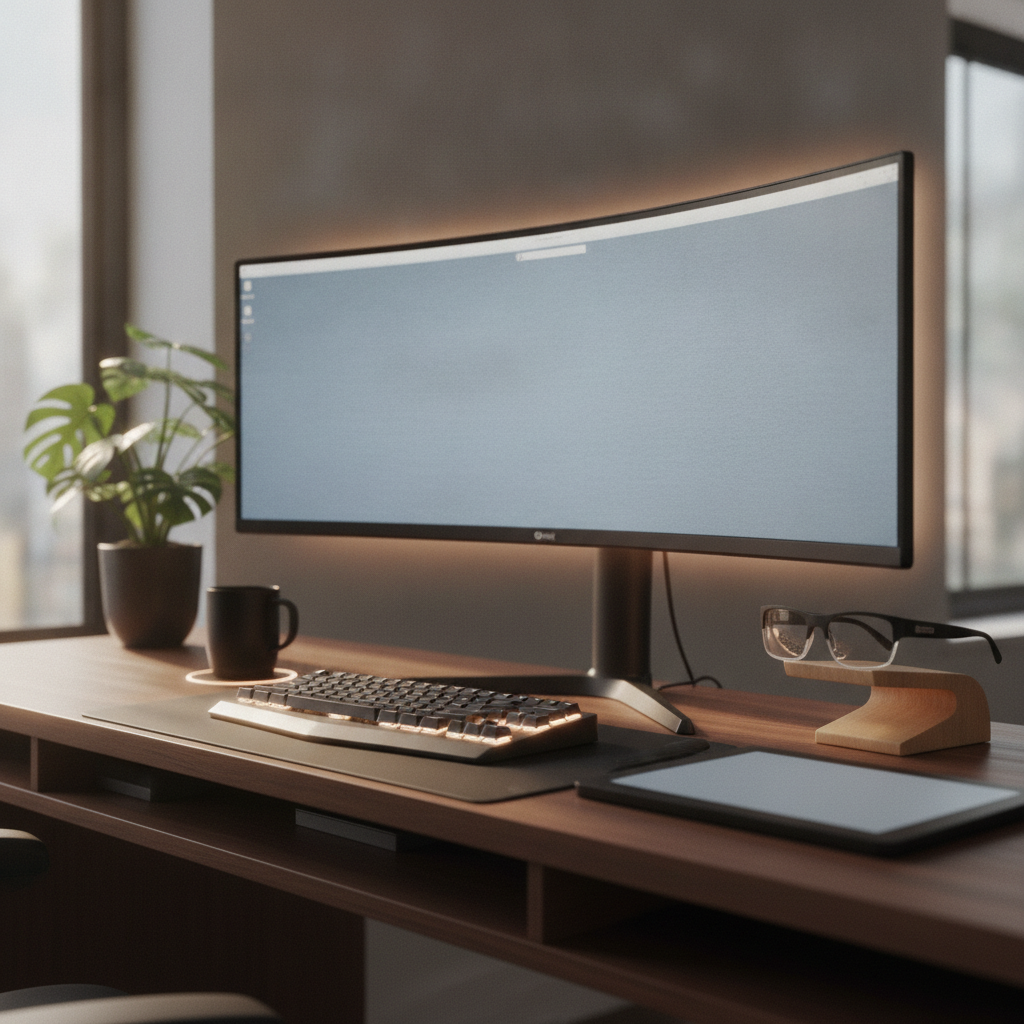
Writers and editors spend long hours at their desks. A good desk setup for writers and editors can reduce pain, boost focus, and help you write better. This guide shows you how to build a workspace that fits your needs. Whether you write fiction, edit manuscripts, or work on academic papers, you will find clear steps to follow. By the end, your desk setup for writers and editors will feel just right.
Quick-Start Checklist — Desk Setup for Writers and Editors
Before you start building your desk setup for writers and editors, check this list. It covers the key items and tools you need. Use it as a fast reference so you do not miss anything.
Essential Equipment at a Glance
| Item | Why You Need It | Budget Option |
|---|---|---|
| Desk | Flat surface for writing and editing work | Simple wood desk |
| Chair | Supports your back during long sessions | Adjustable office chair |
| Monitor | Shows your text clearly to reduce eye strain | 24-inch IPS display |
| Keyboard and Mouse | Comfortable typing for hours | Ergonomic keyboard set |
| Desk Lamp | Good lighting to protect your eyes | LED desk lamp |
Tools You Will Need Before You Start
- Measuring tape to check desk and monitor space
- Cable ties or clips for clean wire management
- Monitor arm or stand for height control
- Surge protector for safe power access
- Level to make sure your desk sits flat
Estimated Setup Time and Budget Ranges
A full desk setup for writers and editors takes about two to four hours. If you already own some items, it can be faster. Budget ranges vary a lot. A basic setup costs around $300 to $500. A mid-range setup runs $500 to $1,000. A high-end desk setup for writers and editors can reach $1,500 or more. Start with what you need and add upgrades over time.
Step 1: Choose the Right Desk for Your Writing Workflow
The desk is the base of your whole workspace. A good desk for writers gives you room to spread out papers, rest your arms, and keep tools close. Think about how you work before you pick one.
Desk Size and Depth Requirements for Writers
Writers need a desk at least 48 inches wide and 24 inches deep. This size fits a monitor, keyboard, notebook, and a cup of coffee. If you use two monitors or keep many reference books nearby, choose a desk 60 inches wide or more. Depth matters too. A deeper desk lets you push the monitor farther from your eyes, which reduces strain.
Standing Desk vs. Sitting Desk — Which Suits Writers Best?
Many writers now use standing desks. A sit-stand desk lets you switch between sitting and standing. This can reduce back pain and keep you alert. But a regular sitting desk works fine if you have a good chair. The best desk setup for writers and editors is one that lets you move a little during the day.
Best Desk Materials and Styles for a Writer’s Desk Setup
Wood desks feel warm and look great on camera. Metal desks are strong and easy to clean. Bamboo desks are light and eco-friendly. Pick a style that matches your room. A simple, clean surface helps you focus on writing without visual clutter.
Step 2: Position Your Monitor for Long Writing and Editing Sessions
Your monitor is where you spend most of your time. Bad monitor placement causes neck pain and tired eyes. A good setup for your desk setup for writers and editors keeps your body relaxed.
Single Monitor vs. Dual Monitor vs. Ultrawide — A Decision Framework
A single monitor works for most writers. It keeps things simple. A dual monitor setup helps editors who compare documents side by side. An ultrawide monitor gives you a wide view without a gap between screens. If you edit long documents and need to see a lot of text at once, go ultrawide. If you mostly write in one window, a single screen is enough.
Ideal Monitor Height, Distance, and Tilt for Writers
Place the top of your monitor at or just below eye level. The screen should be about an arm’s length away, or 20 to 26 inches from your face. Tilt the screen slightly back, about 10 to 20 degrees. This angle feels natural and reduces glare. Adjust these numbers until your neck feels relaxed.
Best Monitor Specs for Text-Heavy Work in 2026
For a writer’s desk setup, look for these specs:
- Resolution: At least 1920×1080 (Full HD). Higher is better for sharp text.
- Panel type: IPS for clear colors and wide viewing angles.
- Size: 24 to 27 inches for single screen; 34 inches for ultrawide.
- Refresh rate: 60Hz is fine for text work.
- Blue light filter: Built-in or software-based to protect your eyes.
Step 3: Set Up an Ergonomic Chair and Keyboard for Writers
Your chair and keyboard touch your body all day. If they do not fit well, you will feel pain. A proper desk setup for writers and editors must include good chair and keyboard placement.
How to Adjust Your Chair for All-Day Writing Comfort
- Sit all the way back in the chair so your lower back touches the lumbar support.
- Adjust the seat height so your feet rest flat on the floor.
- Set the armrests so your elbows bend at about 90 degrees.
- Make sure your thighs are parallel to the floor.
- Lean back slightly, about 100 to 110 degrees, to take pressure off your spine.
Keyboard and Mouse Placement for Neutral Wrist Position
Place your keyboard so your wrists stay straight while you type. Your elbows should rest close to your body. The mouse should sit right next to the keyboard so you do not reach far. If your desk is too deep for this, use a keyboard tray. A split keyboard can also help keep your wrists in a natural position.
Best Keyboards and Mice for Writers and Editors in 2026
Look for keyboards with soft, quiet keys. Mechanical keyboards with low-force switches feel great for long typing sessions. For mice, choose one that fits your hand size. Vertical mice reduce wrist strain. Trackballs are another option for editors who click a lot. Test a few before you buy if you can.
Step 4: Optimize Lighting to Reduce Eye Strain for Editors and Writers
Bad lighting makes your eyes tired fast. A good desk setup for writers and editors includes smart lighting that changes with the time of day.
Natural Light Placement — Where to Position Your Desk
Place your desk near a window, but not directly in front of or behind it. Side light works best. This stops glare on your screen and gives you soft natural light. If the sun hits your screen, use sheer curtains to soften it.
Best Desk Lamps and Bias Lighting for Writing Setups
Use a desk lamp with adjustable brightness and color temperature. Warm light (2700K to 3000K) feels cozy for evening writing. Cool light (4000K to 5000K) helps you stay alert during the day. Bias lighting, which is a soft light behind your monitor, reduces the contrast between a bright screen and a dark room. This simple trick cuts eye strain a lot.
Adjusting Lighting for Daytime Drafting vs. Nighttime Editing
During the day, use brighter, cooler light to stay focused. At night, switch to dimmer, warmer light to help your body wind down. Smart bulbs let you change the light with a tap or on a schedule. This small change makes your desk setup for writers and editors work better around the clock.
Step 5: Organize Your Desk Setup for a Distraction-Free Writing Space
A messy desk leads to a messy mind. Writers need a clean space to think clearly. Editors need quick access to reference materials. Your desk setup for writers and editors should balance both needs.
Cable Management and Minimal Desk Accessories
Use cable clips or a cable tray to hide wires. Only keep items on your desk that you use every day. A pen, a notebook, and your keyboard are enough. Everything else goes in a drawer or on a shelf. A clean surface helps you focus on your words.
Creating a Reference Zone for Books, Notebooks, and Manuscripts
Set up a small shelf or a desk organizer next to your main work area. This is your reference zone. Keep books, printed manuscripts, and notebooks here. You can reach them without turning your chair or standing up. This keeps your flow going while you write or edit.
Digital-Physical Hybrid Organization for Editors
Editors often juggle physical papers and digital files. Use a small tray for papers you are working on right now. Scan important documents to keep digital copies. Label folders on your computer the same way you label physical folders. This makes your desk setup for writers and editors feel smooth and connected.
Step 6: Integrate Software and Hardware for a Complete Writer’s Workflow
Your desk setup for writers and editors is not just about physical items. Software and hardware must work together to support your writing process.
Pairing Writing Apps (Scrivener, Ulysses, Word) With Your Monitor Layout
If you use Scrivener or Ulysses, a single large monitor or an ultrawide screen lets you see your outline and your text at the same time. If you use Microsoft Word, a single monitor is usually enough. Place your writing app in full-screen mode to block out distractions. This works well in any desk setup for writers.
Using Multiple Desktops and Window Managers for Editing Workflows
Most computers let you create virtual desktops. Use one desktop for writing, another for research, and a third for email. This keeps your screen clean. Editors can put the manuscript on one side and the style guide on the other. Window managers like PowerToys on Windows or Rectangle on Mac help you snap windows into place fast.
AI Writing Tools and Focus Apps — Screen Setup Tips for 2026
AI writing tools are now part of many workflows. Keep AI tools in a side panel or a separate browser tab so they do not cover your text. Focus apps that block social media work best when set on a schedule. Turn them on during your writing hours. This makes your desk setup for writers and editors a productivity machine.
Desk Setup Ideas for Different Types of Writers and Editors
Not every writer needs the same thing. Here are desk setup ideas based on what kind of writing or editing you do.
Minimalist Desk Setup for Fiction Writers
Fiction writers often need fewer tools. A simple desk, one monitor, a good keyboard, and a notebook are enough. Remove everything else. This clean desk setup for writers helps you enter a creative flow without visual noise.
Reference-Heavy Desk Setup for Academic Writers and Researchers
Academic writers need space for books, papers, and a dual monitor setup. One screen shows your draft. The other shows PDFs and sources. Add a document holder at eye level so you can read papers without looking down. This desk setup for writers and editors keeps all your materials within reach.
Multi-Document Desk Setup for Copy Editors and Proofreaders
Copy editors compare many documents at once. Use two or three monitors. Keep a style guide open on one screen and the manuscript on another. A foot pedal can help you scroll hands-free. This desk setup for editors speeds up your work and reduces errors.
Compact Desk Setup for Writers in Small Spaces
If your room is small, use a wall-mounted fold-down desk or a compact 40-inch desk. A laptop on a stand with an external keyboard saves space. Use vertical shelves above the desk for books. Even a small desk setup for writers and editors can work well with smart choices.
Troubleshooting Common Desk Setup Problems for Writers
Even the best desk setup for writers and editors can have issues. Here are common problems and how to fix them.
Fixing Neck and Back Pain During Long Writing Sessions
If your neck hurts, check your monitor height. The top of the screen should be at eye level. If your back hurts, adjust your chair lumbar support. Sit with your feet flat and your knees at 90 degrees. Take a break every 30 minutes to stand and stretch. These small fixes solve most pain issues in a writer’s desk setup.
Eliminating Screen Glare and Eye Fatigue
Move your desk so windows are to the side, not in front or behind your screen. Use an anti-glare screen filter if needed. Turn on your monitor’s blue light filter in the evening. Follow the 20-20-20 rule: every 20 minutes, look at something 20 feet away for 20 seconds. This keeps your eyes fresh in any desk setup for writers and editors.
Reducing Clutter Without Sacrificing Reference Materials
Use a rolling cart next to your desk for extra supplies. Put items you use weekly on the cart and items you use daily on the desk. Go digital when you can. Scan papers and store them in labeled folders. This keeps your desk setup for writers and editors tidy without losing what you need.
FAQ: Desk Setup for Writers and Editors
How much should I spend on a desk setup for writers and editors?
A basic setup costs $300 to $500. A mid-range setup runs $500 to $1,000. Spend more on the chair and monitor first. You can add other items later.
Do I need two monitors for writing?
No. One good monitor works for most writers. Two monitors help editors who compare documents. Choose based on your workflow.
What is the best desk height for writing?
Your desk should let your elbows rest at 90 degrees when your hands are on the keyboard. For most people, this is 28 to 30 inches from the floor.
How often should I change my desk setup?
Check your setup every six months. Your body and work needs change over time. Small tweaks keep your desk setup for writers and editors comfortable.
Can I use a laptop for a writer’s desk setup?
Yes, but use a laptop stand and an external keyboard. This raises the screen to eye level and keeps your wrists straight.
Final Thoughts — Your Ideal Desk Setup for Writers and Editors in 2026
Building a great desk setup for writers and editors does not have to be hard. Start with a good desk and chair. Add a clear monitor, proper lighting, and a clean surface. Adjust your software to match your workflow. Make small changes over time based on how your body feels. The best desk setup for writers and editors is one that lets you write freely, edit carefully, and feel good while doing it. Start today, and your words will thank you tomorrow.