
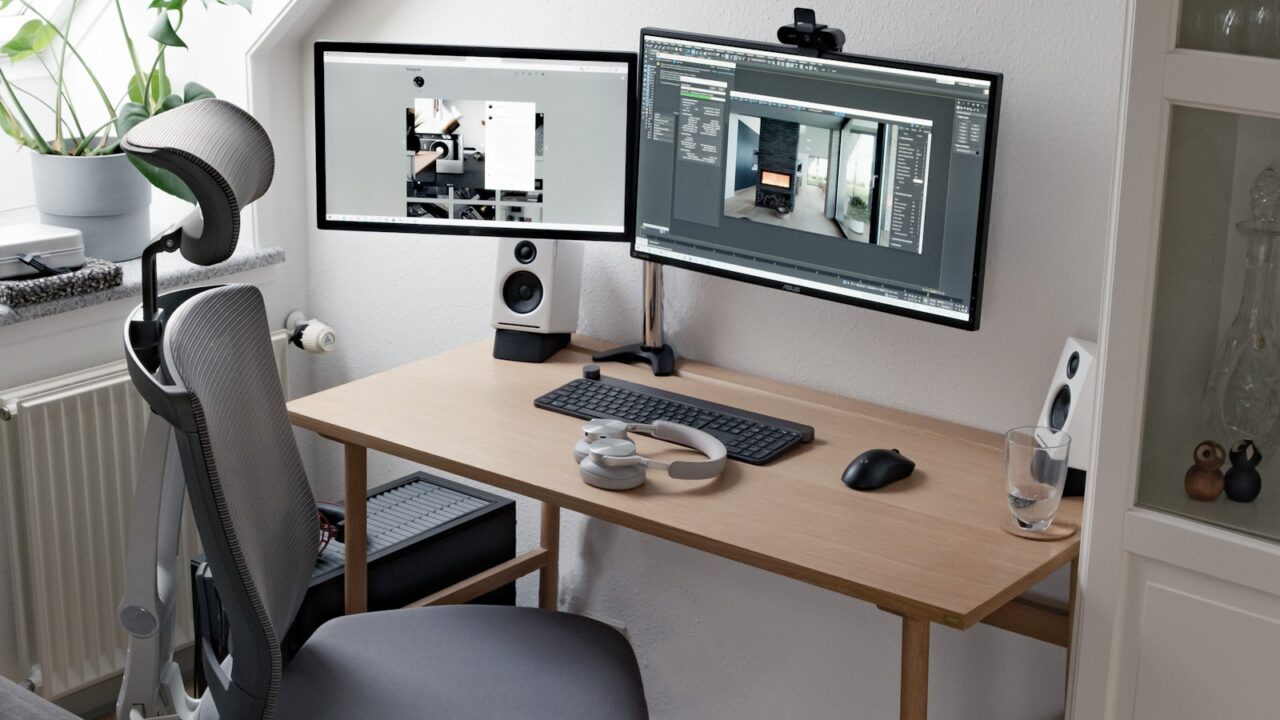
Dual monitor desk setup ideas should begin with how you work, not how the monitors look. A productive two-screen layout keeps your main task centered, supports reference material on the side, and avoids neck rotation.
Quick Answer
For most people, the best dual monitor setup puts the primary screen directly in front and the secondary screen angled slightly to one side. Use matching heights, tidy cables, and a desk wide enough for mouse movement.
Key Takeaways
- Put the screen you use most directly in front of your chair.
- Match screen height and brightness to reduce visual switching strain.
- A 55 to 60-inch desk works better than a narrow surface for two monitors.
- Monitor arms help align screens and recover desktop space.
Table of contents: What to Prioritize · Setup Checklist · Comparison Table · Common Mistakes · Frequently Asked Questions
What to Prioritize
Choose a primary screen. If both monitors are equal, center the keyboard between them only if your work is split evenly.
Angle the side display inward. This reduces head turning and keeps the edges of both displays closer to the same viewing distance.
Use the second screen intentionally. Keep reference, chat, calendar, dashboards, or preview windows there instead of letting it become a distraction panel.
Setup Checklist
- Primary screen centered with your torso.
- Top edges at similar height.
- Mouse space remains at least 10 to 12 inches wide.
- Power and display cables routed down one monitor arm or cable spine.
- Lamp placed so it does not reflect on either display.
Comparison Table
| Item | Best use | What to check |
|---|---|---|
| Layout | Best for | Watch out for |
| Primary centered | Writing, coding, general work | Secondary too far to the side |
| Symmetrical pair | Spreadsheets and dashboards | Neck rotation if used all day |
| Stacked monitors | Streaming or monitoring | Upper screen too high |
Common Mistakes
- Centering the gap between screens when one screen is used far more.
- Using different brightness levels that make one display feel harsh.
- Letting monitor stands consume the entire desktop.
Helpful References
For broader workstation context, compare your setup against OSHA Computer Workstations eTool and CDC/NIOSH ergonomics overview. You can also review our affiliate disclosure and editorial policy.
Frequently Asked Questions
What is the best dual monitor layout for productivity?
Center the monitor you use most and angle the second monitor slightly inward. This keeps your main task aligned with your body while leaving reference material visible.
How wide should a desk be for dual monitors?
A 55 to 60-inch desk is comfortable for many dual monitor setups. Smaller desks can work with monitor arms and compact peripherals.
Should dual monitors be the same size?
Matching monitors are easier to align, but they do not have to be identical. Try to match height, brightness, and scaling so switching feels natural.
Final Recommendation
Use this guide as a practical starting point, then adjust the details to your room, body, equipment, and daily workflow. The best desk setup is the one that stays comfortable and easy to reset after repeated use.