

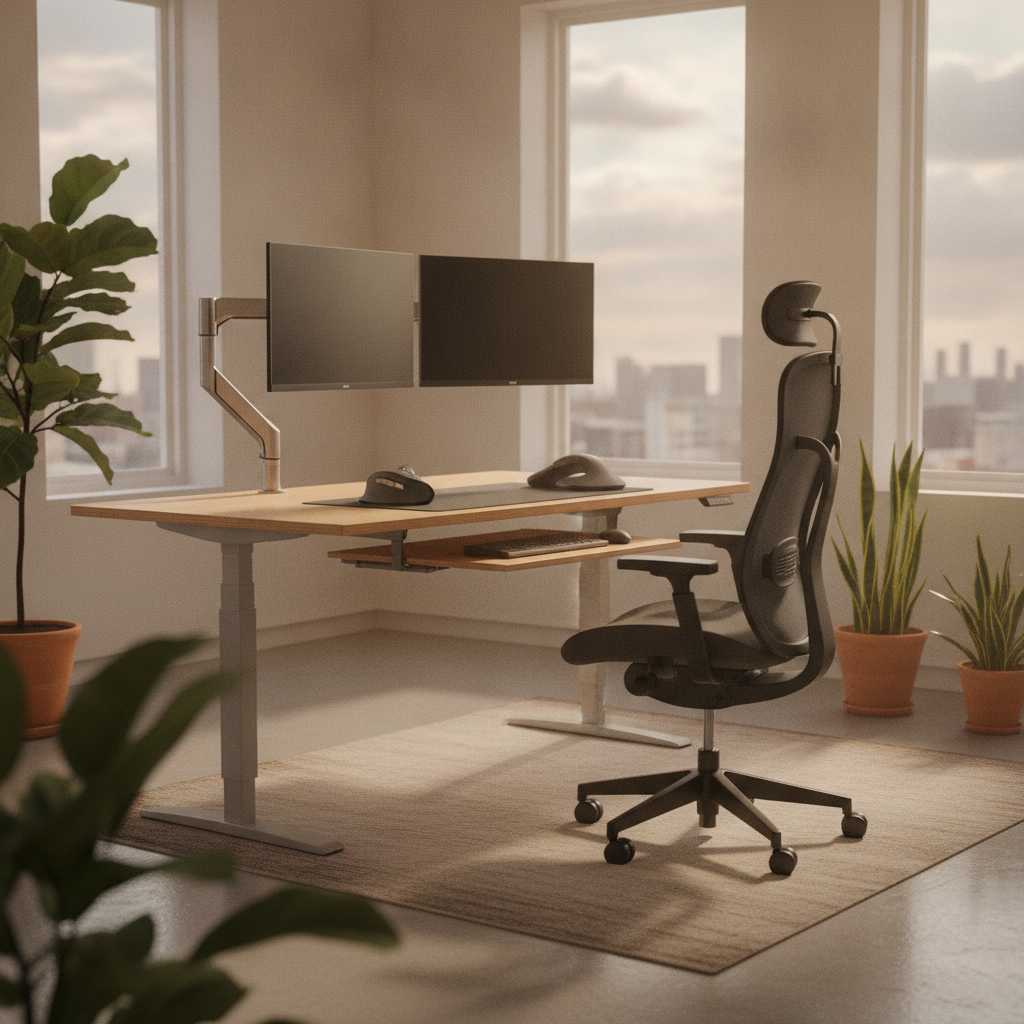
If you are tall, you know how hard it is to sit at a regular desk all day. Your knees hit the desk. Your back hurts. Your neck feels stiff. Most desks and chairs are made for average-height people. This guide will show you how to build an ergonomic desk setup for tall people that actually works. Follow each step, and you will feel better at work in just one day.
This guide covers everything you need. We will start with your chair. Then we will set your desk height. Next, we will place your monitor, keyboard, and mouse. Finally, we will add the right accessories. By the end, you will have a complete ergonomic desk setup for tall people that fits your body perfectly.
Why Standard Desk Setup Fail Tall People (6’2″ and Above)
Most office furniture is built for people between 5’4″ and 5’10”. If you are 6’2″ or taller, standard desks and chairs cause real problems. Understanding these problems is the first step to building a better ergonomic desk setup for tall people.
The Hidden Problems With Fixed-Height Desks
A standard desk is about 29 to 30 inches tall. For a tall person, this is too low. When you sit in a chair raised to the right height, your knees bump into the desk from below. You end up pushing the desk away, which makes you reach too far for your keyboard and mouse. This causes shoulder and back pain over time.
Common Pain Points for Tall Office Workers
Tall workers often report these issues:
- Lower back pain from poor lumbar support
- Shoulder tension from armrests that are too low
- Neck strain from monitors placed too low
- Wrist pain from typing at a bad angle
- Leg discomfort because thighs press against the desk apron
Why Height-Based Recommendations Matter
Every inch of your body changes how your desk should be set up. A person who is 6’2″ needs different measurements than someone who is 6’6″. An ergonomic desk setup for tall people must match your exact height. Generic advice does not work. You need specific numbers for your body.
Step 1: Set Up Your Chair First – The Foundation of Ergonomic Desk Setup for Tall People
Your chair is the base of everything. If your chair is wrong, nothing else will feel right. Start here before you touch your desk or monitor.
How to Adjust Seat Height for Proper Knee and Foot Position
- Sit all the way back in your chair so your back touches the backrest.
- Raise or lower the seat until your feet rest flat on the floor.
- Check that your knees bend at about a 90-degree angle.
- Make sure there is a small gap (about two fingers) between the seat edge and the back of your knees.
- Your thighs should be parallel to the floor or slope slightly downward.
Seat Depth Requirements for Long Legs (6’2″–6’4″ vs. 6’4″+)
Seat depth is the distance from the front of the chair to the back. Tall people need deeper seats.
| Your Height | Ideal Seat Depth |
|---|---|
| 6’2″ – 6’4″ | 17 to 19 inches |
| 6’4″ – 6’6″ | 19 to 21 inches |
| 6’6″ and above | 20 to 22 inches |
If your chair has a sliding seat, adjust it so you can fit two fingers between the seat edge and your knee.
Backrest Height and Lumbar Support for Taller Torsos
Tall people often have longer torsos. The lumbar pad on your chair should sit right at the curve of your lower back. If it is too low, you will slouch. If it is too high, it will push you forward. Adjust the backrest height so the lumbar support fills the natural curve of your spine. Many ergonomic chairs for tall people offer a taller backrest or a movable lumbar pad.
Armrest Adjustments to Prevent Shoulder Strain
- Relax your shoulders. Do not shrug them up.
- Let your arms hang naturally at your sides.
- Raise the armrests until they just touch the bottom of your elbows.
- Your elbows should bend at about 90 degrees when your hands rest on the keyboard.
- If the armrests push your shoulders up, lower them. If they are too low and you lean to one side, raise them.
Step 2: Measure and Adjust Your Desk Height for Tall Users
Now that your chair is set, it is time to find the right desk height. This is a key part of any ergonomic desk setup for tall people.
The Elbow-Height Method: Find Your Perfect Desk Height
- Sit in your chair with your shoulders relaxed.
- Bend your elbows to 90 degrees. Let your forearms rest parallel to the floor.
- Measure from the floor to the bottom of your elbow.
- Your desk surface should be at this height or about one inch below it.
- This ensures your forearms stay flat when you type.
Seated Desk Height Guide by Height Tier
| Your Height | Ideal Seated Desk Height |
|---|---|
| 6’2″ | 29 to 30 inches |
| 6’4″ | 30 to 31 inches |
| 6’6″ | 31 to 32 inches |
| 6’8″ and above | 32 to 34 inches |
Most fixed desks are only 29 inches tall. If you are over 6’4″, you will likely need a height-adjustable desk for a proper ergonomic desk setup for tall people.
Standing Desk Height Calculator for Tall People
When standing, your desk height changes again. Stand tall with your shoulders relaxed. Bend your elbows to 90 degrees. The desk surface should be at your elbow height while standing.
| Your Height | Ideal Standing Desk Height |
|---|---|
| 6’2″ | 44 to 45 inches |
| 6’4″ | 45 to 47 inches |
| 6’6″ | 47 to 48 inches |
| 6’8″ and above | 48 to 50 inches |
Make sure your standing desk can reach these heights. Many cheap standing desks max out at 47 or 48 inches, which is too short for people over 6’6″.
Ensuring Adequate Under-Desk Legroom and Thigh Clearance
Check that you can slide your legs fully under the desk. There should be at least 8 to 10 inches of space between the top of your thighs and the bottom of the desk. If a desk has a thick apron or a drawer that hangs low, it will block your legs. For an ergonomic desk setup for tall people, choose a desk with a clean underside or use a sit-stand desk with no apron at all.
Step 3: Position Your Monitor at the Correct Height and Distance
Your monitor position affects your neck and eyes. This step is critical for a comfortable ergonomic desk setup for tall people.
Eye-Level Rule: Where the Top of Your Screen Should Be
- Sit in your chair in your normal working position.
- Look straight ahead. Your eyes should line up with the top edge of your monitor or about 2 to 3 inches below the top.
- If the top of your screen is above your eye level, lower it. If it is below, raise it.
- Tall people usually need to raise their monitors higher than average. A monitor arm or a tall stand is often required.
Monitor Distance and Tilt Angle for Tall Users
Place your monitor about an arm’s length away from your eyes. For most tall people, this is 26 to 30 inches. Tilt the screen slightly backward (about 10 to 20 degrees) so you can see it without straining your neck. If you wear bifocals or progressive lenses, tilt the monitor back a bit more and lower it slightly.
Why Monitor Arms Are Essential for Ergonomic Desk Setup for Tall People
Most monitor stands only raise the screen a few inches. For tall people, this is not enough. A monitor arm clamps to your desk and lets you move the screen up, down, forward, and back. This gives you the full range of motion needed to find the perfect spot. Look for an arm that supports your monitor’s weight and can extend at least 20 inches above the desk surface.
Multi-Monitor Arrangements for Larger Workstations
If you use two or more monitors, place the main screen directly in front of you. Put the second screen right next to it at the same height and distance. Angle both screens slightly toward you so you can see them without turning your head too far. Do not place one monitor much higher or lower than the other. Keep them at the same eye level for a balanced ergonomic desk setup for tall people.
Step 4: Optimize Keyboard and Mouse Placement
How you place your keyboard and mouse affects your wrists, elbows, and shoulders.
Forearm Position and Wrist Alignment for Tall Users
- Place the keyboard directly in front of you, centered with your body.
- Your forearms should be parallel to the floor when you type.
- Your wrists should stay straight, not bent up or down.
- Keep the mouse right next to the keyboard so you do not reach far.
- Your elbows should stay close to your body, not flared out.
When to Use a Keyboard Tray vs. Adjustable Desk
If your desk is too high and you cannot lower it, a keyboard tray can bring the keys down to the right level. However, for an ergonomic desk setup for tall people, an adjustable desk is usually the better choice. A keyboard tray can limit legroom, which is already a concern for tall users. If you do use a tray, make sure it is wide and deep enough for both your keyboard and mouse.
Mouse Placement and Desk Depth Requirements
Your desk should be deep enough to hold your monitor at arm’s length while still leaving room for your keyboard and mouse. A desk depth of at least 30 inches is ideal for tall people. If your desk is too shallow, your monitor will be too close, and you will lean forward.
External Keyboard and Mouse Benefits for Laptop Users
If you work on a laptop, do not use the built-in keyboard for long periods. The screen and keyboard are too close together. You cannot raise the screen without raising the keys. Use an external keyboard and mouse instead. Place the laptop on a stand at eye level, and put the keyboard and mouse on the desk surface. This is a simple but powerful upgrade for any ergonomic desk setup for tall people.
Step 5: Complete Your Ergonomic Desk Setup for Tall People With Essential Accessories
The right accessories fill the gaps that standard furniture cannot cover.
Best Footrests When Chair Height Exceeds Floor Reach
If you raise your chair high enough for your desk but your feet no longer touch the floor, use a footrest. Choose one that is large enough for your feet and has an adjustable angle. A good footrest keeps your legs supported and takes pressure off your lower back.
Height-Adjustable Desks: Features Tall People Need
When shopping for a standing desk, check the maximum height. Many desks top out at 47 or 48 inches. If you are 6’6″ or taller, look for a desk that reaches at least 50 inches. Also check the weight capacity. Tall users often need a stronger frame. Look for a dual-motor desk with a wide top (at least 60 inches) for plenty of workspace.
Chairs With Extended Seat Depth and Higher Weight Capacity
Not all office chairs work for tall people. Look for these features:
- Seat depth of 19 inches or more (or a sliding seat pan)
- Backrest height of at least 22 inches from the seat
- Armrests that adjust in height and width
- Weight capacity of 300 lbs or more for larger frames
- A gas cylinder that can raise the seat to at least 22 inches from the floor
Deep Desks and Large Monitor Stands for Proper Spacing
If you cannot get a standing desk, choose a desk that is at least 30 inches deep. This gives you room for your monitor, keyboard, and mouse without crowding. A large monitor stand can also add a few extra inches of height if you do not want to buy a monitor arm.
Troubleshooting Common Setup Problems for Tall People
Even with a good plan, you may run into issues. Here are the most common problems and how to fix them in your ergonomic desk setup for tall people.
“My Shoulders Hurt” – Fixing Raised Shoulder Position
If your shoulders feel tight or raised, your armrests are probably too high or your desk is too high. Lower the armrests so your shoulders can relax. If the desk is the problem, raise your chair and use a footrest. Your shoulders should stay down and relaxed while you work.
“My Feet Don’t Touch the Floor” – Solving Chair-Height Mismatches
This happens when your chair is raised to match a fixed desk that is too low. You have two choices: get a height-adjustable desk that you can raise, or add a footrest under your feet. A footrest is the quick fix. A new desk is the better long-term solution for an ergonomic desk setup for tall people.
“My Neck Stiffens by Afternoon” – Correcting Monitor Height
Neck stiffness usually means your monitor is too low. Tall people look down at screens that are set at average height. Raise your monitor until the top of the screen is at your eye level. Use a monitor arm or a tall stand. Take a 30-second break every hour to stretch your neck.
“My Wrists Ache” – Adjusting Keyboard Angle and Desk Height
Wrist pain comes from bending your wrists up while typing. Make sure your desk height lets your forearms stay flat. If your keyboard tilts up at the back, flip it down so the front edge is higher. You can also try a split keyboard or a keyboard with a negative tilt. Keep your wrists straight and your elbows at 90 degrees.
FAQ: Ergonomic Desk Setup for Tall People
What Is the Ideal Desk Height for Someone 6’4″ Tall?
For a person who is 6’4″, the ideal seated desk height is about 30 to 31 inches. The best way to find your exact number is the elbow-height method. Sit in your chair, bend your elbows to 90 degrees, and measure from the floor to your elbow. That is your ideal desk height.
Can a Tall Person Use a Standing Desk Comfortably?
Yes, but you need a desk that goes high enough. A person who is 6’4″ needs a standing desk that reaches at least 46 inches. Someone who is 6’8″ needs one that reaches 49 to 50 inches. Always check the maximum height before buying. A good standing desk is one of the best investments for an ergonomic desk setup for tall people.
Do I Need a Special Chair If I’m Over 6’2″?
You do not always need a “special” chair, but you do need a chair with the right adjustments. Look for a chair with a tall backrest, deep seat (or adjustable seat depth), and armrests that go high enough. Many standard chairs will not support a 6’4″ frame properly. Investing in a chair made for taller users makes a big difference.
How Often Should I Adjust My Ergonomic Setup?
Check your setup when you first build it, then again after one week of use. Small changes in how you sit can mean you need to tweak things. Re-check everything every three to six months. If you get a new chair, desk, or monitor, redo the full setup. A good ergonomic desk setup for tall people is not a one-time task. It grows with you.
Final Checklist: Your Complete Ergonomic Desk Setup for Tall People
Use this checklist to make sure your ergonomic desk setup for tall people is complete and correct:
| Check | Item |
|---|---|
| ☐ | Feet rest flat on the floor or on a footrest |
| ☐ | Knees bend at about 90 degrees |
| ☐ | Two-finger gap between seat edge and back of knees |
| ☐ | Lumbar support fills the curve of your lower back |
| ☐ | Armrests support elbows without raising shoulders |
| ☐ | Desk height matches your elbow height when seated |
| ☐ | At least 8 inches of thigh clearance under the desk |
| ☐ | Top of monitor is at eye level |
| ☐ | Monitor is about an arm’s length away |
| ☐ | Keyboard is centered and forearms are parallel to the floor |
| ☐ | Wrists stay straight while typing |
| ☐ | Mouse is right next to the keyboard |
| ☐ | Shoulders are relaxed and elbows stay close to your body |
| ☐ | You can sit or stand without pain for at least one hour |
Building an ergonomic desk setup for tall people takes time, but the results are worth it. You will feel less pain, work longer without getting tired, and protect your body for years to come. Start with your chair, follow each step, and do not skip the small details. Your body will thank you.
If something still hurts after you follow this guide, see a physical therapist or an ergonomic specialist. They can check your setup in person and give you advice made just for you. The goal of this ergonomic desk setup for tall people is simple: make your workspace fit your body, not the other way around.