

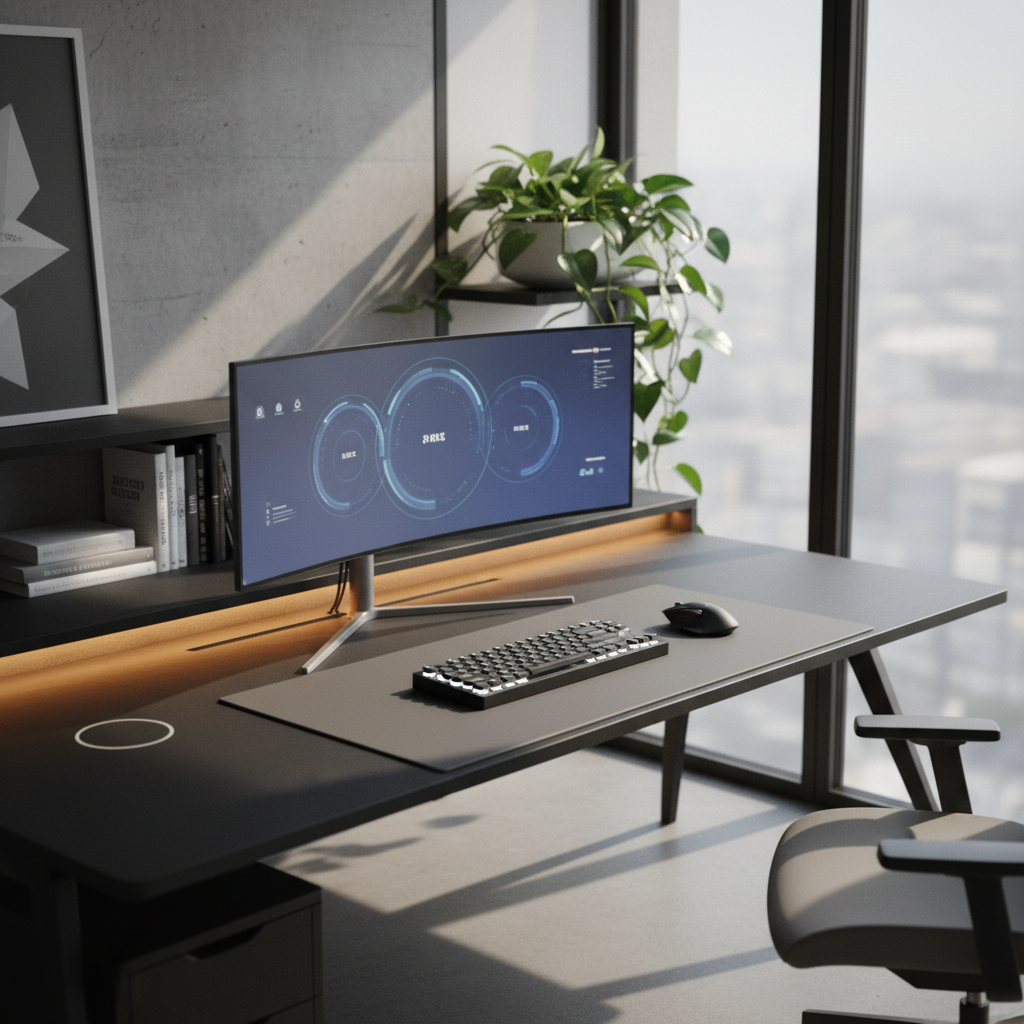
Setting up a workspace in the corner of your room is one of the smartest moves you can make in 2026. A corner desk setup uses space that most people leave empty. It gives you more room to work, study, or game without taking over your whole room. This guide walks you through every step. You will learn how to measure your space, pick the right desk, set it up for comfort, and keep it organized. Whether you have a big room or a tiny one, these corner desk setup ideas will help you build a workspace that fits your life.
Why Corner Desk Setup Ideas Are Perfect for Home Offices
Corner desk setups have become very popular for home offices. They solve many problems that flat desks cannot. Let us look at why more people are choosing corner desk setup ideas every year.
Space-Saving Benefits of Corner Desks
Corners are often the most wasted space in any room. A corner desk setup fills that gap perfectly. Instead of leaving a big empty area, you turn it into a useful workspace. An L-shaped desk can give you 50% more surface area than a straight desk. It does this without taking up more floor space. This is why corner desk setup ideas work so well in small apartments and bedrooms.
Productivity Advantages of Corner Layouts
A corner desk setup lets you spread out your work across two sides. You can keep your computer on one side and your writing area on the other. Everything stays within arm’s reach. Studies show that workers with more organized desk space finish tasks 15% faster. A good corner desk setup keeps your tools close and your mind focused.
Who Should Consider a Corner Desk Setup?
Almost anyone can benefit from a corner desk setup. Here are the people who gain the most:
- Remote workers who need space for a monitor, laptop, and documents
- Students who want a dedicated study area in their bedroom
- Gamers who use multiple screens and peripherals
- Content creators who need room for cameras and lighting
- Anyone with a small room that needs a smart layout
Step 1: Measure and Plan Your Corner Desk Setup
Before you buy anything, you need a solid plan. A good corner desk setup starts with accurate measurements. This step saves you money and frustration later.
How to Measure Your Corner Space Accurately
You will need a tape measure, a notebook, and a pencil. Follow these steps:
- Measure the length of each wall from the corner outward. Write down both numbers.
- Measure the height from the floor to the bottom of any windows above the corner.
- Measure the distance from the corner to the nearest door or obstacle.
- Note where power outlets are located on each wall.
- Skip the baseboard thickness by measuring from the wall surface, not the trim.
Write all your numbers down clearly. Double-check each measurement before moving on.
Corner Desk Size Guidelines: What You Need to Know
Here are the standard corner desk sizes to help you choose:
| Desk Type | Each Side Length | Depth | Best For |
|---|---|---|---|
| Small Corner Desk | 40-48 inches | 20 inches | Small bedrooms |
| Medium Corner Desk | 48-60 inches | 24 inches | Standard home offices |
| Large Corner Desk | 60-72 inches | 24-30 inches | Spacious rooms, gaming |
Always leave at least 30 inches of clearance in front of your desk for your chair.
Checking for Outlets, Windows, and Obstacles
Walk around your corner space and look for problems. Power outlets should be within reach of your devices. If they are too far, plan for an extension cord or power strip. Windows behind your monitor can cause glare. Blinds or curtains can fix this. Check for heating vents, light switches, and door swings. Your corner desk setup should not block any of these.
Left-Facing vs Right-Facing: Which Corner Desk Setup Works Best?
A left-facing desk has the longer side on your left when you sit down. A right-facing desk has it on your right. Your choice depends on three things:
- Which wall has the power outlets
- Which wall has the window
- Your dominant hand (right-handed people often prefer the main workspace on the right)
Stand in the corner and face the room. Decide which direction feels most natural. Most corner desk setups work in both orientations.
Step 2: Choose the Right Corner Desk Type for Your Needs
Not all corner desks are the same. Each type has strengths and weaknesses. Pick the one that fits your room, your budget, and your work style.
L-Shaped Corner Desks: When to Choose Them
L-shaped desks are the most popular choice for a corner desk setup. They have two connected surfaces that form an L shape. They offer plenty of room for monitors, keyboards, and papers. Choose an L-shaped desk if you have at least 5 feet of wall space on each side. They work great for home offices and gaming stations.
Floating Corner Desks: Best for Small Spaces
A floating corner desk mounts directly to the wall. It has no legs. This makes the floor underneath completely open. Floating desks are perfect for tiny rooms where every inch matters. They hold less weight than regular desks, so keep your setup light. A laptop, a small monitor, and a few books work fine. Heavy equipment is not a good fit.
Built-In Corner Desks: Custom Solutions
Built-in corner desks are made to fit your exact space. A carpenter or contractor builds them into the walls. They look clean and professional. You can add shelves, drawers, and cable holes during construction. The downside is cost. A built-in corner desk setup can cost $1,000 or more. But it adds value to your home and lasts for decades.
Standing Corner Desks: Ergonomic Options
Standing corner desks let you switch between sitting and standing. This reduces back pain and boosts energy. Many models have electric motors that adjust height with a button press. If you sit for long hours, a standing corner desk setup is a smart health investment. Look for models with a weight capacity above 150 pounds for stability.
Corner Desk Setup Ideas by Budget
| Budget | What You Get | Examples |
|---|---|---|
| Under $200 | Basic L-shaped desk, simple design | Particle board desks from big-box stores |
| $200-$500 | Better materials, some storage options | Solid wood tops, metal frames, cable grommets |
| $500+ | Premium build, motorized options, custom sizes | Standing desks, solid hardwood, built-in features |
Step 3: Set Up Your Corner Desk for Maximum Ergonomics
A corner desk setup only works well if it is comfortable. Bad posture leads to back pain, neck strain, and tired eyes. Follow these rules to keep your body healthy.
Monitor Placement Rules for Corner Desks
Place your main monitor directly in front of you. The top of the screen should be at or slightly below eye level. The screen should be about an arm’s length away (20-26 inches). If you use two monitors, put them at equal angles on each side of center. Never place a monitor in the corner itself. The corner is too far away and causes neck strain.
Chair Positioning and Clearance Requirements
Your chair needs room to move. Leave at least 30 inches between the desk edge and any wall behind you. Your chair should roll freely without hitting anything. Sit with your feet flat on the floor. Your knees should form a 90-degree angle. Your arms should rest comfortably on the desk surface without shrugging your shoulders.
Keyboard and Mouse Placement in Corner Setups
Keep your keyboard close to the edge of the desk. Your elbows should stay near your body, not stretched out. The mouse should sit right next to the keyboard on the same surface. Avoid placing the mouse on a different level or a separate tray. This causes wrist strain over time. A wrist rest can help keep your hands in a neutral position.
Lighting Setup to Reduce Glare in Corners
Corners often sit between two light sources. A window on one wall and a ceiling light above can create glare on your screen. To fix this:
- Position your monitor perpendicular to the window, not facing it or with it behind you
- Use a desk lamp with adjustable brightness for task lighting
- Add an anti-glare screen filter if window light is unavoidable
- Use warm-white LED bulbs (3000K-4000K) to reduce eye strain
Ergonomic Measurements You Must Follow
Write these numbers down and check your setup against them:
- Desk height: 28-30 inches from the floor
- Monitor distance: 20-26 inches from your eyes
- Monitor top edge: at or 2-3 inches below eye level
- Chair seat height: so your feet rest flat on the floor
- Keyboard height: so your elbows stay at 90 degrees
Step 4: Organize and Optimize Your Corner Desk Setup
A clean desk helps you think clearly. Clutter causes stress and wastes time. Let us look at the best ways to keep your corner desk setup tidy and efficient.
Cable Management Solutions for Corner Desks
Cables are the biggest eyesore on any desk. Here is how to handle them:
- Use a cable tray under the desk to hold power strips and excess cord length.
- Wrap cables in spiral cable sleeves to bundle them together.
- Attach adhesive cable clips along the desk legs to keep cords off the floor.
- Use velcro ties to group cables that run in the same direction.
- Route all cables through the corner gap behind the desk for a clean look.
Vertical Storage Ideas for Corner Workspaces
When your desk surface gets full, go up. Add a small shelf above the desk for books and decor. Mount a pegboard on the wall to hang headphones, tools, and supplies. Use a monitor arm to lift your screen off the desk. This frees up space underneath for a keyboard tray or notebook. Vertical storage is one of the best corner desk setup ideas for small rooms.
Under-Desk Storage and Drawer Organization
The space under your desk is valuable. Use it wisely. A rolling drawer unit fits neatly under most corner desks. It holds office supplies, papers, and personal items. If your desk has no drawers, add a clip-on under-desk shelf for your keyboard. Use small bins inside drawers to separate pens, chargers, and sticky notes.
Desk Accessories That Work Best in Corner Setups
Some accessories make corner desk setups much better:
- Monitor arm: frees up desk space and improves screen positioning
- Desk mat: protects the surface and reduces noise from keyboards
- Headphone stand: keeps headphones off the desk and within reach
- Small desk fan: improves airflow in a corner that can feel stuffy
- Power strip with USB ports: keeps devices charged without extra adapters
Corner Desk Setup Ideas for Different Use Cases
Your corner desk setup should match what you actually do. A student needs different things than a gamer. Here are ideas for five common use cases.
Remote Work Corner Desk Setup
Remote workers need a professional and efficient space. Place your main monitor on one side and a laptop on the other. Keep a webcam at eye level for video calls. Add a small bookshelf behind you for a clean video call background. Use noise-canceling headphones to stay focused. A corner desk setup for remote work should feel like a real office, not a bedroom.
Gaming Corner Desk Setup
Gamers need room for multiple monitors, a large mouse pad, and speakers. Use a deep desk (at least 24 inches) so the monitor sits far enough from your eyes. Mount LED light strips under the desk edge for ambient lighting. Place your PC tower on the floor or a dedicated shelf. Keep controllers and headsets on wall hooks. A gaming corner desk setup should feel immersive and comfortable for long sessions.
Student Study Corner Desk Setup
Students need a simple and focused space. Keep one side for your laptop and the other for textbooks and notebooks. Add a good desk lamp for late-night studying. Use a small organizer for pens, highlighters, and sticky notes. Avoid putting decorations that distract you. A student corner desk setup should be clean, bright, and easy to maintain.
Content Creator Corner Desk Setup
Content creators need room for cameras, microphones, and lighting. Use one side of the desk for your computer and editing software. Use the other side for your camera and ring light. A monitor arm is essential to free up space. Add acoustic foam panels on the walls to improve sound quality. A content creator corner desk setup should support both recording and editing in one spot.
Small Room Corner Desk Setup
In a small room, every inch counts. Choose a floating corner desk to keep the floor open. Use light colors to make the space feel bigger. Add one shelf above the desk for storage. Keep only essential items on the desk surface. Use wireless devices to reduce cable clutter. A small room corner desk setup should feel open and airy, not cramped.
Common Corner Desk Setup Mistakes and How to Avoid Them
Even with good planning, people make mistakes. Here are the five most common ones and how to fix them.
Mistake #1: Choosing the Wrong Desk Size
Buying a desk that is too big makes your room feel cramped. A desk that is too small leaves you without enough workspace. Always measure your corner before shopping. Leave at least 2 inches of gap on each side for installation. If you are unsure, go slightly smaller. You can always add a shelf later, but you cannot shrink a desk.
Mistake #2: Ignoring Ergonomic Requirements
Many people set up their desk and chair without thinking about posture. This leads to back pain and neck strain within weeks. Use the ergonomic measurements listed in Step 3. Adjust your chair height, monitor position, and keyboard placement before you start working. It takes 10 minutes to set up correctly and saves you months of discomfort.
Mistake #3: Poor Cable Management
Loose cables look messy and create tripping hazards. They also collect dust and get damaged easily. Spend 30 minutes on cable management when you first set up your corner desk setup. Use the solutions from Step 4. Your future self will thank you every time you sit down at a clean desk.
Mistake #4: Inadequate Lighting
A dark corner causes eye strain and headaches. Do not rely only on the room’s main light. Add a desk lamp with adjustable brightness. If you work at night, use a warm light to avoid disrupting your sleep. Position your light source to the side of your monitor, not behind it or directly above it.
Mistake #5: Overlooking Chair Clearance
People often push the desk right against the wall and forget about chair space. You need room to sit back, stand up, and roll your chair. Leave at least 30 inches between the desk edge and the wall behind you. Also check that nearby doors can open without hitting your chair. This is a simple fix that makes a huge difference.
FAQ: Your Corner Desk Setup Questions Answered
What is the ideal corner desk size for a home office?
For most home offices, a corner desk with each side measuring 48-60 inches works best. This gives you enough room for two monitors, a keyboard, and some paperwork. The depth should be at least 24 inches. If your room is smaller, a 40-inch desk on each side still works for a single monitor setup.
How do I choose between a left or right corner desk?
Stand in the corner facing outward. If your dominant hand is your right hand and the power outlets are on the right wall, choose a right-facing desk. The most important factor is where your outlets and windows are. Place your main workspace on the wall with the most outlets and the least window glare.
Can I use a corner desk in a small room?
Yes. A corner desk is actually one of the best choices for a small room. It uses space that would otherwise be empty. Choose a floating corner desk or a compact L-shaped desk with 40-inch sides. Keep the area above the desk open with wall-mounted shelves instead of bulky bookcases.
What monitor setup works best for corner desks?
A single monitor placed on one side of the L works best for most people. If you need two monitors, place them at the center of the L so you can swivel between them. Avoid placing monitors in the actual corner. Use a monitor arm to save desk space and get the perfect viewing angle.
How much does a good corner desk setup cost?
A basic corner desk setup costs around $150-$300 for the desk alone. A mid-range setup with better materials and some accessories runs $400-$700. A premium setup with a standing desk, monitor arms, and full cable management can cost $800-$1,500. Start with what you need and add accessories over time.
Final Checklist: Building Your Perfect Corner Desk Setup
Use this checklist to make sure you have covered everything:
- Measured both walls and noted the corner dimensions
- Located power outlets, windows, and obstacles
- Chosen a left-facing or right-facing desk based on your space
- Selected a desk type that fits your budget and needs
- Set the desk height between 28-30 inches
- Positioned the monitor at arm’s length and eye level
- Left 30 inches of clearance behind the chair
- Placed the keyboard and mouse at a comfortable height
- Added proper lighting to reduce screen glare
- Organized cables with trays, sleeves, and clips
- Added vertical storage with shelves or a pegboard
- Set up under-desk storage for extra supplies
- Tested the full setup for comfort and adjusted as needed
Building a great corner desk setup does not happen in one day. Start with the basics. Measure your space, pick the right desk, and set it up with good ergonomics. Then add organization and accessories over time. Your corner desk setup will grow with your needs. The most important thing is to start. Measure your corner today and take the first step toward a better workspace.